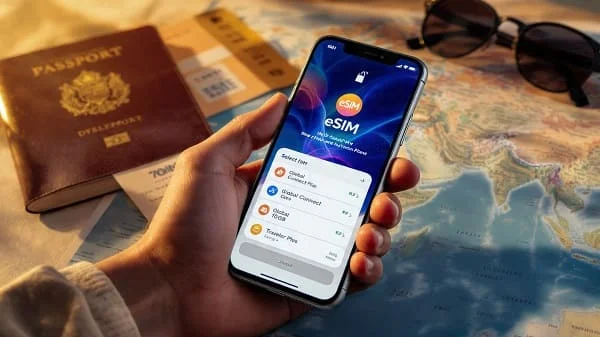
Want to land, turn off airplane mode, and get online in seconds—no store visits or plastic SIM swaps? This in‑depth guide is built to help you choose the Best eSIM Plans for International Travel in 2025, activate them correctly on iPhone or Android, and avoid common pitfalls like hidden speed caps, blocked hotspot, or patchy coverage. You’ll learn how to match plans to real itineraries, how to read the fine print around “unlimited” data and fair‑use, and how to troubleshoot 5G/LTE across borders without stress.
Everything here is provider‑agnostic and practical. We’ll cover coverage reality on each continent, plan archetypes for weekend city breaks vs. month‑long remote work, simple pricing benchmarks, and a clean step‑by‑step setup so your eSIM just works when you land. By the end, you’ll know exactly which plan to buy, how much data to pick, and how to keep speeds consistent everywhere from airports to old‑town cafés.
Table of Contents
Why eSIM beats physical SIMs for global trips in 2025
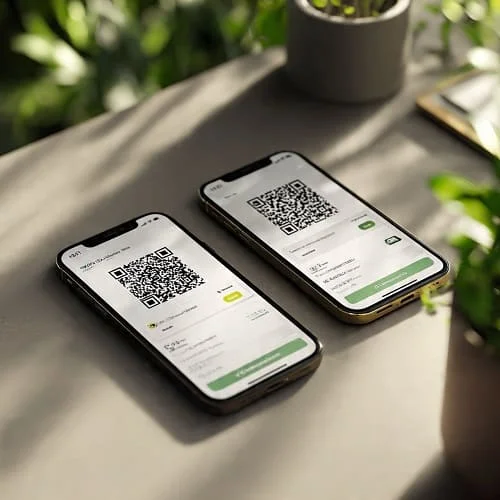
eSIM is a digital SIM profile you add to your phone by scanning a QR code or tapping a link—no waiting, no plastic. For travelers, the upsides are huge in 2025:
- Instant activation: Buy on your couch, install in minutes, and connect on landing.
- One plan, many borders: Regional or global eSIMs can include dozens of countries—no more hunting local SIMs per stop.
- Keep your home number: Dual SIM means your primary line stays reachable for calls/SMS and 2FA while your travel eSIM handles data.
- Transparent cost control: Clear bundles (days or GB) beat open‑ended roaming fees.
In short, the best eSIM plans for international travel in 2025 combine coverage, speed consistency, honest fair‑use, and easy top‑ups. The sections below show how to pick that combo for your exact route.
Quick picks: best plan types by traveler
Need an answer fast? Start here, then confirm details with the checklist in the next section.
- Weekend city breaks (single country or city): 5–10 GB, 5–10 days, 5G where available, hotspot allowed. Easy top‑ups preferred.
- Multi‑country 10–14 days (rail/road): 10–20 GB, 10–15 days, multi‑network roaming per country, instant top‑ups, clear country list.
- Remote‑work month: 30–60 GB monthly or unlimited with clear FUP (≥50–100 GB high speed) and explicit hotspot allowance.
- Budget explorer (pay‑as‑you‑go): 3–5 GB with cheap top‑ups; speed caps OK if you don’t do HD video calls.
- “Unlimited” streamer: Only buy if FUP is transparent. Post‑cap speed ≥5–10 Mbps and hotspot policy clearly stated.
- Families/groups: Multiple mid‑size plans beat one “unlimited” with tiny FUP. Stagger start dates so someone always has full‑speed data.
What “best” means: evaluation criteria in 2025
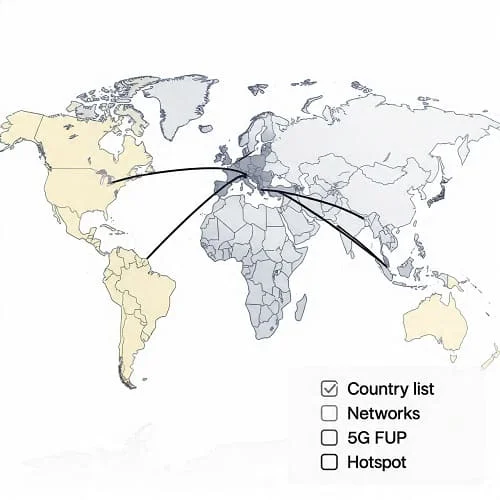
Not all “global” eSIMs are equal. Use this criteria to compare plans like a pro.
- Country list coverage: Confirm every stop (including islands and microstates). Regional plans often beat generic “global” for performance.
- Underlying networks: Which carriers do you roam on in each country? Multi‑network access per country is a plus for reliability.
- 5G access and speed caps: Is 5G included? Are speeds capped at, say, 10 Mbps even on 5G? Fine for maps, not ideal for HD calls.
- Fair‑Use Policy (FUP): “Unlimited” usually throttles after a threshold. Look for daily/monthly high‑speed buckets and published post‑cap speeds.
- Hotspot/tethering: Some plans disable or separately cap hotspot. If you need laptop data, pick a plan that explicitly allows it.
- Validity model: Date‑based (e.g., 10/15/30 days) vs. data‑based (5/10/20 GB). Can you top up without reinstalling the eSIM?
- Activation rules: Can you install early and start later? Does the timer start at purchase or first network attach?
- APN clarity: Automatic APN is ideal; if manual, clear instructions matter.
- Device support: iPhone/Android eSIM support, 5G band compatibility, and dual‑SIM behavior.
- eKYC/privacy: Some regions require ID verification. Ensure this fits your timeline and comfort level.
- Support + refunds: 24/7 chat helps when you land late. Unactivated eSIM refunds are common; post‑activation refunds are rare.
- Total cost: Sanity‑check per‑GB price vs. your needs, including any taxes/fees.
Coverage reality by region (Americas, Europe/UK, APAC, MEA)
Coverage and spectrum vary by region. Know what to expect so you’re not surprised in the field.
Americas
- USA/Canada: Dense 4G/5G in cities and corridors; rural coverage varies. Multi‑network access improves reliability on road trips.
- Latin America: Urban hubs are solid; rural and coastal areas can dip to LTE or H+/3G. Islands vary widely—check country lists and network partners.
Europe/UK
- Western/Northern Europe: Strong 4G/5G in cities and rail routes; indoor coverage is generally good.
- Southern/Eastern Europe: Great in capitals and tourist hubs; smaller towns may rely on LTE. UK and Switzerland are often included but verify.
Asia‑Pacific (APAC)
- East Asia: Leading 5G deployment in major cities; rural areas still depend on LTE.
- Southeast Asia: Solid urban coverage; islands and national parks can be variable—regional plans help.
- Oceania: Cities are fast; outback/coastal stretches can be sparse—download offline maps.
Middle East & Africa (MEA)
- Gulf states: Excellent urban 5G; airports and malls are well covered.
- North/Western/East Africa: Strong city LTE; wide rural variability. Pick plans listing multiple networks per country.
To check 5G availability on the go, the global live map from Ookla is useful: Ookla 5G Map.
Plan archetypes that actually fit real trips
Most travel needs fall into a few patterns. Pick an archetype first, then compare providers with the criteria above.
1) City Sprinter (3–7 days)
- Use case: Weekend in Tokyo or Paris; conferences; city‑only itineraries.
- Sweet spot: 5–10 GB, 5–10 days, 5G where available, hotspot allowed.
- What to avoid: Plans capped under 10 Mbps if you need reliable HD video calls.
2) Cross‑Border Explorer (7–14 days)
- Use case: EU rail passes; Southeast Asia circuit; multi‑country tours.
- Sweet spot: 10–20 GB, 10–15 days, multi‑network roaming per included country, instant top‑ups.
- Watch for: Countries not covered (e.g., UK/CH) or islands with limited footprints.
3) Remote‑Work Month (15–30+ days)
- Use case: Digital nomads; long business trips.
- Sweet spot: 30–60 GB monthly or unlimited with clear FUP (≥50–100 GB high speed), hotspot explicitly allowed.
- Watch for: “Unlimited” with weak post‑cap speeds (≤3 Mbps) or no hotspot.
4) Budget Explorer (pay‑as‑you‑go)
- Use case: Light users who mainly need maps, chat, bookings, and occasional rideshare.
- Sweet spot: 3–5 GB plus affordable top‑ups; LTE or 5G acceptable.
- Watch for: Expiry windows that burn unused data; expensive per‑GB add‑ons.
5) “Unlimited” Maximizer
- Use case: Heavy social/video, cloud uploads, and frequent tethering.
- Sweet spot: Honest FUP, published post‑cap speed (≥5–10 Mbps), hotspot with a separate allowance.
- Watch for: Ambiguous “unlimited” claims, blocked hotspot, or aggressive shaping during peak hours.
How much data you need + 2025 price benchmarks
A simple, realistic sizing method so you don’t overbuy—or run out mid‑trip.
Daily usage guide (per traveler)
- Light: Maps, chat, bookings, email → ~0.3–0.7 GB/day
- Moderate: Socials with short video, rides, translation, a few video calls → ~1–2 GB/day
- Heavy: HD calls, frequent streaming, hotspot → ~3–5+ GB/day
Trip examples
- 4‑day city break → 3–5 GB
- 10–12 days, 3–5 countries → 10–20 GB
- 30‑day remote work → 40–60 GB or clear‑FUP unlimited
2025 price sanity checks (typical ranges)
- 5–10 GB (7–10 days): roughly $/€/£ 12–25
- 15–25 GB (10–15 days): roughly $/€/£ 18–35
- 30–60 GB monthly: roughly $/€/£ 25–60
- Unlimited monthly with hotspot: roughly $/€/£ 35–75 (verify FUP and hotspot allowance)
Tip: For crisp 1080p video calls, avoid plans capped under ~10 Mbps, especially at peak times.
Device compatibility and unlock checklist
Before you buy any eSIM, confirm these basics:
- eSIM support: iPhone XS/XR and newer; most modern Pixels and Samsung Galaxy S/Note/Flip/Fold. Official guides: Apple: Use eSIM on iPhone • Google: Set up eSIM on Pixel
- Unlocked phone: Contract‑locked devices may reject third‑party eSIMs. Ask your carrier to unlock in advance.
- Latest OS: Update iOS/Android to avoid install or 5G toggle issues.
- Band support: For best 5G/LTE, ensure your model supports local bands (especially if you bought your phone in a different region).
Install and activate: iPhone and Android steps
Installing an eSIM takes minutes. You can add the profile before your flight, then enable data when you land.
iPhone (iOS)
- Purchase your plan and open the QR code on another screen.
- Go to Settings > Cellular > Add eSIM > Use QR Code (or install via provider app).
- Label the line (e.g., “Travel Data”). Set Cellular Data to the travel eSIM.
- In Cellular Data Options, choose 5G Auto if supported; enable Data Roaming if your eSIM provider requires it.
- APN usually auto‑fills; enter manual APN if instructed.
Android (Pixel, Samsung, etc.)
- Purchase your plan and display the QR code.
- Open Settings > Network & Internet > SIMs (or Connections > SIM manager), tap Add eSIM, and scan the QR.
- Select the travel eSIM for Mobile data. Enable Data roaming for that eSIM if required.
- Confirm Preferred network is 5G/LTE Auto; add APN if manual entry is needed.
Dual‑SIM best practices while traveling
- Home SIM for calls/SMS; travel eSIM for data: Ideal for 2FA and inbound calls without roaming data charges.
- Lock data to the eSIM: On iPhone, disable “Allow Cellular Data Switching” if you want to prevent surprise data use on your home line.
- Voice line control: Keep your home line’s voice on if you need your number; otherwise, disable to avoid accidental roaming calls.
- Hotspot sanity: Confirm tethering is allowed; it burns battery—keep a power bank handy.
Troubleshooting across borders: fast fixes
Most issues resolve in 1–2 minutes with these checks:
- No service after install: Toggle Airplane Mode for 10–20 seconds; restart the phone; ensure the travel eSIM is On and selected for data.
- Stuck on LTE / slow 5G: Move outdoors; try another neighborhood; ensure 5G mode is on (5G Auto vs. LTE). Congested areas may feel slower at peak hours.
- Data works but apps spin: Confirm APN is correct; some providers require a specific APN for routing.
- Hotspot failing: Your plan may block tethering or require a hotspot-specific APN. Check provider docs.
- Dual‑SIM quirks: Temporarily disable the home line and test; then re‑enable once stable.
- VPN issues: Turn off VPN briefly; some VPNs conflict with captive portals or carrier routing.
Data‑saving and performance tips (5G without the drain)
- Offline maps: Download regions in Google Maps/Apple Maps before traveling.
- Streaming control: Cap video at 480p/720p on cellular; allow HD only on Wi‑Fi.
- Backups on Wi‑Fi: Pause photo/video backups on cellular; resume nightly on hotel Wi‑Fi.
- App refresh: Disable auto‑play, preloading, and heavy background refresh in social apps.
- Battery tips: Prefer Wi‑Fi indoors; use 5G Auto (not 5G On) in weak‑signal areas to reduce drain.
Security, privacy, eKYC, refunds: what to check
- eKYC: Some providers require ID verification due to regional regulations. Have a passport scan ready if needed.
- Refund window: Many vendors refund unactivated eSIMs. Test promptly on arrival.
- Transparent policies: Look for clear FUP/hotspot/APN details and a published country list per plan.
- Support: 24/7 chat or fast email response helps when landing late or changing countries mid‑trip.
Sample itineraries and smart plan strategies
1) Europe by rail (9–12 days, 3–4 capitals)
- Plan: 10–20 GB, date‑based, 5G in cities, LTE elsewhere. Ensure UK/Switzerland coverage if included.
- Strategy: Install before departure; start on arrival; preload tickets/passes; enable Wi‑Fi Calling at hotels.
2) USA + Canada road trip (14 days)
- Plan: 15–25 GB with hotspot allowed; multi‑network roaming improves highway reliability.
- Strategy: Offline maps for rural stretches; test speeds at fuel stops; switch bands/5G settings if needed.
3) Southeast Asia circuit (10–14 days, cities + islands)
- Plan: 10–20 GB regional; double‑check island coverage; instant top‑ups in app.
- Strategy: Pre‑download island maps; manage background sync; expect LTE in remote beaches.
4) Oceania + Japan (30 days, remote work)
- Plan: 40–60 GB or clear‑FUP unlimited with hotspot allowance.
- Strategy: Test accommodation speeds at multiple times; schedule heavy uploads when 5G is strong.
5) North Africa + Europe mix (12 days)
- Plan: Regional plan covering both areas or separate regional eSIMs. Confirm multi‑network access in African stops.
- Strategy: Keep two eSIMs installed; switch data line when crossing regions; verify APNs per plan.
Top mistakes to avoid with travel eSIMs
- Assuming “global” covers every country/island: Always check the plan’s list.
- Trusting “unlimited” without FUP details: Post‑cap speeds can be too low for navigation or calls.
- Forgetting hotspot rules: Some plans block it entirely.
- Starting validity too early: Install early if allowed, but start on arrival to avoid wasting days.
- Skipping APN/roaming toggles: One missing APN field can break data until you fix it.
Related guide: Best eSIM for USA Travel (2025)
Headed to the United States this year? See our focused U.S. guide for coverage tips, 5G expectations, and hotspot policies: Best eSIM for USA Travel (2025 Guide).
FAQs: Best eSIM Plans for International Travel in 2025
Will I get a local phone number?
Most travel eSIMs are data‑only. For voice, use app‑based calling (WhatsApp, FaceTime, Google Voice) or Wi‑Fi Calling tied to your home SIM. Some plans sell voice add‑ons—check the details.
Is 5G worth it for travel?
Yes in cities and airports; it helps with uploads and video calls. In rural or dense historic areas, LTE may be more consistent. Choose 5G access, but be ready to fall back to LTE as needed.
Can I install multiple eSIMs?
Yes. Modern phones store multiple eSIM profiles; enable one at a time for data. Delete expired profiles to keep things tidy.
Does EU “Roam Like at Home” help visitors?
It benefits EU residents roaming with their domestic plans. Visitors using travel eSIMs follow their plan’s own country list and FUP. See EU info: EU roaming policy.
What if my data runs out mid‑trip?
Most providers offer instant top‑ups in the app or web account. Confirm whether top‑ups extend validity or just add data.
Will hotspot work?
Only if allowed. Some “unlimited” plans ban tethering or throttle it separately. Choose plans that state hotspot allowances clearly.
How do I check 5G where I’m going?
Use official carrier maps and global tools like the Ookla 5G Map to see live deployments.
References and official resources
- GSMA: eSIM ecosystem overview
- Apple Support: Use eSIM on iPhone
- Google Support: Set up eSIM on Pixel
- European Commission: Roaming in the EU
- Ookla: Global 5G coverage map
Notes: Availability, coverage, and fair‑use policies change often. Always verify the provider’s current country list, hotspot rules, and activation model before purchase. Replace placeholder image URLs with your final uploads after generating the visuals.

About the Author
Alex Carter — Founder & Editor‑in‑Chief, GicraMobile
Alex leads GicraMobile’s testing lab and reviews. His methodology focuses on day‑to‑day performance, battery health and thermals, camera consistency, and 5G/LTE reliability—so you can pick the right phone without hype.
Real‑world testing: 90–120 Hz smoothness, idle drain, thermals
Camera checks: HDR, skin tones, low‑light stabilization
Connectivity: band fit, eSIM, VoLTE/VoWiFi, Wi‑Fi performance
You may also like this