
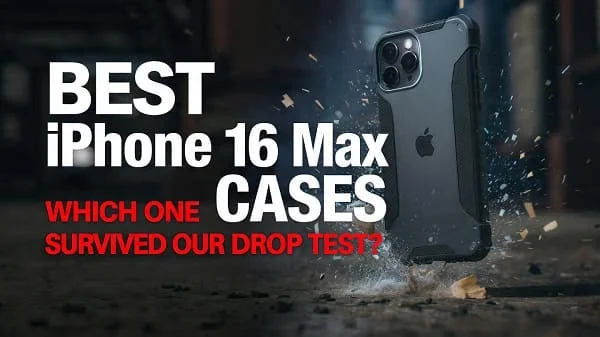
If you’re shopping for the Best iPhone 16 Pro Max Cases, this comprehensive buyer’s guide walks you through what truly matters—real drop protection, MagSafe and Qi2 alignment, heat management, grip, materials, and long‑term durability. You’ll find clear checklists, do‑it‑yourself tests for fit and magnet strength, and curated picks by use‑case so you can choose confidently. Whether you prefer ultra‑thin minimalism, rugged armor, a wallet folio, or a clear case that stays crystal over time, this guide helps you match the right protection to your lifestyle without guesswork.
Table of Contents
What Actually Matters in an iPhone 16 Pro Max Case
The iPhone 16 Pro Max is large, premium, and performance‑oriented—so the case you put on it should preserve comfort and capability, not just add bulk. Use the following priorities to shortlist the right options quickly.
- Real drop protection: Look for controlled flex in the bumper, cushioned corners, and a modest lip around the screen and camera. Marketing “feet” of drop claims vary; construction details matter more than a single number.
- MagSafe/Qi2 alignment: Rings should be precisely centered and strong enough to hold to mounts without sliding. Misaligned magnets cause slow charging or weak connections.
- Grip geometry: Micro‑textures, ribbing, or subtle side rails reduce drops without snagging pockets. Smooth glossy sides are risky on a phone this large.
- Button tactility: Crisp, direct click with minimal mush. Poor button covers ruin the daily experience.
- Fit and tolerances: The case should seat fully with no seam gaps, lens lip should not shadow the camera, and ports should clear third‑party cables.
- Heat management: Thick, non‑vented cases can trap heat during 4K video, GPS navigation, or gaming. Designs with internal channels or heat‑spreader layers help.
- Material aging: Clear cases tend to yellow; premium anti‑UV blends and coatings slow this dramatically. Softer silicones can attract lint; aramid fabric resists scuffs but may feel slick unless textured.
- Accessory workflows: Wallets, stands, car mounts, tripods, lanyards—confirm you have enough magnet strength and the right cutouts or attachment points.
Bottom line: prioritize construction details and daily ergonomics. A case you love to use will actually stay on your phone, which is the best protection of all.
Best iPhone 16 Pro Max Cases by Need
The “best” case is the one that matches your routine and environment. Use these tailored picks to narrow quickly, then apply the checklists to compare options.
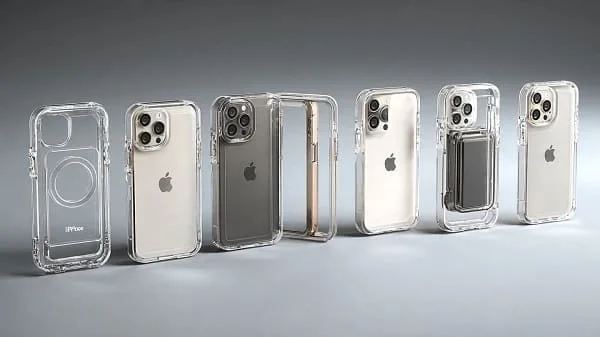
1) Best Clear Slim Case (Show the Phone, Keep It Safe)
Who it’s for: You want the titanium/finish to shine through with basic drop protection.
- What to look for: UV‑resistant TPU/PC hybrid, anti‑yellowing warranty, raised 360° lip, cushioned corners, scratch‑resistant coating inside and out, solid MagSafe/Qi2 ring.
- Why it’s great: Balances clarity, grip, and wireless‑charging compatibility while adding minimal thickness.
- Avoid: Single‑material soft TPU (yellows faster), sloppy magnet alignment, overly glossy sides.
- Quick setup tip: Wipe the phone and the case interior with a microfiber cloth before installation to prevent “Newton rings” and dust halos.
2) Best Rugged/Heavy‑Duty Case (Worksite, Outdoor, Parents)
Who it’s for: You drop your phone, you climb ladders, or your kid loves gravity experiments.
- What to look for: Dual‑layer design (TPU bumper + PC shell), air‑cushion corners, continuous camera guard, ridged side rails, lanyard anchor, robust MagSafe ring, compatibility with tempered glass protectors.
- Why it’s great: Absorbs impact energy and keeps glass off the ground with generous lips and corner “crumple zones.”
- Avoid: Hard plastic corners with no flex; they transfer shock to the phone.
- Testing tip: With the phone off, drop the empty case from waist height onto its corner—listen for a dull thud (cushioned) vs. a brittle smack (too rigid).
3) Best Thin Minimal Case (As Close to Naked as it Gets)
Who it’s for: You hate bulk but want scratch protection and basic grip.
- What to look for: 0.8–1.5 mm thin shells, matte micro‑texture for grip, a slight camera lip, and precise cutouts that don’t snag screen protectors.
- Why it’s great: Preserves the in‑hand feel of the 16 Pro Max while adding a touch of security.
- Know the tradeoff: Minimal cases are not for repeated high drops; pair with a quality screen protector.
4) Best MagSafe Wallet Case (One‑Pocket Carry)
Who it’s for: You carry only 2–3 cards and prefer a sleek setup.
- What to look for: Strong magnet ring + alignment magnet, anti‑demagnetization shielding for cards, quick thumb slot, and a slight “lip” to keep cards from sliding out.
- Why it’s great: Consolidates pocket carry and works with MagSafe stands and car mounts when removed.
- Pro tip: Train the workflow—detach wallet at the car mount or on a wireless charger for best hold and charging speed.
5) Best Folio/Kickstand Case (Meetings, Flights, Content)
Who it’s for: You watch videos, take Zoom calls, or journal on the go.
- What to look for: Magnetic clasp, stable landscape/portrait stand, microfiber interior to protect display, and reliable camera cutout clearance.
- Why it’s great: Folds into a stand for media and protects the screen in bags.
- Consider: Folios add front bulk; check your grip comfort when the cover is flipped back.
6) Best Grip Case (Sweaty Hands, Runners, Commutes)
Who it’s for: You need friction without lint.
- What to look for: Fine pebble texture, side ribs, or patterned rails; matte topcoat; balanced weight; clicky buttons.
- Why it’s great: Lets you relax your grip—fewer hand cramps, fewer drops.
- Skip: Ultra‑soft silicone with dust‑magnet finish unless you accept frequent cleaning.
7) Best Aramid/“Kevlar”‑Style Case (Light, Tough, Professional)
Who it’s for: You want structure without weight and a modern weave aesthetic.
- What to look for: Genuine aramid fiber layers, grippy matte resin, molded button covers, 1 mm+ camera lip, embedded MagSafe ring.
- Why it’s great: High stiffness adds torsional rigidity while staying slim; resists scuffs.
- Note: Pure aramid can feel slick; prefer micro‑texture finishes.
8) Best Eco‑Friendly Case (Lower Impact)
Who it’s for: You prefer recycled or bio‑based materials.
- What to look for: Recycled TPU/PC blends, compostable bio‑resins, dye‑free clear formulas, and transparent sourcing claims.
- Why it’s great: Reduces footprint while still offering daily protection and MagSafe support.
- Reality check: Some eco blends are softer; prioritize grip textures and corner cushions.
9) Best Waterproof/Adventure Case (Beach, Snow, Kayak)
Who it’s for: You need sealed protection against sand, dust, and splashes.
- What to look for: Full enclosure with membrane seals, port covers, tested speaker membranes, and MagSafe‑compatible backs.
- Why it’s great: Adds a temporary layer when conditions are harsh; remove afterward to reduce heat.
- Tip: Test the empty case in a sink before first use; check for bubbles/ingress.
10) Best Case for Car Mounts and Tripods (Creators, Commuters)
Who it’s for: You record video, time‑lapse, or use navigation daily.
- What to look for: High‑strength magnet array (see DIY test below), flat back for stable mounts, optional 1/4‑20 adapter or lanyard eyelet for rigs.
- Why it’s great: Reduces rattle in footage and prevents mount slips.
- Charging tip: If your mount is also a charger, confirm Qi2 or certified MagSafe to maintain speeds.
Case Fit and Screen‑Protector Compatibility
A great case should play nicely with a tempered‑glass screen protector and lens protector—no lifting at the edges, no “rainbow” pressure spots, and no camera lip shadowing wide lenses.
- Edge geometry: Prefer cases with a gentle “chamfer” around the display opening; it clears most 2.5D glass edges without peel‑ups.
- Lens ring clearance: A raised camera guard is good, but if it intrudes into the field of view you’ll see vignetting or flare. Check sample photos at night under point light sources.
- Protector overlap: If your glass runs edge‑to‑edge, pair it with a “compatibility‑listed” case from the same maker or a case with a slightly wider opening.
Want a vetted list of screen protectors to pair with your case? See this guide: Best Screen Protectors for iPhone 16.
MagSafe and Qi2: Magnets, Charging, and Mounts
MagSafe charging and accessory mounting rely on precise magnet placement and adequate pull force. Weak or misaligned rings cause slow charging, dropped wallets, and sketchy car‑mount behavior.
- Certification matters: Apple’s MagSafe ecosystem and Qi2 are both magnet‑aligned standards. Learn how MagSafe works from Apple: About MagSafe chargers for iPhone. For Qi2 details, see the Wireless Power Consortium: Qi2 standard.
- Check ring placement: The ring should be centered on the phone’s coil; off‑center rings raise temps and reduce speeds.
- Wallet friction pad: Cases with a slight texture or anti‑slide patch under the ring keep wallets from rotating off in pockets.
- Heat note: Thick cases (especially with metal kickstands) can run warmer while charging. If charging feels slow, remove the case or use a Qi2/MagSafe‑certified charger with a higher efficiency profile.
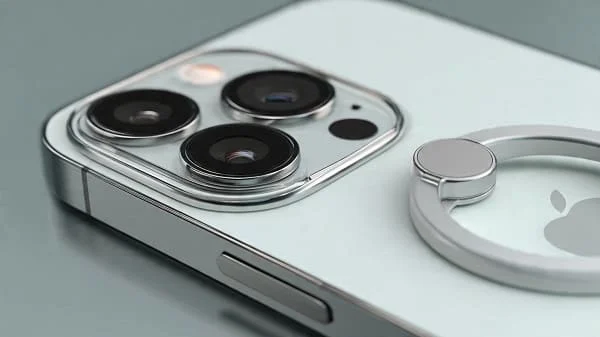
DIY Magnet Strength Test (No Tools)
- Place your case on the phone and attach a MagSafe wallet or puck.
- Hold the phone face‑down over a soft bed and gently shake once or twice.
- If the accessory slides off easily, the ring is too weak or misaligned for mounts. Good rings hold through mild shakes.
Advanced: If you own a small luggage scale, attach a MagSafe puck’s cable and pull slowly until it detaches. 1.5–2.2 kgf is a robust range for car mounts; lower can still work for chargers on a desk.
Drop Protection, Ratings, and Real‑World Safety
Many cases tout “military‑grade” drop protection. The common reference is MIL‑STD‑810H, a U.S. durability testing standard. It’s not an official certification for consumer cases, but it does document methods for shock and vibration testing: MIL‑STD‑810H.
- Corner engineering: Air pockets and ribbed bumpers compress on impact to dissipate energy.
- Continuous lips: A slightly raised lip around the display and camera array keeps glass off the ground in face‑down and back‑down impacts.
- Material blend: TPU for elasticity, PC for structure. Pure hard shells crack; pure soft shells stretch and pop off on corner hits.
- Fit under stress: A good case stays latched when twisted—lightly twist opposite corners in your hands; you shouldn’t hear creaks or see gaps.
Real‑world advice: No rating replaces mindful handling. Pair a rugged case with a good screen protector, and use a lanyard or finger loop if you work at height or over hard surfaces.
Materials Guide: TPU, Polycarbonate, Silicone, Aramid, and Leather
Materials dictate how a case feels on day one—and how it looks on day 300. Here’s what to expect from common options.
TPU (Thermoplastic Polyurethane)
- Pros: Impact‑absorbing, flexible, good grip, cost‑effective.
- Cons: Basic TPU yellows; look for UV‑resistant blends and clear coatings.
- Best use: Bumpers and inner liners that flex on impact.
Polycarbonate (PC)
- Pros: Rigid, scratch‑resistant, shapes cleanly, great for clear backs.
- Cons: Can crack if too thin; pair with TPU edges to absorb shock.
- Best use: Hybrid clear cases (TPU frame + PC back).
Silicone
- Pros: Soft touch, grippy, comfortable in cold weather.
- Cons: Can attract lint and wear shiny on edges over time.
- Best use: Everyday non‑slip comfort; look for interior microfiber lining.
Aramid Fiber
- Pros: Excellent stiffness‑to‑weight, durable weave, premium feel.
- Cons: Can be slick if over‑polished; favor micro‑matte coatings.
- Best use: Slim protective shells with embedded MagSafe rings.
Leather and Vegan Leather
- Pros: Ages with character, comfortable grip, executive aesthetic.
- Cons: Sensitive to water/oils; dye transfer possible from dark denim.
- Best use: Folios and wallet cases; use a conditioner sparingly.
Safety note for plastics: flammability ratings like UL 94 apply to materials, not the whole product. If you’re curious, see UL’s overview: UL 94 flammability of plastics.
Ergonomics and Grip: Comfort You Feel Every Day
On a large phone, tiny geometry changes make a big difference:
- Side rails: Subtle ribs or scallops create natural reference points for your fingers and reduce squeeze force.
- Back texture: Fine pebbling balances pocket slide with hand security.
- Edge radius: Sharper edges feel slimmer but can dig into palms; slightly rounded edges are more comfortable for long reading or gaming sessions.
- Button design: Independent button caps with internal “pillars” translate clicks better than a single connected strip.
Care, Cleaning, and Long‑Term Clarity
Keep your case performing (and looking) its best:
- Weekly wipe‑downs: Microfiber cloth + a small amount of water or 70% isopropyl alcohol on a cloth (never pour directly). Avoid ammonia/glass cleaners on coated clear backs.
- Clear‑case sun habits: Don’t leave face‑up in direct sun on hot dashboards; UV + heat accelerates yellowing.
- Wireless charging hygiene: Dust under magnet rings can cause micro‑scratches; periodically remove the case and clean both surfaces.
- Salt/sand trips: Rinse the empty case in fresh water after beach use, then air‑dry before reinstalling.
Sustainability and Value Over Time
Choosing well once is greener than replacing often. Prioritize durability, repairable button caps, and makers with transparent material sourcing or recycled content. If you upgrade phones regularly, pick neutral colors and timeless finishes—better resale helps extend the product’s life in the second‑hand market.
For deep accessory design context (and why fit tolerances matter), Apple’s guidelines provide mechanical insight for third‑party makers: Accessory Design Guidelines (PDF).
FAQs
Will MagSafe work through thick rugged cases?
Yes, but charging may slow and mounts may be less secure unless the case has a strong embedded ring. Confirm with the DIY magnet test above.
Do thin cases actually protect from drops?
From short, flat drops—often yes, thanks to raised lips and bumper flex. For repeated corner impacts or worksite use, rugged designs are safer.
How do I avoid clear‑case yellowing?
Look for anti‑UV PC backs with a hard coat and UV‑resistant TPU bumpers, avoid prolonged heat/sun exposure, and clean regularly.
Are folio cases safe for photos?
They’re fine if the camera cutout is wide and the cover doesn’t flop over the lens. Check for vignetting at ultrawide and flare under streetlights.
What about antimicrobial coatings?
They reduce bacterial growth on the surface but don’t replace basic cleaning. Wash hands and wipe your case weekly for best hygiene.
Does a lanyard help?
Dramatically—especially on ladders, public transit, or during travel. Choose cases with metal‑reinforced eyelets.
Are Qi2 chargers better than older MagSafe‑style chargers?
Qi2 brings standardized magnet alignment and improved efficiency across brands. Learn more at the WPC’s Qi2 page.
Verdict
The Best iPhone 16 Pro Max Cases balance comfortable grip, proven corner protection, and dependable MagSafe/Qi2 performance—without turning your phone into a brick. Start by choosing your protection class (thin, clear hybrid, rugged, or folio), confirm your accessory workflow (wallets, mounts, stands), and then nail the details: precise button feel, raised lips, and a centered, strong magnet array. Pair your case with a high‑quality screen protector for a complete setup—see the recommended options here: Best Screen Protectors for iPhone 16.
Helpful references and standards:
- Apple Support: About MagSafe chargers for iPhone
- Wireless Power Consortium: Qi2 Standard
- MIL‑STD‑810H (U.S. DoD) shock/vibration testing methods
- Wirecutter: How to choose a good iPhone case
- Apple Accessory Design Guidelines (PDF)

About the Author
Alex Carter — Founder & Editor‑in‑Chief, GicraMobile
Alex leads GicraMobile’s testing lab and reviews. His methodology focuses on day‑to‑day performance, battery health and thermals, camera consistency, and 5G/LTE reliability—so you can pick the right phone without hype.
Real‑world testing: 90–120 Hz smoothness, idle drain, thermals
Camera checks: HDR, skin tones, low‑light stabilization
Connectivity: band fit, eSIM, VoLTE/VoWiFi, Wi‑Fi performance