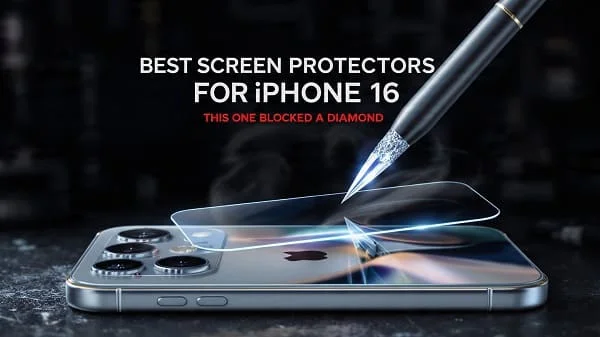
Looking for the Best Screen Protectors for iPhone 16? This in‑depth, education‑first guide helps you pick the right type, install it bubble‑free, and keep it crystal‑clear for months. We break down tempered glass vs. hybrid films, privacy and matte finishes, case‑friendly vs. edge‑to‑edge cuts, and the small design details—oleophobic coatings, adhesives, and thickness—that make a big daily difference. You’ll also find step‑by‑step installation tips, simple durability tests you can do at home, and smart pairing advice with cases and lens protectors so your iPhone 16 stays pristine without compromising Face ID, touch sensitivity, or display quality.
Table of Contents
Why a Screen Protector Still Matters
Modern iPhones are tough, but grit, keys, quartz sand at the beach, and small desk knocks still leave micro‑scratches. Over time, those hairlines haze the display and reduce resale value. A good protector takes the abuse, is cheap to swap, and—when chosen wisely—feels nearly invisible under your fingers.
Apple’s front glass on recent models has improved significantly, but it isn’t scratch‑proof. A protector remains the most cost‑effective way to preserve clarity and maximize trade‑in value, especially for a brand‑new iPhone 16. For official device details, see Apple’s product page: Apple: iPhone 16.
Best Screen Protectors for iPhone 16 by Need
Before diving into specs, pick the category that matches your routine. Then compare within that category using the checklists below.
- Maximum everyday protection: Case‑friendly 0.33 mm tempered glass with 2.5D edges, full‑coverage adhesive, and durable oleophobic topcoat.
- Sleek clarity + case compatibility: Slightly slimmer 0.25–0.3 mm tempered glass, black border to hide edges, precise cutouts for sensors.
- Anti‑glare for outdoor reading or gaming: Matte glass/film with fine diffusion; look for “low sparkle” coatings to preserve text sharpness.
- Privacy in public spaces: 2‑way (portrait) privacy glass; expect some brightness drop—pair with higher brightness settings when needed.
- Budget 2‑ or 3‑pack for families: Case‑friendly tempered glass with an alignment frame, plus dust stickers and a squeegee in the box.
- Ultra‑thin feel: 0.2 mm–0.25 mm tempered glass or hybrid film; prioritize a high‑quality oleophobic layer to keep glide smooth.
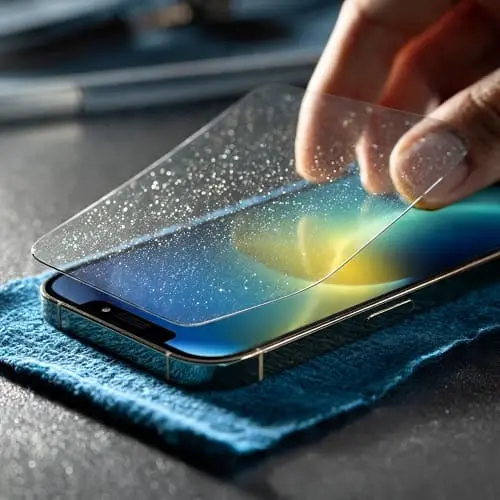

Types of Screen Protectors: Glass, Film, Matte, and More
Different materials deliver different trade‑offs in clarity, scratch resistance, and feel. Use this overview to narrow the field quickly.
Tempered Glass (Most Popular)
- Pros: Hard, smooth, great scratch resistance, easy to install, best “factory glass” feel.
- Cons: Adds a hair of thickness; lower‑quality glass can chip at the edges if the case presses on it.
- Best for: Most people—balanced protection, clarity, and easy replacement.
Hybrid Glass/Polymer (Flexible Glass, “Hybrid Film”)
- Pros: Thinner, more flexible, less prone to edge chipping; can be very case‑friendly.
- Cons: Slightly softer; can pick up micro‑marks sooner than tempered glass.
- Best for: Minimalists and heavy case users who want a thinner feel and good impact dispersion.
TPU/PET Film (Classic Film)
- Pros: Ultra‑thin, cheap in multi‑packs, excellent case compatibility.
- Cons: Scratches easily; “self‑healing” reduces but doesn’t prevent marks.
- Best for: Temporary protection; those who prefer zero added thickness.
Matte / Anti‑Glare
- Pros: Cuts reflections, reduces fingerprint visibility, smoother finger glide for gaming.
- Cons: A fine “sparkle” or softness to text; choose premium matte to minimize grain.
- Best for: Outdoor readers, commuters, mobile gamers, creatives.
Privacy (Micro‑Louver Tech)
- Pros: Blocks side‑glances; ideal for transit, cafés, shared offices.
- Cons: Noticeable brightness drop; may slightly haze the display.
- Best for: Privacy‑sensitive work like commuting with email/finance.
Specs That Matter: Thickness, Hardness, Coatings, Adhesives
Once you pick a type, check the fine print. Small differences here show up every day in real use.
- Thickness: 0.33 mm glass is a reliable “standard,” 0.25–0.3 mm feels a touch thinner. Ultra‑thin 0.2 mm maximizes feel but can chip more easily if not well‑made.
- Edges: 2.5D/3D rounded edges feel smoother when swiping from the bezels and reduce snagging on cases or pockets.
- Hardness claims: “9H” typically refers to pencil hardness, not Mohs mineral hardness. Glass is hard, but quartz (sand) can still scratch it. For background on hardness, see the Mohs scale: Wikipedia: Mohs Scale.
- Oleophobic coating: A quality topcoat keeps fingerprints from “sticking,” improves glide, and makes cleaning easier. Over time, coatings wear; premium options last longer.
- Adhesive: Full‑coverage adhesive (not just the edges) preserves touch response and avoids rainbow effects. Bubbles are also easier to push out.
- Clarity: Good glass should be essentially invisible. Check for low iron content and true optical transparency claims.
Apple’s front glass on recent iPhones is developed with Corning. For glass background, see: Corning Gorilla Glass.
Fit and Case Compatibility (Edge‑to‑Edge vs. Case‑Friendly)
Most buyers should choose a case‑friendly protector—slightly narrower than the screen’s full width—so case lips don’t press on the edges and cause lift. If you prefer edge‑to‑edge glass for a seamless look, pair it with a slim case that specifically lists compatibility with “full‑bleed” glass.
- Cutouts: Ensure cutouts never obstruct the TrueDepth sensors. If a protector has a black border, verify it doesn’t intrude into the sensor windows.
- Lens and case lips: Consider total stack height: protector + case lip. If your case has an aggressive lip, avoid very thick glass to reduce edge stress.
- Alignment frame: Look for kits with a plastic frame for perfect centering—especially helpful on larger screens.
Face ID, Touch Sensitivity, and Display Quality
A good protector shouldn’t interfere with Face ID or touch. Face ID uses multiple sensors; correct cutouts and clean glass are the keys. For Apple’s overview of setting up and using Face ID, see the iPhone User Guide: Use Face ID.
- Touch: Full‑adhesive glass keeps taps and swipes crisp. If taps feel “hollow,” you likely have an edge‑adhesive protector.
- Haptic Touch: Works normally through quality glass; if long‑presses misfire, re‑seat the protector or choose a thinner model.
- Optics: Premium glass preserves color fidelity and HDR pop. Privacy and matte finishes reduce glare at the cost of some brightness or crispness—acceptable when you need their benefits.
How to Install Like a Pro (Zero Dust, Zero Bubbles)
Cleanliness and alignment are everything. This quick routine delivers a factory‑clean result in minutes.
- Wash and dry your hands. Work in a clean, well‑lit room. A steamy bathroom (post‑shower) can help settle dust.
- Turn off your iPhone 16 and place it on a microfiber cloth.
- Use the included wet wipe, then a dry wipe, then a sticky dust sticker to lift remaining specks.
- Fit the alignment frame (if included). Peel the protective film from the glass adhesive side.
- Starting from the top edge near the sensors, align carefully and let the glass “settle” down slowly.
- Use the squeegee card from the center outward to push air to the edges. Lift and re‑lay gently if you see a large dust bump.
- Snap on your case to check for edge lifts. If you see a slow “creep,” choose a slightly narrower protector.

Bubble Rescue and Dust‑Spot Fixes
Trapped dust creates a tiny “eye” with a halo. You can fix it if you act early.
- Dust‑lift method: Gently lift the nearest corner of the protector with a clean fingernail or tape tab. Use a fresh dust sticker to pick the speck off the screen and the glass, then re‑lay and squeegee.
- Stubborn micro‑bubbles: Leave them 24 hours; many dissipate as adhesive flows. Persistent ones respond to warm hands and focused squeegee pressure.
- Edge silvering: Micro gaps along the edge can appear with curved glass + stiff protectors. Choose case‑friendly shapes or better adhesive coverage.
Real‑World Durability Tests You Can Do at Home
Skip destructive lab gear; these simple checks reveal real quality differences.
- Pocket grit test: Rub with a clean cotton pad and a tiny bit of table salt (quartz) on a spare protector. Good glass resists light scuffing; films will mark—expected behavior.
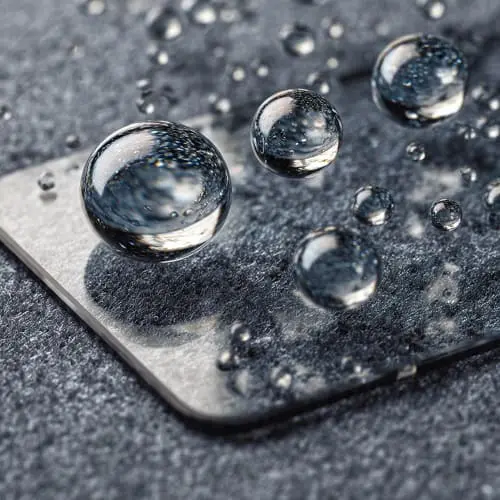
- Oleophobic beading: Place a drop of water and tilt. A tighter bead (higher contact angle) means a slicker, longer‑lasting topcoat.
- Edge pressure: Press a case lip against the protector’s edge. If the glass flexes and lifts easily, pick a narrower cut or a protector with reinforced edges.
- Touch latency: Try rapid typing and quick‑swipe navigation. If taps miss, re‑seat or choose a full‑adhesive/thinner model.
Privacy and Anti‑Glare Options: When to Use Them
Privacy glass uses micro‑louvers to block side views. It’s excellent for commuting and open offices, but it dims the display. Consider disabling it at night if brightness is a priority, or choose privacy only if your workflow truly requires it.
Matte/anti‑glare finishes tame reflections and fingerprints and can make gaming feel quicker thanks to lower finger stiction. Premium matte coatings minimize sparkle, but pixel‑perfect design work is best on glossy glass without diffusion.

Blue‑Light Filters: What They Do (and Don’t)
Some protectors tout blue‑light reduction. These coatings can modestly shift spectral output, but eye‑health experts emphasize behavior (screen breaks, ambient light) over gimmicks. The American Academy of Ophthalmology notes blue light from screens isn’t a unique cause of eye disease; discomfort mostly stems from strain and dryness. See the AAO’s overview: AAO: Blue Light & Digital Eye Strain.
- Practical takeaway: Use Night Shift or a warmer display profile in the evening, blink often, and follow the 20‑20‑20 rule—these help more than most coatings.
- If you prefer a filter: Choose one with published transmission data and test color‑critical apps (photos, shopping) for shifts.
Care, Cleaning, and When to Replace
Protectors last longer with simple care. Wipe with a microfiber cloth; for stubborn smudges, lightly dampen the cloth with water. Avoid ammonia/glass cleaners on coated glass. If your protector cracks or chips at the edge, replace it promptly—sharp edges can snag and the crack can spread.
- Oleophobic refresh: You can’t “recoat” at home reliably; focus on gentle cleaning to preserve it.
- Heat/dashboards: Avoid prolonged heat in cars; it can accelerate adhesive aging and micro‑delamination.
- Replace cadence: Power users swap glass every 6–12 months; most others go 12–18 months unless damaged.
Pairing with Camera Lens Protectors and Cases
Camera lens protectors come as rings (individual bezels) or plates (single piece). Rings preserve flash performance and reduce reflections; plates are faster to apply but can add flare under point lights. If you shoot a lot at night, rings are often cleaner.
For a complete protection setup, pair your screen protector with a compatible case. See this curated guide for case selection across clear, rugged, thin, and folio options: Best iPhone 16 Pro Max Cases (2025 Guide).
To understand how good cases and protectors work together mechanically, Apple’s accessory design tolerances are instructive (for case makers), and Wirecutter provides consumer‑friendly testing context: Wirecutter: Best Tempered Glass Protectors.
Myths and Marketing Claims, Debunked
- “9H means unscratchable.” No. That’s pencil hardness. Quartz and harder minerals can still mark glass (see the Mohs link above).
- “Edge‑only adhesive preserves clarity.” It often causes a hollow feel, rainbowing, and worse touch. Full‑adhesive is better for optics and responsiveness.
- “Privacy glass has no downsides.” It dramatically reduces side viewing but also reduces brightness and can soften contrast. Choose it knowingly.
- “Matte ruins displays.” Cheap matte can; premium matte trades a little crispness for excellent anti‑glare and glide.
- “Glass protectors always break easily.” Good tempered glass is tough; it’s designed to take the hit and be replaceable. If a light knock chips it, the glass quality or edge fit may be poor.
Sustainability: Buy Once, Keep Clear Longer
Buying a quality protector that lasts 12–18 months and resists chipping reduces e‑waste. Prefer sets with minimal plastic, paper instructions, and reusable alignment frames. If you’re upgrading phones often, choose brands that publish recycling info for glass and packaging.
FAQs
Will a protector affect Face ID?
No, not if it has correct cutouts and stays clean. Smudges over the sensors can reduce performance—wipe occasionally.
Does tempered glass reduce screen sensitivity?
Not with full‑adhesive, quality glass. If taps feel off, re‑seat or try a thinner 0.25–0.3 mm model.
Do I need privacy glass?
Only if you regularly work in public and value privacy over maximum brightness/clarity.
Is matte good for gaming?
Yes—lower finger friction and fewer reflections help. Pick a low‑sparkle matte for text clarity.
Which is more protective: 0.33 mm vs. 0.25 mm?
The thicker sheet generally absorbs more energy. Quality and edge engineering matter as much as raw thickness.
Does the iPhone 16 need a protector if it has advanced glass?
Advanced glass resists shattering better than older phones, but sand and grit still scratch. A protector is still cheap insurance. Background on modern phone glass: Corning Gorilla Glass.
Verdict
The Best Screen Protectors for iPhone 16 combine case‑friendly fit, full‑coverage adhesive, durable oleophobic coating, and either crystal‑clear tempered glass for the most “native” feel or premium matte when glare control matters. Privacy options are invaluable if you work in public, but accept the brightness trade‑off. Install with an alignment frame, keep things dust‑free, and pair your protector with a compatible case and lens rings for a truly complete setup. With the right choice and a five‑minute install, your iPhone 16 will look and feel new far longer—and hold its value when it’s time to upgrade.
Helpful references and standards:
- Apple: iPhone 16
- Apple iPhone User Guide: Use Face ID
- Corning Gorilla Glass overview
- Wirecutter: Best Tempered Glass Screen Protectors
- AAO: Blue Light & Digital Eye Strain

About the Author
Alex Carter — Founder & Editor‑in‑Chief, GicraMobile
Alex leads GicraMobile’s testing lab and reviews. His methodology focuses on day‑to‑day performance, battery health and thermals, camera consistency, and 5G/LTE reliability—so you can pick the right phone without hype.
Real‑world testing: 90–120 Hz smoothness, idle drain, thermals
Camera checks: HDR, skin tones, low‑light stabilization
Connectivity: band fit, eSIM, VoLTE/VoWiFi, Wi‑Fi performance
You may also like this