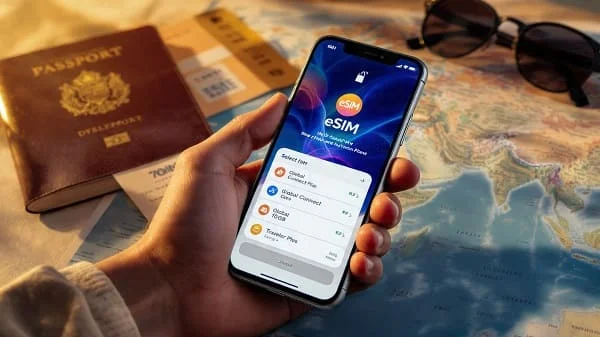
Planning a trip across the United States and want reliable, affordable mobile data without swapping physical SIM cards? This guide is your complete, practical playbook to choosing the Best eSIM for USA Travel (2025). You’ll learn exactly how eSIMs work in the U.S., how to match plans to your itinerary (cities vs national parks vs multi‑state road trips), what to expect from 5G and hotspot use, how to avoid hidden speed caps, and how to install and troubleshoot an eSIM on iPhone and Android in minutes. We’ll also share simple pricing benchmarks, data calculators, and a buyer’s checklist so you can pick confidently and avoid bill shock.
Whether you’ll mostly be in big metros (NYC, LA, Chicago), driving cross‑country on I‑80, working remotely around national parks, or attending conferences with thousands of phones in one venue, the recommendations below help you pick the right plan the first time—no guesswork, no stress.
Table of Contents
How eSIM for USA travel works in 2025
eSIM is a digital SIM profile you download to your phone—no plastic, no store visit. For U.S. travel, international providers sell short‑term eSIMs that connect you to one of the major U.S. networks (typically T‑Mobile or AT&T; some premium or business options also partner with Verizon). Once installed, your phone uses that profile for mobile data, while you can keep your home number active on your physical SIM or primary eSIM for calls and messages (Dual SIM/Dual Standby).
Key points for the U.S. in 2025:
- Coverage varies by carrier. T‑Mobile shines in many cities and interstate corridors, AT&T is strong across large parts of the South and Midwest, and Verizon historically excels in some rural and mountain regions. Always match your plan to where you’ll be.
- Most travel eSIMs are data‑only. You’ll use app‑based voice (WhatsApp, FaceTime, Google Meet) or Wi‑Fi Calling with your home line. Some plans include a U.S. number or limited outbound calls—check details before buying.
- 5G is widely available in cities and along major roads; rural areas may fall back to LTE. Even in 5G areas, speed can be congestion‑dependent (stadiums, conferences, rush hour).
- Activation is fast: many providers email a QR code immediately. You can buy at the airport on Wi‑Fi and be online in minutes.

Quick answers: best eSIM types by traveler
If you need a straight answer fast, use this matrix to narrow your options. Then read the buyer’s checklist to verify fine print.
- City‑focused trips (NYC, LA, SF, Chicago, Miami): Choose a plan that rides on a city‑strong 5G network with generous mid‑band coverage (often T‑Mobile). Look for uncapped 5G or high daily FUP before throttling.
- Cross‑country road trips & national parks: Favor plans that can attach to carriers with better rural LTE (AT&T or providers that specifically mention broader highway coverage). Expect some dead zones in remote parks regardless of carrier.
- Remote work (video calls, hotspot): Get a plan that explicitly allows tethering and lists a realistic Fair‑Use Policy (e.g., 3–5 GB/day at high speed before shaping). Avoid “unlimited” without clear FUP.
- Short stays (3–10 days): Pick a date‑based pass with 3–10 GB (light use) or 15–20 GB (maps, socials, some streaming). Date‑based is easier—no need to babysit per‑GB balances.
- Month‑long stays (digital nomads): Monthly plans or auto‑renew bundles often beat per‑GB pricing. Consider a plan with domestic roaming within the U.S. for flexibility.
- Family groups: Either buy separate eSIMs or pick a provider that supports shared data. Confirm hotspot allowance on each line.
How to choose: the 12-point buyer’s checklist
Use this checklist to compare eSIM providers and plans like a pro. It protects you from vague marketing and ensures you get what you pay for.
- Underlying U.S. carrier: Which network does the plan use in the U.S. (T‑Mobile, AT&T, Verizon)? This single detail is the biggest predictor of your experience.
- Coverage fit: Open your route on a coverage map. Check cities, highways, and parks you’ll visit. See sources at the end for official maps.
- 5G availability & band support: Confirm your phone supports the right 5G/LTE bands used by that carrier. iPhone 12+ and modern Android flagships usually do.
- Hotspot/tethering rules: Many “unlimited” plans disallow hotspot or cap it separately. If you need laptop data, make sure hotspot is explicitly allowed.
- Fair‑Use Policy (FUP): Look for daily or monthly high‑speed caps before throttling (e.g., 2–5 GB/day at high speed, then 1–5 Mbps). Avoid unclear “unlimited.”
- Speed caps: Some budget plans cap speed at 5–10 Mbps regardless of 5G. That’s okay for maps and chat, not for HD calls or big uploads.
- Validity & top‑ups: Does the plan expire by days (e.g., 10 days) or data used (e.g., 5 GB, no date)? Can you top up without reinstalling?
- Number/voice/SMS: Most travel eSIMs are data‑only. If you need a U.S. number, pick a plan that includes VoLTE calling or pair your home line using Wi‑Fi Calling.
- eKYC & privacy: Some providers require ID verification (passport/driver license) due to carrier rules. Decide if that’s acceptable for your trip timeline.
- Support and refunds: Live chat hours, response time, and refund policy if activation fails in your location. Screenshots of APN and setup steps are a plus.
- Payment methods: Do they accept your card or PayPal/Apple Pay/Google Pay? Any foreign transaction fees from your bank?
- Real user feedback: Skim recent reviews for your exact destinations and devices. Prioritize reports from the past 3–6 months.
Coverage and 5G reality in the USA
Coverage determines whether your “unlimited 5G” actually connects. Always check the network your eSIM will use, then confirm coverage where you’re going:
- T‑Mobile official coverage map — strong mid‑band 5G in many metros and along interstates.
- AT&T official coverage map — robust LTE/5G footprint across large regions and suburban/rural stretches.
- FCC Broadband Map — independent coverage data for mobile broadband across the U.S.
What to expect from 5G vs LTE in 2025:
- Mid‑band 5G (fast + good range): Common in cities/suburbs; great for streaming and video calls.
- Low‑band 5G (wide reach, modest speeds): Feels similar to LTE but usually more consistent in modern deployments.
- mmWave 5G (very fast, very short range): Found in select downtowns, stadiums, airports. You must be close to a node with line‑of‑sight.
- Rural areas: Expect LTE more often than 5G. Performance varies with terrain, tower distance, and congestion.
Plan archetypes: which one fits your trip
Most USA travel eSIMs fall into these categories. Pick the archetype that matches your needs, then compare providers with the 12‑point checklist.
1) City sprinter (3–10 days)
- Who it’s for: Weekend city breaks, short events, single‑city tourism.
- Sweet spot: 5–15 GB, 7–10 days validity, 5G where available, hotspot allowed.
- Watch for: Speed caps below 10 Mbps; no hotspot; activation dates—don’t start too early.
2) Interstate weekender (7–14 days)
- Who it’s for: Road trips across a few states, national parks plus towns.
- Sweet spot: 10–20 GB, 10–15 days validity, flexible top‑ups, LTE/5G mix.
- Watch for: Narrow carrier footprint on remote highways; check the FCC map and carrier maps for your route.
3) Remote‑work month (15–30+ days)
- Who it’s for: Nomads, business travelers, students.
- Sweet spot: Monthly 20–50 GB or “unlimited with FUP” (e.g., 50–100 GB high speed, then throttled). Hotspot support is essential.
- Watch for: Data deprioritization during peak hours; inconsistent 5G indoors; separate hotspot caps.
4) Budget explorer (pay‑as‑you‑go)
- Who it’s for: Light users who primarily need maps/chat and occasional rideshare.
- Sweet spot: 3–5 GB with top‑ups; speed caps okay if you don’t stream video.
- Watch for: High per‑GB pricing on small bundles; short validity windows (e.g., 7 days) that expire unused data.
5) “Unlimited” maximizer
- Who it’s for: Heavy streaming, large uploads, constant tethering.
- Sweet spot: Plans with transparent daily/monthly FUP and clearly stated hotspot allowance.
- Watch for: Ambiguous “unlimited” that throttles to 1–3 Mbps after a small threshold, making video calls unstable.
How much data do you need? Pricing benchmarks
Here’s a practical way to size your plan and sanity‑check pricing. These are typical ranges in 2025—actual offers vary by provider and season.
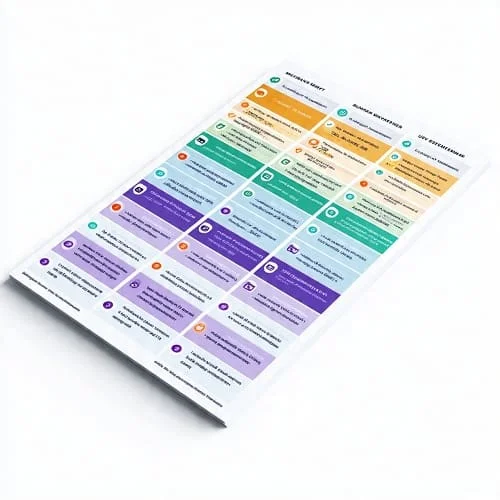
Usage guide (per person)
- Light (maps, chat, email): ~0.3–0.7 GB/day
- Moderate (socials, short videos, ride‑hail, a few calls): ~1–2 GB/day
- Heavy (HD video calls, frequent streaming, hotspot): ~3–5+ GB/day
Plan sizing examples
- 4‑day city break, light use → 3–5 GB
- 10‑day mixed sightseeing → 10–15 GB
- 30‑day remote work with some hotspot → 40–60 GB or an unlimited plan with a clear FUP
Price sanity checks
- Short passes (5–10 GB/7–10 days): Expect roughly mid‑teens to $25 USD.
- Monthly 20–50 GB: Often $25–$55 depending on network and hotspot allowance.
- “Unlimited” monthly with hotspot: Typically $35–$75; always check FUP and hotspot caps.
Tip: If you need crisp 1080p video calls, avoid plans with hard speed caps under 10 Mbps. For group travel, two separate 10–15 GB plans can beat one “unlimited with low FUP.”
Install an eSIM on iPhone and Android (step-by-step)
Installing an eSIM is quick. You can add it before you fly (but don’t activate data until you land) or purchase on arrival using airport Wi‑Fi. Always keep your home line active for 2FA codes if you need them.
iPhone (iOS)
- Buy your eSIM and open the QR code email on another device, or copy the activation code.
- On iPhone: Settings > Cellular > Add eSIM > Use QR Code (or Use Data Plan if in‑app).
- Scan the QR, follow prompts, and label the line (e.g., “USA Data”).
- Set Cellular Data to your travel eSIM; keep Voice on your home line if you prefer.
- In Cellular Data Options, use 5G Auto and verify Data Roaming is on (if required by the plan).
- Enter APN if the provider specifies one (usually automatic).
Android (Pixel, Samsung, etc.)
- Buy your eSIM and open the QR code on a second screen.
- On your phone: Settings > Network & Internet > SIMs (or Connections > SIM manager).
- Tap Add eSIM > Use QR code and follow the prompts.
- Select the travel eSIM for Mobile data; keep calls/SMS on your home line if desired.
- Enable Data roaming for that eSIM (if required) and confirm 5G/LTE is set to Auto.
- Add the APN if provided (many plans auto‑configure).
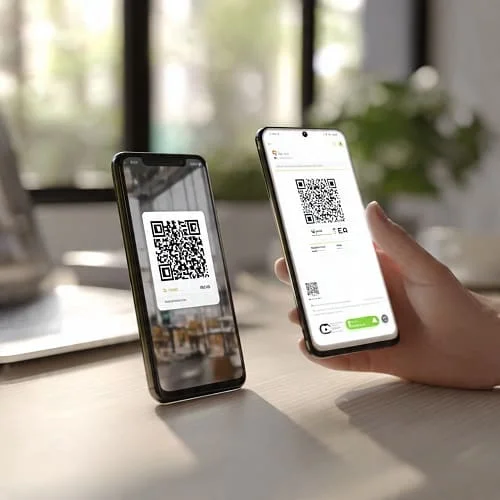
Apple’s official iPhone eSIM guide: Use eSIM on iPhone. Google’s Pixel eSIM setup: Set up eSIM on Pixel.
Troubleshooting eSIM in the USA
If your data doesn’t work right away, don’t panic—most issues take 1–2 minutes to fix.
- No signal or “No Service”: Toggle Airplane Mode on/off; restart the phone; verify Data Roaming is on for the travel eSIM.
- Stuck on LTE with poor speeds: Check coverage where you are; try moving outdoors; set 5G Auto; turn off any VPN briefly; confirm the plan includes 5G.
- Data works but apps are slow: Add or confirm the APN from your provider’s instructions; some require a specific APN name to route traffic.
- Hotspot not working: Confirm the plan allows tethering; on iPhone, check Personal Hotspot APN if the provider lists it; on Android, verify the eSIM line is selected for hotspot.
- Activation failed: Check your device’s eSIM compatibility. Delete the profile and reinstall if provider support suggests it; ask for a re‑issue if the QR expired.
Battery, hotspot, and performance tips
Travel can expose your phone to weak signal and long days away from power. These small tweaks make a big difference:
- Prefer Wi‑Fi indoors; enable Wi‑Fi Calling when available.
- Use 5G Auto rather than 5G On in weak‑signal areas to reduce battery drain.
- Download offline maps for national parks and rural drives.
- Hotspot sparingly: It’s a power hog. Use wired charging or a power bank when tethering.
- Lower display brightness and cap frame rate in games during long days out.
Real itineraries: example picks and strategies
Every itinerary has a best‑fit strategy. Use these patterns to guide your choice:
1) New York City + Boston (7 days, light to moderate)
- Plan: 10–15 GB / 7–10 days. Emphasis on strong mid‑band 5G and good indoor coverage.
- Carrier fit: City‑strong networks (often T‑Mobile) excel here. Verify your accommodation areas on the carrier map.
- Tip: Turn on Wi‑Fi Calling in hotels; download subway maps offline; hotspot is rarely needed.
2) California coast road trip (10–14 days, moderate)
- Plan: 15–20 GB / 10–15 days. Mix of cities and scenic drives.
- Carrier fit: Check coastal highways and parks on the FCC map plus a second carrier map for backup options.
- Tip: Download offline maps for Big Sur sections; expect limited service in some viewpoints.
3) National parks (Utah + Arizona, 10 days, light to moderate)
- Plan: 10–15 GB with offline maps; don’t rely on signal in canyons or trailheads.
- Carrier fit: Park areas often have patchy coverage regardless of carrier; prioritize the towns you’ll overnight in.
- Tip: Take screenshots of passes/tickets; set meeting points before the hike in case you lose signal.
4) Month‑long remote work (NYC + Austin + Denver)
- Plan: Monthly 40–60 GB or clear‑FUP unlimited with hotspot.
- Carrier fit: Balanced coverage across cities and airports. Consider a plan with good airport/campus performance where congestion is common.
- Tip: Schedule big uploads on strong 5G or hotel Wi‑Fi; bring an extra power bank for travel days.
5) Family of four (10 days, moderate)
- Plan: Two separate 10–15 GB eSIMs often beat one unlimited with low FUP.
- Carrier fit: Choose based on hotel/park coverage; kids stream—enforce download‑before‑you‑go rules.
- Tip: Verify hotspot allowance per eSIM; avoid sharing one phone’s hotspot all day.
Related: best global eSIMs for 2025
Visiting multiple countries before or after the U.S.? A global or regional eSIM may be simpler than buying country by country. See the in‑depth guide: Best eSIM Plans for International Travel in 2025 (Tested).
FAQs: Best eSIM for USA Travel (2025)
Which carrier is best for the USA?
It depends on where you go. In many cities and along interstates, T‑Mobile’s mid‑band 5G is excellent. AT&T holds strong in a wide range of suburban and rural areas. Always check coverage maps for your exact destinations and routes.
Will I get a U.S. phone number?
Most travel eSIMs are data‑only. If you need a U.S. number, look for plans that include voice or use an app‑based number (and Wi‑Fi Calling with your home line).
Can I use hotspot/tethering?
Sometimes. Many plans allow hotspot with a cap; others forbid it. Read the plan details carefully before purchase.
Are “unlimited” plans truly unlimited?
Usually not. There’s often a Fair‑Use threshold (daily or monthly) after which speeds are throttled. Ensure the FUP is clearly published and acceptable for your needs.
Can I install the eSIM before I fly?
Yes. Install at home on Wi‑Fi, then disable the eSIM’s data line until you land. Activation timers for date‑based plans often start on first connection—confirm your provider’s rules.
What if my phone doesn’t support eSIM?
Most recent iPhones (XS/XR and newer) and Android flagships support eSIM. If yours doesn’t, consider a local prepaid physical SIM on arrival.
What about 5G compatibility?
iPhone 12+ and current Android flagships support U.S. 5G bands. If speeds seem “LTE‑like,” you may be on low‑band 5G or LTE due to location or coverage. Indoors and rural areas often fall back to LTE.
How do I avoid surprise costs?
Choose date‑based passes or bundles that clearly state validity. Turn off background app sync you don’t need, and avoid “unlimited” without explicit FUP and hotspot rules.
Trusted sources and coverage tools
- Apple Support: Use eSIM on iPhone
- Google Support: Set up eSIM on Pixel
- FCC Broadband Map: U.S. mobile broadband coverage
- T‑Mobile: Official coverage map
- AT&T: Official coverage map
Notes: Prices, features, and coverage change frequently. Always confirm your device’s eSIM support and the provider’s current terms (hotspot, FUP, and speed caps) before purchase. Replace the placeholder image URLs with your final uploads after generating the images.

About the Author
Alex Carter — Founder & Editor‑in‑Chief, GicraMobile
Alex leads GicraMobile’s testing lab and reviews. His methodology focuses on day‑to‑day performance, battery health and thermals, camera consistency, and 5G/LTE reliability—so you can pick the right phone without hype.
Real‑world testing: 90–120 Hz smoothness, idle drain, thermals
Camera checks: HDR, skin tones, low‑light stabilization
Connectivity: band fit, eSIM, VoLTE/VoWiFi, Wi‑Fi performance
You may also like this