Hunting for the Best Flip Phones 2025: Razr, Z Flip, and More? This long, education‑first buyer’s guide explains what matters on clamshell foldables in 2025—hinge design, cover‑screen usability, cameras, thermals, battery life, charging (Qi2 magnets and USB‑C PD), software polish, durability, and long‑term value. We turn specs into real‑world advice, add a 10‑minute store checklist, and outline accessories that actually improve daily life (mounts, chargers, stands, cases). Whether you love Motorola’s Razr vibe, Samsung’s Galaxy Z Flip finesse, or a newer player, you’ll leave with a short, confident shortlist—and a setup that keeps your flip safe, fast, and fun.
Table of Contents
How to Choose a Flip Phone in 2025 (10‑Point Checklist)
Clamshell foldables (“flip phones”) have matured: they’re compact when closed and full‑screen when opened, with cover displays that increasingly run real apps. Use this checklist to create your shortlist fast:
- Cover‑screen usability: Can you reply, navigate, and control media without opening? Are your must‑have apps allowed and usable?
- Hinge freedom: Does it open smoothly, hold positions (e.g., 75°–120°) for “camcorder” or tripod modes, and keep the crease visually unobtrusive in motion?
- Outer camera quality: Flips often prioritize a solid main camera; telephoto is rare. Check skin tones, HDR, night mode, and 2× digital crop quality.
- Battery headroom: Does it comfortably reach bedtime on your heaviest days? Look for stable thermals and reasonable standby drain with cover‑screen use.
- Charging: Confirm USB‑C PD speeds and Qi2 magnetic alignment for desk/car convenience.
- Performance under heat: Video, maps, and gaming tax compact flips. You want smooth behavior without abrupt throttling.
- Durability: Water resistance ratings, hinge design that shuns grit, and a high‑quality pre‑installed inner protector are key.
- Software polish: Cover‑screen widgets, app compatibility, gestures, and update cadence shape daily life more than raw specs.
- Accessory ecosystem: Cases that don’t bind the hinge, Qi2 mounts, stands, and screen protectors that won’t peel under case lips.
- Total cost of ownership: Consider resale, trade‑in support, repair options, and bundled promos before buying.
Quick Picks by Use‑Case
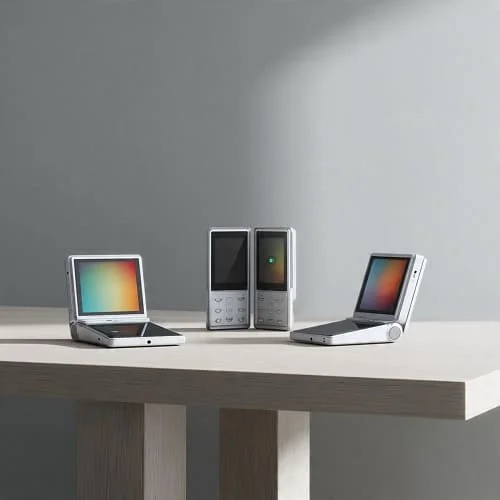
Model names and regional features vary, but these profiles help you choose the right family quickly:
- Fashion + one‑hand convenience: Current Motorola Razr generation—playful cover UI, strong day‑to‑day features.
- Polish + app support: Current Samsung Galaxy Z Flip series—refined cover widgets and accessories.
- Value hunters: Last‑gen flips at clearance prices—great if you’re OK with one fewer year of updates.
- Creator lean: Any flip with reliable cover‑screen camera previews, stable 4K video, and tripod‑mode stability (hinge holds angles well).
- Travelers: Models with dependable battery/thermals and strong roaming band support; eSIM flexibility is a bonus.
Remember: Flip phones trade extreme telephoto cameras and huge batteries for pocketability and style. Buy for shape + cover‑screen comfort first, not tiny spec wins.
Cover Screens: Size, Apps, and Everyday Flow
The cover screen defines the “flip” experience. The best cover displays let you reply, navigate, and manage tasks quickly without opening the phone. Key points:
- Widgets vs full apps: Some flips allow only widgets; others let whitelisted apps or even most apps run. Verify your messaging, calendar, maps, and payment flows.
- Typing: Can you type short replies comfortably on the cover? Predictive text and swipe keyboards matter on tiny screens.
- Navigation + transit: Cover maps for quick peeks reduce battery drain because you avoid opening the large inner screen constantly.
- Always‑On and glance: AOD and glanceable widgets help, but confirm they don’t tank standby battery. Schedules help balance visibility and power.
Hinges, Creases, and Durability
Hinge design is the heart of a flip. Most modern flips use water‑drop hinges that curve the display more gently at the fold, reducing stress and softening crease visibility. What to check:
- Angle holding: The phone should hold at multiple angles (think laptop mode) for selfie stands, time‑lapses, and tripod‑free video.
- Friction consistency: Smooth, even resistance through the arc, not sticky at the top then loose at mid‑angle.
- Crease perception: In bright retail lights, tilt and scroll. If text remains legible and the crease fades in motion, you’ll stop noticing it in a few days.
- Ingress mitigation: Official water resistance ratings improve confidence. Keep pockets clean; grit is the enemy of any hinge.
For repair and hinge insights across generations, iFixit’s foldable coverage is a useful lens on durability trends: iFixit — Foldables.
Inner Displays: Brightness, Refresh, and Eye Comfort
Flip inner screens are tall but narrow; they feel familiar for reading and socials. Consider:
- Brightness + reflections: You want strong auto‑boost outside. In store, test near a window to judge glare.
- Refresh rate: 120 Hz panels feel silky; adaptive refresh (LTPO or smart switching) saves battery on static pages.
- Flicker comfort: If sensitive to PWM, test at 20–40% brightness in a dim aisle.
Cameras: What to Expect from Flip Form Factors
Flips prioritize compactness. You’ll likely get a great main camera, a good ultra‑wide, and strong selfies using the outer cameras with cover preview. Telephoto is rare. What matters most:
- Skin tones + HDR: Look for natural color and balanced highlights—faces should look like faces.
- 2× quality: Many flips rely on 2× crops from high‑res mains. Step back and use 2× for flattering portraits.
- Low light: Use tripod mode: set the flip at ~90°, prop it, and let night mode work with minimal shake.
- Video: 4K30 is the sweet spot for clarity and thermals. For fast motion, 1080p60 reduces rolling shutter.
For neutral camera context across phones, DXOMARK’s smartphone list can help you compare trends (don’t chase numbers blindly—look at samples too): DXOMARK — Smartphones.
Performance, Thermals, and Battery Life
Flip phones pack tight thermals. Focus on sustained speed, not just peak scores.
- Daily use: Messaging, socials, navigation, and photos should feel instant with stable warmth, not hot spikes.
- Gaming: Capping frame rates slightly and avoiding max brightness extends smooth play; flips with good vapor chambers hold performance longer.
- Battery reality: Heavy days: rely on the cover screen for quick tasks. A 10–15% “cover‑first” habit can save you 1–2 hours of inner‑screen time.
- Standby drain: Cover widgets and AOD affect overnight usage; schedule or limit them if you wake up to a big drop.
When published, standardized endurance tests are a great yardstick across models: GSMArena — Battery test.
Charging and Qi2: Magnets, Pads, and Cables
Charging isn’t just Watts—it’s alignment and quality too.
- USB‑C PD: Prefer certified USB‑C Power Delivery chargers (GaN for compact size) and short, quality cables. Learn the standard here: USB‑IF — USB PD.
- Qi2 magnets: Magnet alignment keeps coils centered, improving real‑world wireless speed and mount grip. The official overview: WPC — Qi2.
- Case impact: Thick cases and metal stands raise temps and slow charging. Use certified pads and remove the case for fastest top‑ups if needed.
Software Experience and Updates
Cover‑screen polish, animation timing, and update cadence matter more than a tiny CPU edge. Look for:
- Cover widgets + app optimization: Glanceable info and quick actions reduce constant opening.
- Stability + cadence: Regular security patches and predictable feature drops keep flips fresh longer.
- Continuity: Media and camera controls that transition smoothly between cover and inner screens.
Android’s guidance for large screens/foldables influences how quickly apps feel “native” on flips too: Android — Large Screens Overview.
Drop Safety, Water Resistance, and Repairs
Modern flips are tougher than first‑gen models, but they’re still complex. Priorities:
- Water resistance: Ratings add confidence for rain and sinks—still avoid salt water and hot dashboards.
- Case choice: Use hybrid cases (TPU + PC) with raised lips and hinge‑friendly geometry that doesn’t bind.
- Inner protector: Keep the factory inner film unless the brand instructs a specific replacement process.
- Repair paths: Confirm authorized service options, costs, and turnaround time before purchase.
Price, Deals, and Total Cost of Ownership
Flips command premium prices, but stacks (trade‑ins, gift cards, plan credits) can make them surprisingly affordable. A simple effective cost formula keeps you honest:
Effective cost = Sale/MSRP − instant discounts − gift cards you’ll use − trade‑in + taxes/fees ± plan price difference (if carrier credits).
Buyers who refresh yearly should prioritize brands with strong trade‑in support and high resale. If you keep phones 3–4 years, choose the longest update policy and durable materials—even if MSRP is a bit higher.
In‑Store Hands‑On: 12 Tests in 10 Minutes
- Cover typing: Reply to a message; is it comfortable and accurate?
- Hinge hold: Set 75°, 90°, 120°. Does it hold angles without wobble?
- Crease perception: Tilt under bright lights; scroll text across the fold—does the crease fade in motion?
- Selfie + cover preview: Take a 2× portrait with cover preview; judge skin tones, detail, and background separation.
- Low light aisle: Snap a dim shelf; check noise and white balance.
- Video pan: 10‑second pan past windows; evaluate stabilization and exposure transitions.
- Brightness/glare: Load a white page near a window; check legibility and reflections.
- Thermals: Record 4K for 2 minutes; feel for steady warmth vs hot spots.
- Speakers: Podcast + music; clarity and stereo stage.
- Wireless charging: If demo pads exist, test alignment and snap with the case on.
- One‑hand feel: Walk and use the cover with one hand. Secure? Slippery?
- Case fit: Try a case; ensure lips protect without lifting a screen protector; hinge moves freely.
Must‑Have Accessories for Flip Phones
- USB‑C PD GaN charger and short, quality cable—cooler, faster, safer top‑ups.
- Qi2 magnetic pad/stand for desks and nightstands; center coils for best speed.
- Car mount: Qi2 magnetic mounts are ideal if your case has a strong, centered ring; otherwise, use a sturdy clamp.
- Tablet stand for opened mode on flights or desks; portrait + landscape stability is key.
- Case‑friendly cover‑screen protector with a slight margin to avoid case lift.
Case Buying Mini‑Guide (Flip‑Specific)
Cases for flips are trickier than for slabs. Look for:
- Hinge clearance: The case edges must not rub inner edges when opening; spine covers must bend freely.
- Raised lips: Cover screen and camera lips protect from first‑contact hits without creating a seesaw wobble.
- Magnet alignment: If present, ring must sit over the coil; off‑center rings mean weak mounts and slow charging.
- Texture: Pebbled backs and ribbed rails reduce drops, especially with small hands or sweaty commutes.
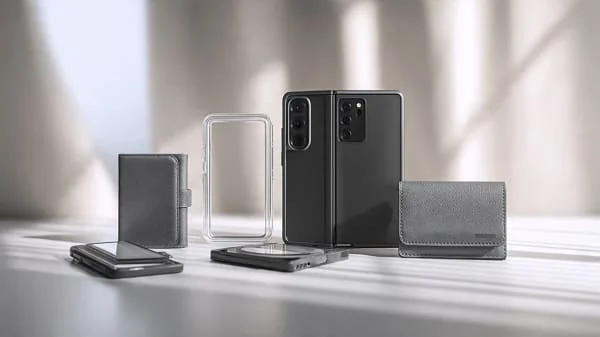
Curious about fold‑style accessories and hinge‑friendly case design on book‑style devices? See our companion piece for ideas that apply to flips too: Best Galaxy Z Fold 6 Cases & Accessories (2026).
Common Mistakes to Avoid
- Buying for specs, not shape: If the cover screen feels cramped, you’ll open constantly and drain the battery faster.
- Peeling the inner protector: It’s part of the design. Only replace via official channels.
- Ignoring magnet alignment: Off‑center rings = slow wireless charging and mount slips.
- Skipping texture: Glossy cases look great—until they slip. Grip matters on a compact flip.
- Under‑buying storage: 4K video and offline media fill 128 GB quickly; 256 GB is a calmer baseline.
FAQs
Are flips durable enough in 2025? Yes—significantly more than early generations. Water resistance, improved hinges, and better films help. Use a hinge‑friendly case and keep pockets free of grit.
Do flips have worse cameras than slabs? Many flips trade long telephoto for compactness. For daylight, portraits (2×), and cover‑screen selfies, they’re excellent. Tele reach remains a slab/pro‑tier edge.
Is wireless charging slower on flips? With good alignment (Qi2, strong magnet ring) and thin cases, real‑world speeds are solid. Thick/metal parts slow them down.
Will the crease bother me? Most users stop noticing in days, especially if the hinge uses a water‑drop design. Test under bright lights and while scrolling.
What about updates? Both major flip families deliver regular patches and feature drops. Verify your region’s policy before buying.
Related Reading
Prefer book‑style foldables (tablet inside)? See hinge‑safe case advice, Qi2 alignment tips, and creator kits that also inform flip setups: Best Galaxy Z Fold 6 Cases & Accessories (2026).
Helpful References (Official)
- Wireless Power Consortium — Qi2 magnetic charging
- USB‑IF — USB Power Delivery (charging basics)
- Android Developers — Large Screens & Foldables
- GSMArena — Battery test methodology/results
- iFixit — Foldable teardowns & hinge insights
Verdict
The Best Flip Phones 2025: Razr, Z Flip, and More come down to comfort and cover‑screen flow. If the cover lets you reply, navigate, and control media without constant opening—and the hinge holds angles with a crease that disappears in motion—you’re 80% of the way there. Add a solid main camera (clean HDR, natural skin tones), calm thermals, and a full day’s battery, then round it out with Qi2 pads/mounts, a quality PD charger, and a hinge‑friendly case. Buy for the shape you’ll love, verify magnet alignment and case fit, and you’ll enjoy a phone that’s as practical as it is fun.

About the Author
Alex Carter — Founder & Editor‑in‑Chief, GicraMobile
Alex leads GicraMobile’s testing lab and reviews. His methodology focuses on day‑to‑day performance, battery health and thermals, camera consistency, and 5G/LTE reliability—so you can pick the right phone without hype.
Real‑world testing: 90–120 Hz smoothness, idle drain, thermals
Camera checks: HDR, skin tones, low‑light stabilization
Connectivity: band fit, eSIM, VoLTE/VoWiFi, Wi‑Fi performance
You may also like this