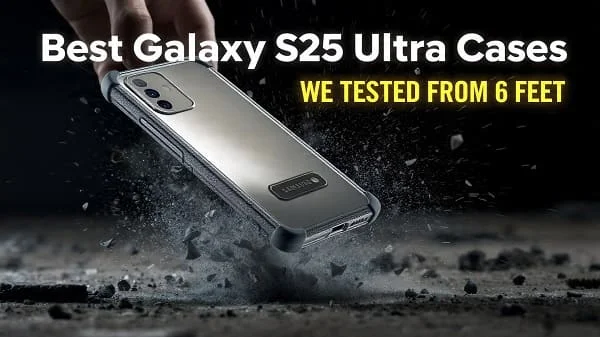
If you’re hunting for the Best Galaxy S25 Ultra Cases, this guide cuts through marketing noise and focuses on what really protects a big, premium phone day after day. We cover drop engineering, Qi2 charging and magnet rings, camera‑island protection, S Pen access, grip and comfort, heat behavior, and long‑term durability. You’ll get actionable checklists, at‑home tests to verify quality, and clear recommendations by use‑case—slim clear, rugged, wallet folio, aramid, eco‑friendly, kickstand creator, and more—so you can choose with confidence and keep your Galaxy S25 Ultra looking new for years.
Table of Contents
What Matters Most in a Galaxy S25 Ultra Case
The S25 Ultra is a large, performance‑oriented flagship. A great case should enhance—not hinder—daily comfort, charging, photography, and S Pen use. Prioritize these fundamentals when evaluating any model:
- Impact engineering: Look for flexible bumpers (TPU) with air channels or cushion cells at the corners, plus a continuous raised lip around the screen and camera array.
- Qi2 and magnetic alignment: The latest Qi2 standard adds magnet alignment across ecosystems. A properly centered magnet ring improves charging consistency and car‑mount security.
- Grip without lint: Fine micro‑texture or ribbed side rails maintain traction, especially vital on a big, boxy phone. Avoid ultra‑slick hard plastics.
- Button feel: Independent button caps with crisp, direct “click.” Mushy buttons make big phones feel clumsy.
- Thermal behavior: Thick, unvented shells trap heat during camera, gaming, and navigation. Cases with interior channels or composite backs manage heat better.
- Optical cleanliness: For clear cases, UV‑resistant blends and anti‑yellow coats keep them transparent longer.
- S Pen workflow: If your S25 Ultra configuration includes an S Pen, ensure the case does not obstruct the eject path or collect lint in the slot tunnel.
- Accessory ecosystem: Wallets, stands, lanyards, car mounts, tripods—confirm magnet strength and proper cutouts before you commit.
Bottom line: pick construction details first, style second. A case that feels secure and easy to use will actually stay on—your best protection in the real world.
Best Galaxy S25 Ultra Cases by Need
The “best” case depends on where you use your phone, how you carry it, and whether you need magnetic mounting, S Pen access, or one‑hand comfort. Use these curated categories to narrow your shortlist fast.

1) Best Clear Slim Case (Show the Phone, Minimal Bulk)
Why you’ll like it: Lets the color/finish shine while adding corner cushioning, raised lips, and magnet compatibility for mounts and chargers.
- Look for: UV‑resistant TPU/PC hybrid, anti‑yellowing warranty, scratch‑resistant coat inside and out, continuous 360° lip, precise cutouts, centered magnet ring.
- Avoid: All‑TPU soft clear (yellows faster), glossy sides with no texture, off‑center magnet rings.
- Pro tip: Wipe phone and case interior with a microfiber before install to prevent dust halos.
2) Best Rugged/Heavy‑Duty Case (Work, Outdoor, Parents)
Why you’ll like it: Dual‑layer protection with air‑cushioned corners and aggressive lips keeps glass off the ground during face‑down/back‑down impacts.
- Look for: TPU bumper + PC shell, ridged side rails, lanyard eyelet, robust magnet array, compatibility with thick screen protectors.
- Avoid: Pure hard plastic corners—shock transfers straight to the phone.
- Mounting: Check that your car mount is Qi2 or has strong magnets to offset extra thickness.
3) Best Thin Minimal Case (Near‑Naked, Still Practical)
Why you’ll like it: Preserves the in‑hand feel while protecting against scuffs and light table slides; perfect with a tempered‑glass protector.
- Look for: 0.8–1.5 mm shell, matte micro‑texture, a subtle camera lip, precise tolerances.
- Know the tradeoff: Not for repeated high drops. Pair with a quality glass protector.
4) Best Wallet Folio (Cards + Screen Cover + Stand)
Why you’ll like it: Consolidates essentials and folds into a stand for video calls and flights.
- Look for: Magnetic clasp, microfiber lining, stable stand in portrait/landscape, strong magnet ring in the shell (if split design), easy S Pen access.
- Consider: Folios add front bulk; check comfort with the cover flipped back.
5) Best Grip Case (Sweaty Hands, Commutes, One‑Hand Use)
Why you’ll like it: Texture where you need it—side ribs, pebble back—to reduce squeeze force and hand fatigue.
- Look for: Fine texture + matte topcoat, clicky buttons, light chamfers for comfort.
- Skip: Dust‑magnet silicone unless you plan on frequent wipes.
6) Best Aramid/“Kevlar”‑Style (Slim, Stiff, Professional)
Why you’ll like it: High stiffness without weight; embedded magnet ring; premium weave aesthetic.
- Look for: Genuine aramid layers, grippy resin, 1 mm+ camera lip, precise button caps.
- Note: Over‑polished weaves can be slick—prefer micro‑matte finishes.
7) Best Eco‑Friendly (Lower Impact)
Why you’ll like it: Recycled or bio‑based blends with real drop protection and magnetic alignment.
- Look for: Published recycled content, dye‑free clear formulas, robust corner cushioning.
- Reality: Some eco blends are softer; texture is key for grip.
8) Best Waterproof/Adventure Case (Beach, Snow, Kayak)
Why you’ll like it: Full enclosure prevents ingress from sand and dust; add/remove as needed for harsh outings.
- Look for: Tested seals and membranes, port covers, responsive buttons, Qi2‑compatible back plate.
- Tip: Water‑test the empty case in a sink before first use; dry fully before installation.
9) Best Creator/Kickstand Case (Video, Zoom, Media)
Why you’ll like it: Integrated metal or reinforced polymer kickstand supports both orientations and doubles as a grip.
- Look for: Stable 2‑position stand, magnet ring that still aligns while the stand is closed, anti‑wobble back.
- Heat note: Metal stands can warm up during wireless charging; remove for faster charging if needed.
10) Best Case for Car Mounts and Tripods
Why you’ll like it: Strong magnets and a flat back resist rattle in dash footage and keep navigation stable.
- Look for: High‑pull magnet array, flat center back, optional lanyard or 1/4‑20 adapter for rigs.
- Charging: If the mount charges, confirm Qi2 compliance for best speed and safety.
Fit, Tolerances, and S Pen Access
Large phones magnify small fit issues. Corners should seat fully with no gaps; edges should not “float” or flex when squeezed. For S Pen configurations, the case must preserve the eject path and fingertip groove—no interference at the bottom edge. Lint buildup inside a poorly cut “tunnel” can jam the pen over time, so prefer clean‑edged cutouts and rigid lips around the port.
Camera‑island alignment matters, too: a tight cut around each lens ring is okay if it doesn’t intrude into the field of view. To gauge the S25 Ultra’s likely footprint and why tolerances matter on big phones, review a prior generation’s dimensions for context (e.g., S24 Ultra) via a reputable spec database like GSMArena: S24 Ultra specs on GSMArena. It helps you visualize how case lips and camera guards scale on big slabs.
Qi2, Magnet Rings, Charging, and Car Mounts
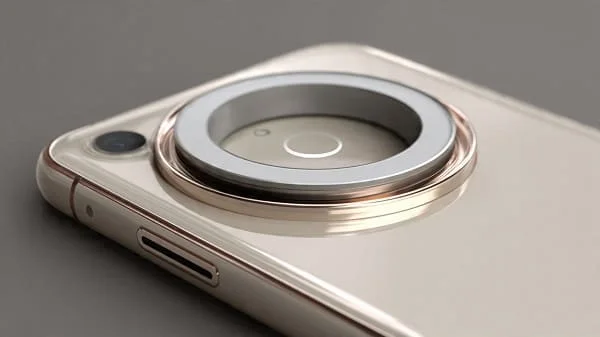
Qi2 brings magnet alignment to mainstream wireless charging. A well‑centered ring reduces slip, improves alignment, and can increase practical charging efficiency by keeping coils properly overlapped. It also makes magnetic car mounts more reliable—especially important for heavy phones on bumpy roads.
- Certification matters: Learn the current Qi2 standard and ecosystem at the Wireless Power Consortium: WPC: Qi2.
- Ring placement: The magnet ring should be centered on the charging coil area. Off‑center rings run warmer and slip on mounts.
- Case thickness: Very thick or multilayer cases reduce magnetic pull and charging speed; creators may keep a “slim daily” case for mounts and a “rugged field” case for rough days.
- Metal interference: Metal kickstands can interfere with charging. Fold the stand flat or remove the case for best results.
Real Drop Protection: How to Spot the Good Stuff
Marketing often quotes “military‑grade” claims. The common reference is MIL‑STD‑810H, a U.S. testing standard describing methods for shock and vibration. It isn’t a consumer certification stamp, but the methods are useful context: MIL‑STD‑810H.
- Corner geometry: Air pockets or ribbed chambers that compress on impact dissipate energy before it reaches the phone.
- Continuous lips: Slightly raised lips around the display and camera rings keep glass from scraping first.
- Material pairing: TPU for elasticity + PC for structure is a proven combo. Avoid pure hard shells that shatter or transfer shock.
- Retention under twist: A good case won’t unlatch when you gently twist opposite corners in your hands.
Materials Guide: TPU, PC, Silicone, Aramid, and Leather
Materials define how a case feels on day one—and how it looks on day 300. Here’s what to expect:
TPU (Thermoplastic Polyurethane)
- Pros: Flexible, impact‑absorbing, grippy, cost‑effective.
- Cons: Basic clear TPU yellows faster; prefer UV‑resistant blends and coatings.
- Best for: Bumpers and inner liners that flex on impact.
Polycarbonate (PC)
- Pros: Rigid, scratch‑resistant, crystal‑clear backs when coated.
- Cons: Too thin PC can crack; pair with TPU edges to absorb shock.
- Best for: Hybrid clear cases (TPU frame + PC back).
Silicone
- Pros: Soft touch, consistent grip, comfy in cold weather.
- Cons: Attracts lint; edges can wear glossy.
- Best for: Everyday non‑slip comfort with a microfiber lining.
Aramid Fiber
- Pros: Excellent stiffness‑to‑weight, durable weave, professional look.
- Cons: Can be slick if over‑polished; choose micro‑matte resins.
- Best for: Slim shells with embedded magnet rings.
Leather / Vegan Leather
- Pros: Warms with use, executive aesthetic, comfortable grip.
- Cons: Sensitive to water/oils; may show patina or dye transfer.
- Best for: Wallet folios and presentation‑ready cases.
Material safety note: flammability ratings like UL 94 apply to materials, not entire products; see UL’s overview for context: UL 94 flammability of plastics.
Ergonomics and Grip for Big‑Screen Comfort
On a large phone, tiny geometry changes make a big comfort difference. The right case can lower hand strain and reduce drops:
- Side rails: Subtle ribs or scalloped grooves create “rest points” for fingers—less squeeze needed.
- Back texture: Fine pebbling balances pocket slide with security in hand.
- Edge radius: Gently rounded edges are kinder to palms during reading or gaming.
- Button design: Independent caps with internal pillars give a clean, controlled click.
- Lanyard option: A reinforced eyelet is invaluable on ladders, trains, or travel days.
Camera‑Island Protection and Photo Quality
The Ultra’s multi‑lens array needs careful guarding. A continuous “plateau” can shield the lenses uniformly, while individual rings maximize clearance around each lens. Either can work—avoid guards that protrude into the field of view or reflect light back into the lens at night, causing flare. If you shoot city scenes under streetlights, take a few test shots to check for ghosting or vignetting caused by tight cutouts.
Inside the pocket, the camera area often catches first; textured ramps around the island can redirect scuffs and reduce wobble on a desk while keeping lenses safe.
Screen‑Protector Compatibility and Alignment
The safest pairing is a case‑friendly protector (slightly narrower than full width) plus a case with a gentle chamfer at the display opening. This avoids pressure‑lift and “silvering” at the edges. If you prefer full‑bleed glass for a seamless look, pair it with a thin case that explicitly lists compatibility with edge‑to‑edge protectors.
- Cutouts: Borders and cutouts should not encroach on sensors or the earpiece.
- Stack height: Protector + case lip should not shadow the screen or interfere with swipes from the edge.
- Installation: An alignment frame and dust stickers are worth their weight in gold for bubble‑free application.
Care, Cleaning, and Long‑Term Clarity
Cases last longer with low‑effort care. Wipe weekly with a microfiber; for clear backs, use water or a bit of 70% isopropyl on the cloth (never pour directly). Avoid ammonia or harsh glass cleaners that can dull coatings. Dust under a magnet ring can micro‑scratch—periodically remove the case and clean both surfaces. After beach or trail days, rinse the empty case and air‑dry before reinstalling to prevent grit abrasion.
Sustainability and Long‑Term Value
Buying well once is greener than replacing often. Prefer durable blends with published recycled content, neutral colors, and timeless textures to extend second‑hand life. A quality case that doesn’t yellow or split retains value and reduces e‑waste. If you upgrade cross‑platform, you might also be interested in a parallel buyer’s guide to keep other devices safe: Best Pixel 9 Pro Cases.
DIY Quality Checks (5‑Minute Tests)
Quick, non‑destructive tests reveal more than spec sheets:
- Twist test: With the phone inside, gently twist opposite corners. Good cases stay latched and silent; poor fits creak or show gaps.
- Corner drop (empty case): Drop from waist height onto a firm surface. You want a dull “thud” (cushioned) rather than a brittle “smack.”
- Magnet pull: Attach a Qi2 puck and gently shake over a bed. If it slides off immediately, the ring is weak or misaligned for mounts.
- Button feel: Rapid‑press volume and power. Crisp, short travel beats mushy sponges every time.
- Case lip check: Slide face‑down on a clean desk—the glass shouldn’t touch. Repeat for the camera side.
FAQs
Will a rugged case block Qi2 charging?
Not if it’s designed for it, but thicker shells can reduce speed and magnet strength. Consider a slim daily driver for charging/mounts and a rugged shell for field days.
Does a metal kickstand interfere with wireless charging?
Often, yes. Many stand cases recommend removing the case or folding the stand flat for charging.
How can I avoid clear‑case yellowing?
Choose UV‑resistant PC backs and TPU frames with anti‑yellow additives, avoid hot dashboards, and clean regularly.
What’s the point of “military grade” labels?
They reference test methods like MIL‑STD‑810H, but they aren’t a universal consumer certification. Construction details are more predictive.
Are thin cases worth it?
Yes for scratch and scuff protection with minimal bulk—just pair with a tempered‑glass protector and be mindful of drops.
Can magnet rings affect NFC or payments?
Quality designs isolate the magnet array away from the NFC antenna zone. If taps fail, try removing the case at terminals or choosing a ring that’s properly positioned for your phone.
Why mention prior‑gen dimensions?
Big‑phone tolerances stay similar year to year. Reviewing S24 Ultra dimensions on a reputable spec site like GSMArena helps visualize how case lips and camera guards scale on large slabs.
Verdict
The Best Galaxy S25 Ultra Cases combine honest impact engineering (cushioned corners, continuous lips), dependable Qi2 magnet alignment for chargers and mounts, comfortable grip textures, and clean S Pen access—without turning your phone into a brick. Start by choosing your protection class (slim clear, rugged, thin, folio, aramid), confirm your accessory workflow (magnetic chargers, car mounts, tripods), and then lock in the details: button tactility, heat behavior, and edge geometry for screen‑protector compatibility. With the right case, your S25 Ultra will feel safer, cooler, and easier to handle—every single day.
Helpful references and standards:
- Wireless Power Consortium: Qi2 standard
- MIL‑STD‑810H testing methods
- UL 94 flammability of plastics (material safety)
- GSMArena: S24 Ultra specs (dimension context)
- Best Pixel 9 Pro Cases (Gicra)

About the Author
Alex Carter — Founder & Editor‑in‑Chief, GicraMobile
Alex leads GicraMobile’s testing lab and reviews. His methodology focuses on day‑to‑day performance, battery health and thermals, camera consistency, and 5G/LTE reliability—so you can pick the right phone without hype.
Real‑world testing: 90–120 Hz smoothness, idle drain, thermals
Camera checks: HDR, skin tones, low‑light stabilization
Connectivity: band fit, eSIM, VoLTE/VoWiFi, Wi‑Fi performance
You may also like this