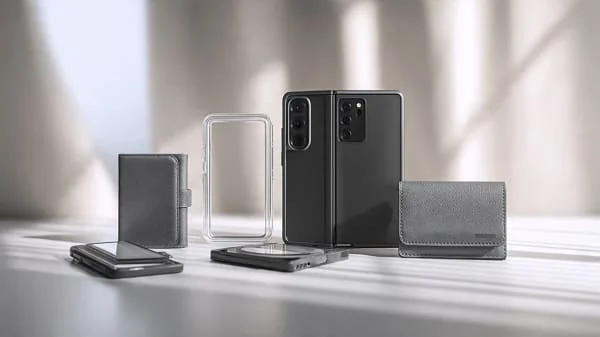
If you’re shopping for the Best Galaxy Z Fold 6 Cases and Accessories (2025), this long, education‑first guide will help you choose confidently and avoid expensive mistakes. Foldables reward smart accessory choices more than slab phones do: hinge protection has to be done right (no binding), inner‑screen films must be respected, magnet rings must align for reliable Qi2 charging and car mounts, and case lips need to guard both the cover glass and the camera without adding awkward bulk. Below you’ll find what actually matters, how to evaluate case construction in minutes, the pros/cons of each case style, and a curated accessory roadmap (chargers, power banks, SSDs, mounts, S Pen options, and more) that keeps your Galaxy Z Fold 6 protected, productive, and pleasant to use every single day.
Table of Contents
What Matters Most on a Foldable (Read This First)
Foldables like the Galaxy Z Fold 6 live or die by details. If you only remember five things from this guide, make them these:
- Hinge freedom: A case must never bind the hinge or rub the inner edges as the phone opens. “Spine” covers should bend smoothly, not drag.
- Respect the inner film: The pre‑installed inner screen protector is part of the device’s design. Don’t peel it. Use only compatible inner films if Samsung recommends replacements.
- Centered magnet ring: If your case has a ring for Qi2 chargers/mounts, it has to be centered over the Fold’s coil; off‑center rings mean slow charging and weak mounts.
- Case lips done right: The cover‑screen lip should protect without lifting your screen protector; the camera lip should stop first contact without creating wobble.
- Grip without lint: Look for micro‑texture or ribbed rails; glossy edges are pretty but slippery on a large phone.
Best Galaxy Z Fold 6 Case Styles (By Need)
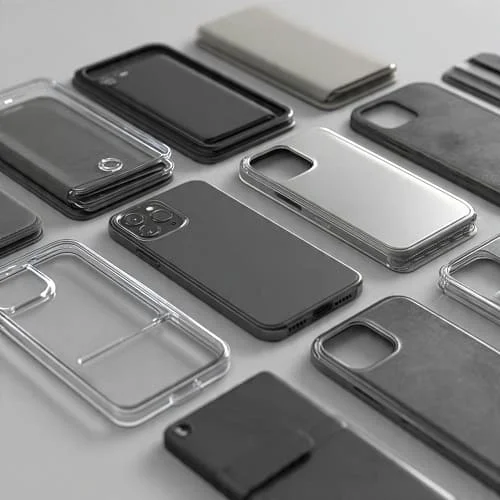
There’s no single “best” case—there’s the best case for your environment. Use the profiles below to shortlist, then apply the checklists to compare models.
Clear Hybrid (Show the Finish, Keep Real Protection)
Who it’s for: You want the Fold 6’s design visible with proper drop safety. Clear “hybrids” combine a TPU bumper (soft) with a PC back (hard).
- Look for: UV‑resistant blends, hard‑coat back (scratch resistant), cushioned corners, 360° raised lips, tight camera ring, centered magnet ring.
- Avoid: Single‑material soft TPU (yellows quickly), glossy sides with no texture, camera rings that snag pockets.
- Pro tip: Clean inside before install (microfiber). Dust specks cause “Newton rings” and scuffs over time.
Rugged / Heavy‑Duty (Worksites, Outdoor, Parents)
Who it’s for: You drop phones or work around hard surfaces.
- Look for: Dual‑layer design (TPU + PC), air‑cushion corners, structured rails, lanyard anchors, hinge guard that bends freely, tested magnet array if you use car mounts.
- Note: Thick cases can warm up on wireless chargers; remove for fastest charging.
Thin Minimal (Near‑Naked, Still Practical)
Who it’s for: You hate bulk but still want scratch protection and a small lip around the cover screen and cameras.
- Look for: 0.8–1.5 mm shells, micro‑texture, precise hinge clearances, and a defined camera lip.
- Trade‑off: Minimal shells aren’t for repeated corner impacts. Pair with a tough cover‑screen protector.
Grip Case (Commuters, Runners, Smaller Hands)
Who it’s for: You want friction without fuzz.
- Look for: Pebble texture, ribbed rails, matte topcoat, clicky buttons, flat back for mounts.
- Skip: Super‑soft silicones that collect lint unless you’re fine with frequent wipes.
Kickstand / Creator Case (Video, Zoom, Reading)
Who it’s for: You watch, record, or video‑call often—landscape and portrait.
- Look for: Stable metal/polymer stand, minimal flex in the back, magnet ring that still aligns with the stand closed.
- Heat note: Metal stands can warm up during wireless charging—remove for speed.
Wallet Folio (Cards + Screen Cover)
Who it’s for: Transit cards and one‑pocket carry.
- Look for: Microfiber inner lining, tight card slots, clasp strength that doesn’t fight the hinge, and a detachable shell for charging/mounts.
Aramid / “Kevlar”‑Style (Slim + Stiff)
Who it’s for: You like light weight and pro looks without gloss.
- Look for: Genuine aramid layers, micro‑matte resin for grip, 1 mm+ camera lip, embedded magnet ring.
- Note: Over‑polished weaves feel slick; texture is key.
Hinge Guards and “Spine” Covers: Pros, Cons, Fit Tests
Hinge designs vary. Some cases include a flexible “spine” cover; others leave the hinge exposed.
- Benefits of a spine cover: Less pocket lint in the hinge channel and fewer scuffs on the spine.
- Risks: Poorly designed spines drag on opening, add grit, or stress the hinge over time.
Fit tests (in‑store or at home):
- Open/close slowly while watching the spine. It should not scrape the inner edges.
- Hold half‑open at several angles. The case shouldn’t “spring” the hinge or rub.
- Shake gently: no rattles or clicks from the spine pieces.
Screen Protectors: Inner Film, Cover Glass, and Lens Rings
Foldables are different from slabs—there’s an inner flexible display and a regular cover screen.
- Inner display: Keep the Samsung‑installed film unless official instructions say otherwise. Third‑party inner films must be fold‑safe.
- Cover screen: Use case‑friendly tempered glass or premium hybrid film. Ensure the case’s front lip doesn’t press it up (no “edge creep”).
- Camera protection: Lens rings (individual bezels) reduce flare and vignetting more than a full plate; plates are faster to apply.
Magnet Rings, Qi2 Charging, and Car Mounts
Aligned magnets improve wireless charging speed and make magnetic car mounts reliable. Misalignment causes slow charging and “puck slides.”
- Qi2 basics: Qi2 standardizes magnetic alignment across brands. Read the official spec summary here: Wireless Power Consortium — Qi2.
- DIY test: Attach a magnetic puck, then hold the phone face‑down over a bed and gently shake. Good rings hold; weak/off‑center rings slip.
- Heat note: Thick cases or metal stands raise temps; remove the case or use certified high‑efficiency pads/bricks for best results.
Drop Protection: Ratings vs Real‑World Safety
Many cases cite “military‑grade” claims referencing MIL‑STD‑810H. It’s a set of test methods, not an official consumer certification. Construction details matter more than a single number. If you’re curious, skim the DoD quicksearch page: MIL‑STD‑810H.
- Corner engineering: Look for visible air channels or ribbing (crumple zones) rather than hollow hard corners.
- Continuous lips: A slight raised lip around the cover screen and camera keeps glass off the ground in face‑down/back‑down drops.
- Material pairing: TPU (elasticity) + PC (structure) is proven. All‑hard shells transmit shock; all‑soft shells can pop off.
Materials Guide: TPU, PC, Silicone, Aramid, Leather
TPU (Thermoplastic Polyurethane)
- Pros: Flexible, impact‑absorbing, grippy, affordable.
- Cons: Basic clear TPU yellows; pick UV‑resistant blends and hard‑coat PC backs.
Polycarbonate (PC)
- Pros: Rigid, scratch‑resistant, great for clear backs with an anti‑scratch coat.
- Cons: Too thin PC can crack; rely on TPU edges for absorption.
Silicone
- Pros: Soft touch, excellent grip, comfy in the cold.
- Cons: Can collect lint; edges may sheen over time.
Aramid Fiber
- Pros: High stiffness‑to‑weight, premium look, durable.
- Cons: Polished weaves can be slick; micro‑matte resin helps.
Leather / Vegan Leather
- Pros: Ages with character, classy folios, comfortable grip.
- Cons: Sensitive to water/oils; dye transfer possible from dark denim.
Ergonomics and Grip on a Big Foldable
The Fold 6 is a big device folded and a thin tablet opened. Small geometry choices change comfort:
- Side rails: Subtle ribs/scallops create reference points for fingers, lowering squeeze force.
- Back texture: Fine pebbling strikes a balance between pocket slide and hand security.
- Edge radius: Slight rounding beats sharp edges on long reading or gaming sessions.
- Lanyard anchor: Valuable for filming, public transit, or working at height.
Care, Cleaning, and Long‑Term Clarity
- Weekly wipe‑downs: Microfiber + a touch of water or 70% isopropyl on the cloth (don’t pour directly). Avoid ammonia/glass cleaners on coated clear backs.
- Heat & sun: Don’t leave the phone face‑up on hot dashboards; UV + heat accelerates yellowing and adhesive fatigue.
- Wireless hygiene: Dust trapped between a ring and pad causes micro‑scratches—remove the case and clean both surfaces monthly.
- Beach/trail days: Rinse the empty case with fresh water; let it dry before reinstalling.
Must‑Have Accessories (Chargers, Banks, SSDs, Mounts, S Pen, Stands)
USB‑C Chargers and Cables
Buy certified USB‑C PD chargers (GaN for compact size) and short, quality cables. Poor chargers run hot and slow. Learn the PD basics at the USB‑IF: USB‑IF: USB Power Delivery.
- Wall charger: Pick a reputable PD charger sized to your Fold’s supported charging profile.
- Cables: Shorter = better efficiency; use e‑marked cables for higher power/data.
Power Banks
- PD output that matches your wall charger keeps travel charging simple.
- Magnetic banks are convenient if your case/charger supports Qi2 alignment.
External SSDs and Hubs
If you shoot long video or edit on‑device, an external SSD via USB‑C is a game changer. Use high‑quality cables and drives to avoid disconnects.
Car and Desk Mounts
- Qi2 magnetic mounts offer the cleanest experience; verify centered ring alignment and weight rating for a heavy Fold.
- Clamp‑style mounts remain the safe fallback if your case’s ring is weak.
S Pen Options
Samsung offers S Pen variants tuned for different devices. Read Samsung’s overview for capabilities and compatibility: Samsung: What is S Pen?
- Case slot: If you want S Pen with you, choose a case with a secure slot that doesn’t press the hinge or inner edge.
- Tips: Use correct S Pen tips for foldables; avoid hard stylus tips not meant for the inner display.
Stands, Keyboards, and Mice
- Tablet stand for opened mode; choose a stable base and non‑slip feet.
- Folding Bluetooth keyboard/trackpad transforms the Fold into a mini‑workstation.
Travel/Creator Kits (Ready‑to‑Go Loadouts)
Minimal Traveler
- Grip case + case‑friendly cover‑screen glass.
- Compact PD wall charger + short cable.
- Qi2 desk charger at the hotel; clamp car mount if your case’s ring is weak.
Creator/Vlogger
- Kickstand case, high‑pull magnetic mount or sturdy clamp mount.
- USB‑C SSD + e‑marked cable, compact mic (USB‑C/3.5 mm via dongle), spare PD power bank.
- Tripod clamp that fits folded and opened widths.
Office/Study
- Aramid or thin case, folding Bluetooth keyboard/trackpad, tablet stand.
- Desk Qi2 charger (if ring is centered), or wired dock with pass‑through PD.
DIY Quality Checks (5‑Minute Tests)
- Twist/fit: With the Fold installed, twist opposite corners lightly—no creaks, no gaps.
- Corner drop (empty case): Waist‑high onto hard surface. Dull thud = cushioned. Brittle smack = too rigid.
- Magnet pull: Attach a puck; shake face‑down over a bed. Good rings hold through mild shakes.
- Button feel: Rapid‑press power/volume; you want crisp, short travel, not squish.
- Hinge glide: Open/close slowly. The spine must not rub or “push” the hinge.
Common Mistakes to Avoid with Fold 6 Cases
- Peeling the inner film: It’s part of the design. Only follow official replacement guidance.
- Chasing “military‑grade” labels: Construction beats marketing. Examine corners, lips, and fit.
- Ignoring ring alignment: Off‑center magnets make wireless charging slow and mounts unreliable.
- Forgetting protector/case compatibility: Full‑bleed glass and thick lips can fight; buy case‑friendly glass.
- Picking glossy edges: Looks great—until you drop a heavy Fold. Choose texture.
FAQs
Will rugged cases block wireless charging? Some reduce speed and alignment. Use Qi2‑certified pads/bricks and remove metal stands for charging.
Is a thin case enough for a heavy foldable? For short, flat drops with raised lips—often yes. For frequent corner impacts, rugged is safer.
Why does my clear case yellow? UV + heat. Choose UV‑resistant blends and hard‑coat PC backs, avoid hot dashboards, and clean weekly.
Can magnet rings interfere with NFC? Quality designs isolate the ring from the NFC zone. If taps fail, remove the case at terminals or choose a better‑placed ring.
Do spine covers wear the hinge? Good ones don’t; bad ones do. Use the hinge‑glide tests above and avoid any spine that drags.
Related Reading
Curious how Samsung’s book‑style design compares to Google’s wider foldable? This early comparison highlights trade‑offs to consider if you’re cross‑shopping ecosystems: Galaxy Z Fold 7 vs Pixel Fold 2: Early Comparison.
Verdict
The Best Galaxy Z Fold 6 Cases and Accessories (2025) combine honest impact engineering (cushioned corners, continuous lips), centered magnet alignment for Qi2 chargers and car mounts, and hinge‑friendly geometry that keeps the device opening like new. Start with your protection class—clear hybrid, rugged, thin, grip, kickstand, folio, or aramid—then check the details: lip height, ring placement, texture, and screen‑protector compatibility. Round it out with a certified PD charger, a case‑friendly cover‑screen protector, and (if you film) a stable mount and USB‑C SSD. That setup feels premium, charges reliably, and—most importantly—actually protects your Fold 6 when life happens.
Helpful References
- Samsung: Galaxy Z Series (official)
- Wireless Power Consortium: Qi2
- USB‑IF: USB Power Delivery
- MIL‑STD‑810H (DoD methods)
- Samsung: What is S Pen?

About the Author
Alex Carter — Founder & Editor‑in‑Chief, GicraMobile
Alex leads GicraMobile’s testing lab and reviews. His methodology focuses on day‑to‑day performance, battery health and thermals, camera consistency, and 5G/LTE reliability—so you can pick the right phone without hype.
Real‑world testing: 90–120 Hz smoothness, idle drain, thermals
Camera checks: HDR, skin tones, low‑light stabilization
Connectivity: band fit, eSIM, VoLTE/VoWiFi, Wi‑Fi performance
You may also like this