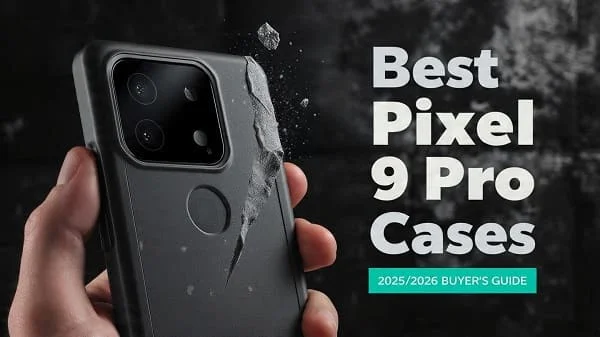
If you’re shopping for the Best Pixel 9 Pro Cases, this education‑first guide helps you choose with confidence—no fluff or copy‑paste lists. We’ll explain the details that actually protect your Pixel (corner engineering, raised lips, lens‑island geometry), how to verify MagSafe‑style/Qi2 magnet alignment for rock‑solid car mounts and chargers, and what materials age best without yellowing or cracking. You’ll also get practical checklists, at‑home fit tests, tips for pairing with screen protectors, and care routines to keep your case clear and grippy for months. Whether you prefer an ultra‑thin shell, a rugged dual‑layer, a wallet folio, or a stand case for creators, this guide makes sure you pick the right protection for your Pixel 9 Pro—and keep it charging, mounting, and looking great.
Table of Contents
What Really Matters for Pixel 9 Pro Protection
Your Pixel 9 Pro is a premium, camera‑first phone, so the right case must protect without breaking wireless charging, cameras, or comfort. Prioritize these details before color or branding:
- Corner engineering: Air pockets or ribbing that compress on impact. Bare, hard corners transfer shock into the frame.
- Raised lips, front and back: A small continuous lip around the display and the camera island prevents first‑contact scratches.
- Magnet alignment: If the case includes a magnet ring for chargers/mounts, it should be centered over the Pixel’s coil—misalignment wastes energy and weakens mounts.
- Grip geometry: Micro‑texture or ribbed rails reduce drops without snagging pockets.
- Button tactility: Independent, crisp button caps with short travel; mushy buttons ruin daily feel.
- Material aging: Clear backs need anti‑yellow coatings; silicones should resist lint; aramid shells benefit from micro‑matte resin for grip.
Google’s Pixel storefront is a good baseline for official specs and accessory context across models: Google Store — Pixel Phones.
Best Pixel 9 Pro Cases by Need
There isn’t one “best case” for everyone. Pick the protection class that matches your lifestyle, then compare models using the checklists below.
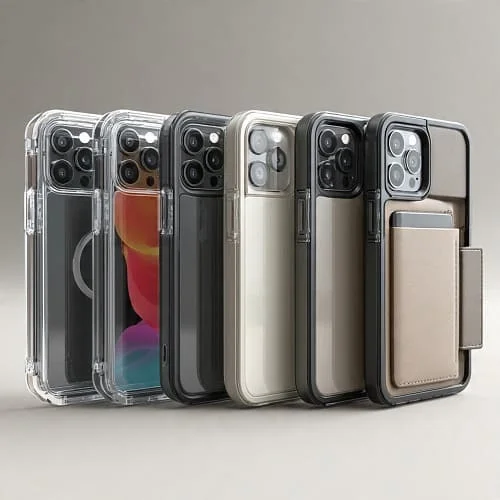
1) Best Clear Hybrid Case (Show Off Your Pixel)
Who it’s for: You want the color and finish visible with real drop protection.
- Look for: UV‑resistant TPU frame + hard polycarbonate (PC) back, anti‑yellow coating (inside and out), cushioned corners, raised 360° lip, and a centered magnet ring for chargers/mounts.
- Why it’s great: Balances clarity, grip, and compatibility with wireless charging/mounts.
- Avoid: Single‑material soft TPU (yellows fast), glossy sides with no texture, loose fit around the camera island.
2) Best Rugged/Heavy‑Duty Case (Worksite, Outdoor)
Who it’s for: You drop your phone or work around concrete/metal tools.
- Look for: Dual‑layer design (TPU bumper + PC shell), air‑cushion corners, ridged side rails, lanyard anchor, and tested magnet array if you use car mounts.
- Why it’s great: Absorbs impact energy; generous lips keep glass off the ground.
- Note: Thick shells can warm up on wireless chargers—remove for faster charging if needed.
3) Best Thin Minimal Case (Near‑Naked Feel)
Who it’s for: You hate bulk but want scratch and camera‑ring protection.
- Look for: 0.8–1.5 mm shells with micro‑texture, slight front lip, defined camera ring, precise cutouts that don’t snag screen protectors.
- Know the trade‑off: Minimal shells protect from scuffs and short drops; for repeated corner hits, choose rugged.
4) Best Wallet Folio (Cards + Screen Cover)
Who it’s for: You commute with transit cards or prefer one‑pocket carry.
- Look for: Magnetic clasp (not too strong near the coil), card slots with tight stitching, microfiber inner to protect the display, stable stand in landscape/portrait.
- Tip: Remove the folio back from the charger/mount to maintain speed and grip.
5) Best Grip Case (Sweaty Hands, Running, Public Transit)
Who it’s for: You want friction without fuzz.
- Look for: Fine pebble texture, ribbed rails, matte topcoat, clicky buttons, and a flat back for mounts.
- Skip: Super soft silicones that attract lint unless you’re OK with frequent wipes.
6) Best Aramid/“Kevlar”‑Style (Slim + Stiff)
Who it’s for: You want durability without weight, plus a premium weave look.
- Look for: Genuine aramid layers, micro‑matte resin for grip, a 1 mm+ camera lip, and an embedded magnet ring.
- Note: Over‑polished weaves can be slick; prioritize texture.
7) Best Eco‑Friendly Case
Who it’s for: You want lower‑impact materials without giving up protection.
- Look for: Recycled TPU/PC content or bio‑resins, transparent sourcing claims, and tested corner cushioning.
- Reality: Some eco blends are softer; texture and corner design matter more.
Screen‑Protector Fit and Lens‑Island Protection
A great case should play nicely with your screen protector (and camera‑ring protectors) with no peel‑ups, rainbows, or vignetting.
- Edge geometry: A gentle chamfer at the case’s display opening clears most 2.5D glass edges.
- Protector width: If your glass runs edge‑to‑edge, pick a slim case that lists compatibility with full‑bleed glass. Otherwise, choose a “case‑friendly” protector with a few mm margin.
- Lens rings vs plate: Individual rings reduce flare and shadowing at night more than a single plate. If you shoot city lights often, rings are cleaner.
Magnet Rings, Qi2, and Wireless Charging
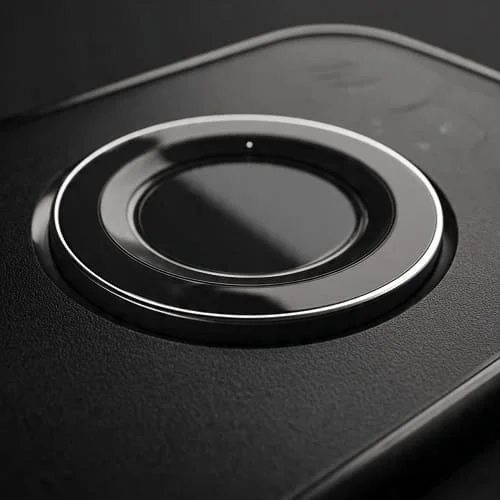
Magnet alignment matters for charging speed and car‑mount safety. If your case has a ring, it should be centered over the Pixel’s charging coil and strong enough to resist pocket twists and road bumps.
- Qi2 basics: Qi2 adds standardized magnetic alignment across brands. Learn the spec and ecosystem from the Wireless Power Consortium: WPC — Qi2.
- Heat note: Thick shells and metal stands can increase charging temps. If charging stalls, remove the case or use a certified higher‑efficiency pad/brick.
- DIY test: Attach a puck and gently shake the phone face‑down over a bed; if it slides off easily, the ring is weak or off‑center for mounts.
Drop Protection: Ratings vs. Real‑World Safety
Many cases tout “military‑grade” protection (MIL‑STD‑810H). It’s not a consumer certification; it’s a set of test methods for shock/vibration. Construction details matter more than a single number. If you’re curious, read the spec summary: MIL‑STD‑810H.
- Corner cushions: Look for visible air channels or ribbing that compress on impact.
- Continuous lips: A slight lip around display and camera keeps glass off the ground in face‑down/back‑down drops.
- Material pairing: TPU for elasticity + PC for structure is proven. Pure hard shells can crack or pop off.
- Twist test: With the phone installed, gently twist opposite corners. A good case stays latched and silent.
Material safety note: flammability ratings like UL 94 apply to plastics themselves, not the whole product: UL 94 flammability of plastics.
Materials Guide: TPU, PC, Silicone, Aramid, Leather
TPU (Thermoplastic Polyurethane)
- Pros: Flexible, impact‑absorbing, grippy, cost‑effective.
- Cons: Basic clear TPU yellows; prefer UV‑resistant blends and hard‑coat on PC backs.
Polycarbonate (PC)
- Pros: Rigid, scratch‑resistant, ideal for clear backs with anti‑scratch coatings.
- Cons: Too thin PC can crack; pair with TPU edges to absorb shock.
Silicone
- Pros: Soft touch, steady grip, comfy in cold weather.
- Cons: Can pick up lint or shine on edges over time.
Aramid Fiber
- Pros: High stiffness‑to‑weight, durable weave, professional look.
- Cons: Over‑polished surfaces can be slick; micro‑matte resin improves grip.
Leather / Vegan Leather
- Pros: Ages with character, tactile grip, executive aesthetic (especially folios).
- Cons: Sensitive to water/oils; dye transfer possible from dark denim.
Ergonomics and Grip (Big‑Phone Comfort)
Small geometry tweaks make a big difference on a large phone like Pixel 9 Pro:
- Side rails: Subtle ribs or scallops create natural reference points; less squeeze needed.
- Back texture: Fine pebbling balances pocket slide with hand security.
- Edge radius: Slightly rounded edges are kinder to palms during reading or gaming.
- Button design: Independent caps with internal pillars translate clicks better than a mushy single strip.
Care, Cleaning, and Long‑Term Clarity
- Weekly wipe‑downs: Microfiber + a bit of water or 70% isopropyl on the cloth (don’t pour directly). Avoid ammonia/glass cleaners on coated clear backs.
- Sun/heat: Don’t leave the phone face‑up on hot dashboards; UV + heat accelerate yellowing and warp.
- Wireless charging hygiene: Dust between ring and case/pad causes micro‑scratches—remove the case and clean both surfaces monthly.
- Beach/hike: Rinse the empty case with fresh water afterward; let it dry before reinstalling.
Sustainability and Value Over Time
Buying the right case once is greener than replacing often. Prefer durable blends, repairable button caps, and makers with transparent material sourcing or recycled content. If you upgrade frequently, choose neutral colors and timeless finishes; better resale keeps products in use longer. For additional case‑shopping context (and how a different flagship’s case ecosystem is judged), see our related guide: Best Galaxy S25 Ultra Cases (2025 Guide).
DIY Quality Checks (5‑Minute Tests)
- Twist/fit: With Pixel installed, twist opposite corners gently. No creaks, no gaps.
- Corner drop (empty case): Drop from waist height onto a firm surface. Dull thud = cushioned. Brittle smack = too hard/rigid.
- Magnet pull: Attach a magnetic puck; shake face‑down over a bed. It should hold through mild shakes.
- Button feel: Rapid‑press volume/power; you want crisp clicks with minimal mush.
- Case lip check: Slide face‑down on a clean desk—the glass shouldn’t touch. Repeat for the camera side.
Common Buying Mistakes to Avoid
- Chasing drop‑rating numbers: Focus on construction (corners/lips/fit) over marketing claims.
- Ignoring magnet alignment: Misaligned rings slow charging and slip off mounts.
- Overlooking protector shape: Full‑bleed glass and thick lips can clash; confirm “case‑friendly” listings.
- Assuming all clear cases stay clear: Get anti‑yellow coatings and UV‑resistant blends.
- Skipping grip: A pretty case you can’t hold is a fast track to drops. Texture matters.
Pixel 9 Pro Case FAQs
Will a rugged case hurt wireless charging?
Thick shells can reduce speed and alignment. Use certified pads/bricks and remove metal stands when charging.
Do thin cases actually protect from drops?
From short, flat drops—often yes, thanks to lip and bumper flex. For repeated corner hits, rugged designs are safer.
How do I avoid clear‑case yellowing?
Choose anti‑UV PC backs with hard coat and UV‑resistant TPU frames, avoid hot dashboards, and clean regularly.
Can magnet rings interfere with NFC/payments?
Quality designs isolate the ring away from the NFC antenna. If taps fail, remove the case at terminals or choose a better‑placed ring.
What about Qi2?
Qi2 standardizes magnet alignment for wireless charging across brands. It’s excellent for desk and car mounts—just ensure ring placement matches your Pixel’s coil and use certified gear.
Verdict: Choosing with Confidence
The Best Pixel 9 Pro Cases balance corner cushioning and raised lips, dependable magnet alignment for charging/mounts, and daily comfort: grip, weight, and crisp buttons. Start by choosing your protection class—clear hybrid, rugged, thin, folio, aramid—then nail the details: lip height, ring alignment, texture, and screen‑protector compatibility. Pair your case with a high‑quality “case‑friendly” tempered glass and a centered, certified charger for a setup that feels premium every day and actually protects your Pixel 9 Pro when life happens.
Helpful references and standards:
- Google Store: Pixel Phones
- Google Support: Charge your Pixel phone
- Wireless Power Consortium: Qi2 standard
- MIL‑STD‑810H (DoD methods for shock/vibration)
- UL 94 flammability of plastics (material safety)

About the Author
Alex Carter — Founder & Editor‑in‑Chief, GicraMobile
Alex leads GicraMobile’s testing lab and reviews. His methodology focuses on day‑to‑day performance, battery health and thermals, camera consistency, and 5G/LTE reliability—so you can pick the right phone without hype.
Real‑world testing: 90–120 Hz smoothness, idle drain, thermals
Camera checks: HDR, skin tones, low‑light stabilization
Connectivity: band fit, eSIM, VoLTE/VoWiFi, Wi‑Fi performance
You may also like this