Welcome to Galaxy Z Fold 7 vs Pixel Fold 2: Early Comparison—an education‑first breakdown for buyers who want clarity before launch‑day hype. In this long guide, we compare Samsung’s next book‑style Galaxy Z Fold 7 and Google’s Pixel Fold 2 across design, hinge tech, displays, cameras, performance, thermals, battery life, software experience, charging (including Qi2 magnets), accessories, pricing expectations, and who each phone best serves. Because details evolve until release, we focus on durable buying principles, last‑gen trends, and store‑demo tests you can run in minutes, so your decision remains sound even as final specs land.
Table of Contents
Methodology: How to Read an “Early Comparison”
Until official spec sheets are posted, a responsible early comparison blends three inputs: (1) public information and longstanding platform behaviors, (2) last‑generation patterns from Galaxy Z Fold and Pixel Fold families, and (3) buyer‑centric criteria that don’t change with minor spec swings (like cover‑screen usability, hinge stability, and software maturity on large screens). We’ll call out expectations vs. certainties and leave room for launch‑day updates. The goal: help you prepare a shortlist, not lock you into rumors.
Design, Materials, and Ergonomics
Galaxy Z Fold 7 (expected): Samsung typically iterates on stiffness‑to‑weight and palm comfort. Look for a lighter frame with precise flat edges, a comfortable side‑mounted fingerprint reader, and a camera island that balances wobble and desk stability. Samsung’s track record favors excellent build tolerances and a rich case ecosystem at launch.
Pixel Fold 2 (expected): Google leans into a wider cover display and a flatter, minimalist silhouette that feels “phone‑like” when closed. The wider cover makes thumb typing more natural without opening. Pixel’s industrial design usually emphasizes subtle textures and grip without harsh edges.
- What matters day‑to‑day: width of the cover display for messaging, edge radius that doesn’t dig into palms, and button tactility. If your thumbs feel cramped on the cover, you’ll open the phone constantly and drain battery faster.
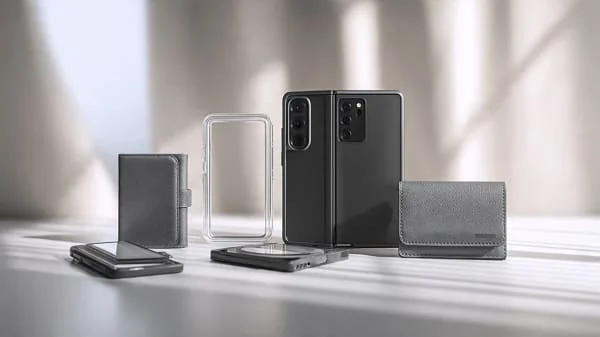
- Accessory reality: transparent hybrid cases yellow if they use simple TPU—seek UV‑resistant blends; grippy micro‑textures beat glossy sides for big phones.
Hinge, Crease, and Durability Factors
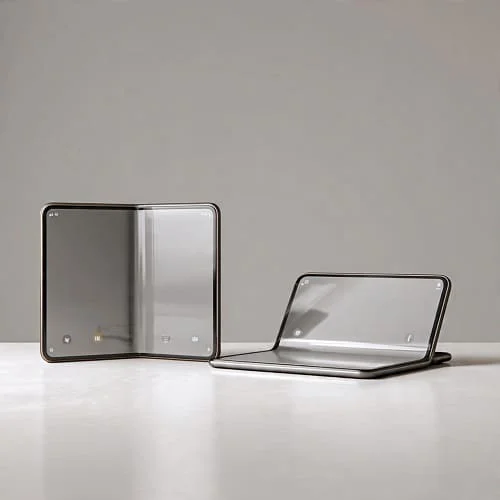
Modern foldables use water‑drop hinge designs to reduce panel stress and soften crease visibility. A good hinge should hold multiple open angles (laptop mode), close cleanly without pinching, and resist lateral wobble for tabletop video.
Samsung angle: Historically, excellent tolerance control, solid dust mitigation steps, and a hinge tuned for multi‑angle stability. Expect refinements that reduce friction and improve longevity.
Google angle: Prior Pixel Fold emphasized a flatter inner surface with wide aspect ratio. The focus is simple opening tension and confidence at intermediate angles for photos, time‑lapses, and video calls.
- Crease test: Under bright downlights, tilt and scroll. If text cross‑the‑crease remains legible and reflections fade in motion, you’ll forget the crease in days.
- Ingress protection: IP ratings vary by model; more protection is always welcome. Learn IP meaning from the IEC: IEC IP ratings.

Displays: Cover vs Inner, Brightness, Refresh
Cover display width is everything. Samsung tends to prioritize durability and brightness; Google prioritizes natural typing width. Both should offer high refresh (120 Hz) and aggressive sunlight boost.
- Brightness: Outdoor readability relies on strong auto boost; compare demo units near shop windows with the same wallpaper.
- Color + calibration: Choose “Natural”/accurate modes for photos and video work; switch to “Vivid” for entertainment.
- Polarization: Some panels dim under polarized sunglasses in certain orientations—quickly test portrait and landscape angles.
Expect LTPO for variable refresh, which drops to low Hz on static screens to save battery—especially meaningful on big inner displays.
Software Experience: One UI vs Pixel UI
Android on big screens has matured significantly, but OEM approaches differ.
One UI (Galaxy Z Fold 7): Power‑user features, a capable taskbar, window snapping, and reliable app pairs. Samsung’s foldable UX usually highlights multitasking density and stylus‑friendly layouts where supported.
Pixel UI (Pixel Fold 2): Clean animations, smart defaults, and the best “it just works” continuity between outer and inner screen. Pixel often nails Google app optimizations—Docs, YouTube, Photos—across split views.
- Large‑screen guidance: Google’s documentation shapes the ecosystem—handy to know what devs target: Android Large Screens Overview.
- Daily reality: A taskbar that remembers pairs, predictable drag‑and‑drop, and consistent keyboard scaling are worth more than tiny spec wins.
Cameras: Philosophy, Use‑Cases, and Tips
Samsung approach: Versatile hardware with practical optical zoom and punchy HDR—great for travel and social content. Portraits tend toward vivid colors; stabilization is strong for walking clips.
Pixel approach: Computational photography excellence with natural color and skin tones, class‑leading face detection, and clean low‑light processing. Tele reach varies by generation but overall imaging consistency is a Pixel hallmark.
- Creators: Use the fold as a camcorder grip; brace elbows and let stabilization work. For portraits, 2×–3× gives flattering compression.
- Low light: Laptop‑style angles turn any table into a tripod. Keep ISO low by tapping to expose for faces, not signs.
To contextualize camera trends across devices, see DXOMARK’s continuously updated list: DXOMARK Smartphones.
Performance, Thermals, and Storage
Both phones are expected to use current flagship silicon with faster NPUs for on‑device AI. The challenge isn’t peak scores—it’s sustained performance. Big inner displays push GPUs harder; good vapor chambers and thermal tuning matter for gaming and long 4K clips.
- Sustained speed: If frames stay smooth after 15 minutes and the back feels evenly warm (not hot spots), tuning is solid.
- Storage: Prefer UFS 4.x and higher tiers if you capture lots of 4K/8K or install big games. External SSD offload via USB‑C is a creator must.
For neutral endurance comparisons when available, GSMArena’s standardized tests are a useful yardstick: GSMArena Battery Test.
Battery Life, Charging, and Qi2 Magnets
Book‑style foldables typically outlast clamshells, but software efficiency can swing results. Expect fast wired speeds and magnetic Qi2 wireless alignment on accessories.
- Qi2 magnets: Strong rings keep coils aligned—fewer charge interruptions, better car mounts. Learn the standard here: WPC: Qi2.
- Case impact: Thick or metal‑stand cases reduce magnet grip and charging speed; choose Qi2‑ready designs with centered rings.
- Travel tip: A compact USB‑C GaN charger + short cable often beats wireless for heat and speed in hotels.

Productivity & Creators: Stylus, Multitasking, I/O
Galaxy Z Fold 7 (expected): Samsung’s productivity DNA—robust split‑screen, app pairs pinned to a taskbar, and stylus support on the inner display if enabled, with ecosystem accessories (keyboards, stands, SSDs). Samsung DeX‑style workflows or second‑screen use via USB‑C can be useful for presentations.
Pixel Fold 2 (expected): Delightfully simple multitasking, clean gestures, and tight Google app support. Pixel’s recorder/transcription tools and photo features are strong for journalists and students. Expect rapid feature drops through the year.
- Creators: Check external mic support, USB‑C transfer speeds to SSDs, and whether you can record long takes without thermal throttling.
Connectivity: 5G, Wi‑Fi, Bluetooth, and Extras
Both flagships should deliver excellent 5G multi‑band support, Wi‑Fi 6E/7 class radios, and Bluetooth LE Audio. What to test yourself: call quality in noisy spaces, GPS lock speed for maps, and stability with multiple wearables paired (watch + earbuds + tracker).
Pricing, Value, and Upgrade Paths
Initial prices for book‑style foldables remain premium. Real‑world cost softens via trade‑ins and carrier promos shortly after launch; keep an eye on effective price vs. plan lock‑ins.
- Samsung value play: Historically strong preorder bundles and trade‑ins; broad case ecosystem on day one.
- Google value play: Clean software, timely updates, and pixel‑perfect camera tuning. Feature Drops can add value without new hardware.
Insurance matters more on foldables; investigate official plans and authorized repair channels. Teardowns and repair commentary can signal long‑term serviceability: iFixit: Foldables.
Who Should Buy Which?
Choose Galaxy Z Fold 7 if you:
- want a productivity‑first machine with dense multitasking features and a mature accessory ecosystem.
- prefer Samsung’s camera look, practical telephoto reach, and typically brighter displays.
- value potential stylus support on the inner screen for notes, markup, and sketches.
Choose Pixel Fold 2 if you:
- want a wider cover screen that feels natural for messaging and maps without opening.
- prioritize consistent, natural photography with minimal fuss and excellent on‑device AI tools.
- love clean software with predictable behavior and fast quality‑of‑life updates.
Not sure? Your thumbs can decide. Try typing two paragraphs on each cover screen. The one that feels “right” usually wins the long game.
In‑Store Checklist: 9 Tests in 12 Minutes
- Cover typing: Two paragraphs in your main chat app—comfort and accuracy count.
- Crease under light: Tilt and scroll text; ensure the crease fades in motion.
- Hinge angles: Test 90°, 120°, 150° for wobble and stability on a desk.
- Split‑screen speed: Launch two apps, swap their positions, and save as an app pair if supported.
- Window resizing: Drag separators; test keyboard scaling and text selection across apps.
- Thermals: Record a 3‑minute 4K clip; feel for even warmth vs. hot spots.
- Glare + sunglasses: Check readability near a window with polarized glasses.
- Audio: Play music and a podcast; listen for clarity and stage while half‑open.
- Magnet test: If a Qi2 puck is available, attach with a case on and shake gently over a soft surface; weak rings slide.
Mistakes to Avoid with Foldables
- Buying by benchmarks only: Sustained performance and heat behavior matter more than peak scores.
- Ignoring cover comfort: A narrow or tall cover can tire thumbs; you’ll open more often and burn battery.
- Skipping protection: Use a slim, grippy case; never peel inner factory films unless instructed by official support.
- Underestimating Qi2: Magnetic alignment transforms daily charging/mounting with big phones.
- Assuming app quality: Install your top 10 apps and try split views before you buy.
Learn More: Complete Foldables Buyer’s Guide
For a broader market view—form factors, hinges, cameras, battery, Qi2 accessories, demo tests—read our long‑form companion: Best Foldable Phones 2025: Ultimate Buying Guide.
FAQs
Will the crease be noticeable?
You’ll see it under certain angles, but with water‑drop hinges it fades during normal use. Most users stop noticing after a few days.
Which gets better updates?
Both lines target extended Android and security updates. Pixel tends to deliver early Google features; Samsung ships extensive feature sets and rapid security patches.
Is wireless charging slower?
Depends on coil alignment and case thickness. Qi2 magnets help real‑world speed and convenience significantly.
Does stylus support matter?
If you annotate docs, sketch, or edit photos—yes. If you don’t, prioritizing cover comfort may deliver more daily value.
Is the wide cover screen really that important?
For heavy messaging/maps users, yes—it reduces fatigue and the need to open the phone for quick tasks.
Verdict
Galaxy Z Fold 7 vs Pixel Fold 2 comes down to priorities. Choose Samsung if you want the most mature productivity toolkit, potential stylus workflows, plentiful accessories, and punchy hardware. Choose Google if you want a “phone‑first” cover experience, consistent natural photos, and clean software that makes big screens feel simple. Both will be premium, both will be fast; your thumbs and your camera style should decide. Try the store checklist above, pair your pick with a slim, grippy Qi2‑ready case, and you’ll enjoy the future of phones without the guesswork.
Helpful references:
- Android Developers: Large‑screen & foldable guidance
- Wireless Power Consortium: Qi2 standard
- GSMArena: Battery test methodology
- DXOMARK: Smartphone camera rankings
- iFixit: Foldable teardowns & repair insights

About the Author
Alex Carter — Founder & Editor‑in‑Chief, GicraMobile
Alex leads GicraMobile’s testing lab and reviews. His methodology focuses on day‑to‑day performance, battery health and thermals, camera consistency, and 5G/LTE reliability—so you can pick the right phone without hype.
Real‑world testing: 90–120 Hz smoothness, idle drain, thermals
Camera checks: HDR, skin tones, low‑light stabilization
Connectivity: band fit, eSIM, VoLTE/VoWiFi, Wi‑Fi performance
You may also like this