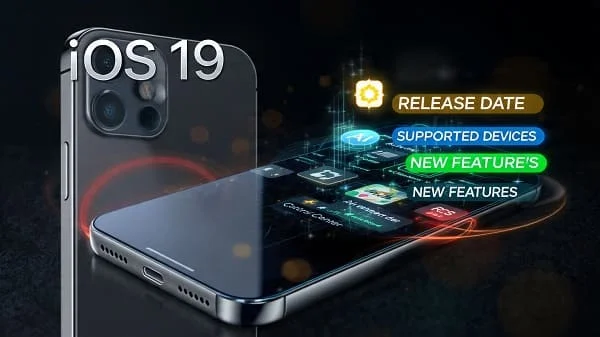
If you’re looking for iOS 19 Release Date, Supported Devices, Features, this education‑first tracker explains what Apple typically does, what’s realistic to expect from iOS 19 (Android‑year equivalent 2025), how the developer/public beta phases work, which iPhones are most likely to be supported based on Apple’s published policies and historical cutoffs, and how to prepare, install, and troubleshoot safely. Because Apple only finalizes details at (or around) WWDC and the September iPhone launch, we structure this page as a living guide you can bookmark: policy‑backed timelines, confidence‑tier device lists, feature areas that make sense for Apple’s roadmap, and clear how‑tos that keep your data safe.
Table of Contents
iOS 19 Release Timeline (What Apple Usually Does)
Apple’s annual cadence is remarkably consistent. While exact dates aren’t confirmed until Apple announces them, the pattern below has held for years and is the most reliable way to plan for iOS 19.
- WWDC (June): iOS 19 is announced on stage, with the first Developer Beta released right after the keynote. Apple posts preliminary release notes, API diffs, and new Human Interface Guidelines. Official WWDC hub: Apple Developer — WWDC.
- Late June / July: The Public Beta opens through the Apple Beta Software Program. Stability improves vs Developer Beta 1/2, but bugs remain. Program page: Apple Beta Software Program.
- August: Successive betas focus on performance, battery, and app compatibility. Developers update apps against the iOS 19 SDK; TestFlight builds ramp up.
- September (iPhone launch window): Apple ships a Release Candidate (RC) to developers and then the public release of iOS 19 within days of the new iPhone line’s arrival in stores. Small x.0.1 or x.0.2 patches often follow to fix day‑one issues.
- October–December: Feature refinements and app updates continue (e.g., iOS 19.1/19.2). Security patches are published regularly. Apple’s security bulletins: Apple Security Releases.
Takeaway: If you want the earliest look, aim for Developer Beta (on a secondary device). If you care about stability but enjoy early access, Public Beta in July is the safer middle. For most people, the September public release is the right time.
Supported Devices (Confidence Tiers)
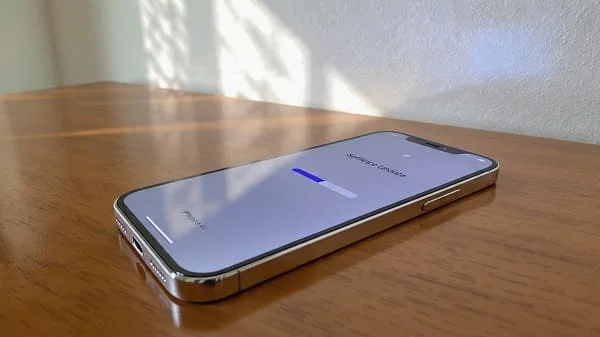
Apple doesn’t confirm compatibility until WWDC, but its support windows are predictable. For iOS 19, think in confidence tiers—what Apple’s policy and history make highly likely vs. plausible vs. unlikely. This list is designed to be updated quickly when Apple publishes the official matrix.
High‑Confidence (recent iPhones)
- iPhone 16 family (16 / 16 Plus / 16 Pro / 16 Pro Max) — launched with iOS 18; will be front‑row for iOS 19.
- iPhone 15 family (15 / 15 Plus / 15 Pro / 15 Pro Max) — strong support runway.
- iPhone 14 family (14 / 14 Plus / 14 Pro / 14 Pro Max) — comfortably within multi‑year OS policy.
- iPhone 13 family (13 mini / 13 / 13 Pro / 13 Pro Max) — historically still supported at this stage.
Plausible (depends on Apple’s exact cutoff)
- iPhone 12 family — still widely used; likely supported, though some advanced features may be limited by hardware.
- iPhone SE (3rd gen, 2022) — modern SoC and recent release make iOS 19 support plausible.
- iPhone 11 family / iPhone SE (2nd gen, 2020) — borderline devices. Apple’s choice hinges on performance and feature gating. Expect many core features; next‑gen AI or camera features may be restricted.
Low‑Confidence (aging silicon; may fall off)
- iPhone XR / XS / XS Max — if iOS 18 supported them in your region, iOS 19 may be the cutoff point. Treat as uncertain until Apple’s list is posted.
Important: Even when an older device is supported, Apple frequently gates heavy features (for example, on‑device AI models, advanced camera pipelines, or higher‑end ProRes/Log workflows) to newer chips. That’s normal—and it preserves performance for all users.
Where Apple will post the official list on day one: Apple — iOS and the iOS 19 preview page once live.
Feature Areas to Expect in iOS 19
Without leaking or speculating beyond policy and trends, here are the feature areas that make sense for Apple’s 2025/2026 roadmap. Apple has emphasized privacy‑preserving intelligence, quality‑of‑life improvements, and deeper ecosystem integration—expect those themes to continue.
- On‑device intelligence (privacy‑first): Faster, more reliable offline understanding in Siri and system apps (transcription, translation, context‑aware actions), with private cloud hand‑offs where appropriate. Heavier models likely limited to newer chips.
- Messages & communication: Smarter summaries, improved search, and content tools that run locally. Collaboration hooks across Notes/Reminders/Files refined for school and work.
- Camera & Photos: Cleaner editing workflows, better object isolation, and faster pipeline for night and HDR scenes. Expect more non‑destructive tools in Photos.
- Home & continuity: Tighter handoffs between iPhone, iPad, and Mac. More reliable controls for smart home scenes and presence‑aware automations.
- Battery & performance polish: Adaptive refresh and scheduling refinements that smooth heavy scrolls while pulling back background work on older devices. Subtler animation tuning to maintain “fast but calm” feel.
- Accessibility: Apple often ships significant accessibility updates each year—voice/switch control, live captions, vision/audio assistance. iOS 19 will likely expand these further.
- Security & privacy dashboards: Expect clearer permission prompts, background activity visibility, and per‑app controls that align with platform initiatives. Apple’s security site: Security releases.
Hardware Gating: Which Features Need New Chips
Not everything ships to every device. Apple routinely limits the most compute‑intensive or ML‑heavy features to recent SoCs with strong Neural Engines, ISP improvements, or high‑bandwidth memory. Rough guidance:
- A17‑class and newer (iPhone 15 Pro/Max, iPhone 16 family): Most or all on‑device intelligence features, advanced camera pipeline work, and real‑time effects are likely supported.
- A15/A16‑class (iPhone 13/14 families; SE 3): Broad feature coverage, but the largest on‑device models or real‑time video features may be trimmed or offloaded to private cloud.
- A14 and older: Core OS and app features should function; expect some AI and camera capabilities to be pared back to preserve smoothness and battery life.
Rule of thumb: Apple optimizes for feel and battery. If a feature stresses the chip or shortens runtime, Apple will gate or adapt it—to your benefit.
Developer Beta vs Public Beta: How to Join Safely
Betas are fun—but be cautious on a primary device. Apple provides two official ways to try iOS 19 early:
Developer Beta (immediately after WWDC keynote)
- Who it’s for: Registered developers building apps against the iOS 19 SDK.
- How to join: Enroll a device in Settings → General → Software Update → Beta Updates (signed with your Apple ID). Developer account info: Apple Developer Program.
- Risk: Early betas can break apps, banking, Bluetooth accessories, and CarPlay stability. Back up first.
Public Beta (usually July)
- Who it’s for: Enthusiasts comfortable with minor bugs who want early access.
- How to join: Sign in at Apple Beta Software Program → enroll device → enable Public Beta in Beta Updates.
- Tip: Install public betas on a secondary iPhone if possible; at least keep a clean encrypted backup to revert.
Prepare, Install, and Roll Back (Data‑Safe Workflow)
Whether you’re jumping into a beta or waiting for public release, use this data‑safe routine:
- Back up twice: Make an iCloud backup (Settings → Your Name → iCloud → iCloud Backup) and an encrypted local backup via Finder/iTunes so Health/Keychain data is captured. Apple backup guide: Back up your iPhone.
- Free 8–10 GB: Major OTAs need working room. Purge video caches, downloads, and unused apps temporarily.
- Update critical apps: Visit App Store → Updates. Many apps ship iOS‑targeted fixes around release day.
- Plug in + Wi‑Fi: Avoid hot cars and weak Wi‑Fi. Let the phone finish any “post‑update” indexing overnight.
- Roll back (if needed): Use your encrypted local backup with a compatible iOS version through Finder—Apple documents the restore process here: Restore iPhone.
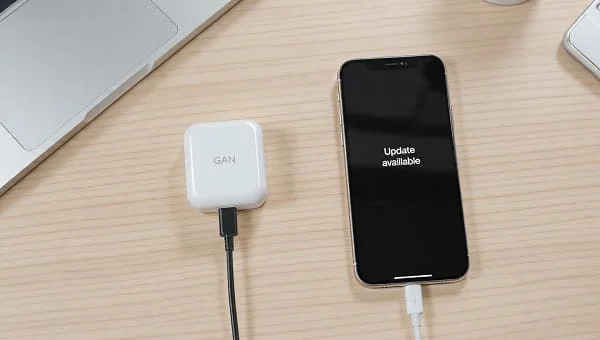
Post‑Update Checklist: Battery, Apps, and Privacy
- Expect a busy first night: Photos and Spotlight reindex; ML caches rebuild. Short‑term battery blips are normal.
- Review Battery usage: Settings → Battery. Restrict any app that keeps the CPU awake in the background.
- Privacy hygiene: Settings → Privacy & Security → review location, Photos, Bluetooth. Remove “Always” where not necessary.
- Notifications sanity: Prune non‑actionable alerts; use Summary if you prefer batched delivery.
- App updates again: Developers ship fast follow‑ups after public release; recheck the App Store within 48 hours.
Troubleshooting: Common Issues and Fixes
Battery drain after update
- Give it 24–48 hours to settle. If drain persists, check Usage and restrict offenders. Disable Background App Refresh for the worst offenders and audit Location/Known Networks.
- If still bad: Reset Network Settings; unusual network loops can keep radios awake.
App crashes/odd behavior
- Update the app; reinstall if needed. Clear Safari Website Data if web views glitch (Settings → Safari → Clear History and Website Data).
Bluetooth/CarPlay glitches
- Forget and re‑pair the accessory/vehicle. Toggle Wi‑Fi/Bluetooth/CarPlay. Update head‑unit firmware if available.
Storage suddenly full
- Reboot. Then Settings → General → iPhone Storage—offload unused apps and recheck “System Data” after a day.
Apple’s general iPhone user guide is a solid reference while you explore new system options: Apple — iPhone User Guide.
Regional Notes: EU/US Feature Differences and Rollout
Unlike Android OEMs, Apple ships iOS globally on the same day, but certain features can vary by region due to regulations or services availability (e.g., payment services, app distribution rules, satellite features, or sensitive ML features that require on‑device models meeting local privacy law). When Apple posts the iOS 19 preview page, check the footnotes—regional caveats are listed there. Central hub: apple.com/ios.
FAQs: Release Date, Support Window, Betas, RC
What’s the iOS 19 release date?
Historically, Apple releases the public build in September alongside new iPhones, after announcing at WWDC in June. Exact dates are announced by Apple—watch the iOS page and the press site.
Which iPhones are supported?
Apple confirms at WWDC. Expect iPhone 13–16 families as near‑certain, iPhone 12 as plausible, and iPhone 11/SE (2nd) as borderline. Some features may require newer chips.
Is the Public Beta safe?
Safer than early Developer Betas, but still beta. Back up and consider a secondary device if you depend on your iPhone for work/CarPlay/banking.
When does the Release Candidate (RC) arrive?
Usually a week or so before the public launch, often coinciding with iPhone reviews embargos lifting.
How long will my iPhone be supported?
Apple’s support windows are among the longest. Recent flagships now advertise extended OS/security coverage. Exact years vary by family—Apple’s pages (and the iOS 19 preview once live) clarify per model.
Related Reading (Apple Event Context)
Looking for broader Apple launch coverage and ecosystem news that often accompanies iOS milestones? Follow our live event hub here: Apple September 2026 Event Live: What’s New. It’s a convenient place to watch for feature demos that end up shipping in iOS point releases across the year.

Helpful References (Official)
- Apple — iOS
- Apple Developer — WWDC
- Apple Beta Software Program
- Apple Security Releases
- Back up your iPhone (Apple Support)
Verdict
iOS 19 Release Date, Supported Devices, Features can be understood with three rules: 1) expect a WWDC announcement, a Public Beta in July, and a September release; 2) think in confidence tiers for device support and accept that heavy features land first on newer chips; 3) treat the update as a project—back up twice, free space, update critical apps, then install on cool Wi‑Fi and let indexing finish overnight. With that approach, you’ll enjoy iOS 19’s new capabilities on day one without drama—and you’ll know exactly where to check for official confirmations the moment Apple posts them.

About the Author
Alex Carter — Founder & Editor‑in‑Chief, GicraMobile
Alex leads GicraMobile’s testing lab and reviews. His methodology focuses on day‑to‑day performance, battery health and thermals, camera consistency, and 5G/LTE reliability—so you can pick the right phone without hype.
Real‑world testing: 90–120 Hz smoothness, idle drain, thermals
Camera checks: HDR, skin tones, low‑light stabilization
Connectivity: band fit, eSIM, VoLTE/VoWiFi, Wi‑Fi performance
You may also like this