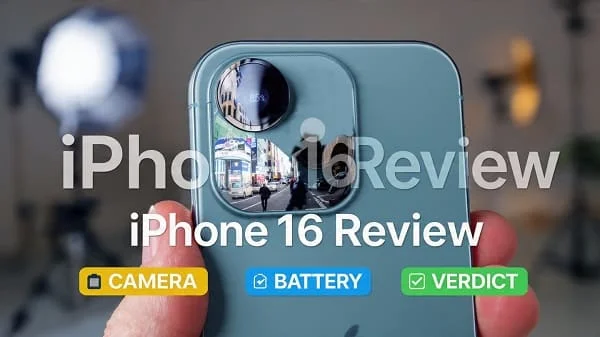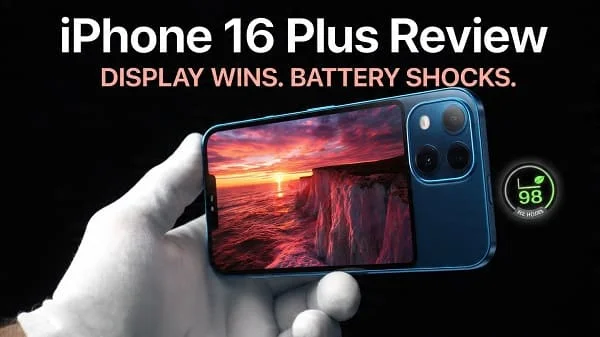
If you’re hunting for a straight‑talk, high‑value iPhone 16 Plus Review, you’re in the right place. This long, education‑first guide focuses on the stuff that actually changes your day: display comfort on a big phone, camera behavior in tricky light, battery life across heavy days, wireless charging with MagSafe/Qi2 alignment, performance and thermals, and the iOS features that save taps. We avoid spec theater and emphasize real‑world habits, setup tips, and checklists so your iPhone 16 Plus feels fast, durable, and easy to live with for years.
Table of Contents
Design and Build Quality
The iPhone 16 Plus is the big‑screen iPhone aimed at people who want comfort, battery headroom, and a cinematic canvas without stepping into Pro pricing. The chassis feels intentionally solid with a balanced weight distribution that settles nicely in your palm. If you’re coming from a smaller model, the size jump is noticeable; if you’ve owned earlier Plus‑sized iPhones, this feels familiar—sleeker and better damped against micro‑vibrations, with precise button click and a durable finish that resists fingerprints more than glossy glass.
Edges are subtly contoured so the phone doesn’t bite into your palm during long reading sessions. The rear camera island is neatly integrated, and the device rests flatter on tables than you’d expect for a big phone, especially if you choose a case with a gentle “ramp” around the lenses. Water and dust resistance bring welcome peace of mind; you’re safe around sinks, rain, and workouts, though you should still avoid salt‑water submersion and keep ports clean.
Display: Size, Brightness, and Comfort
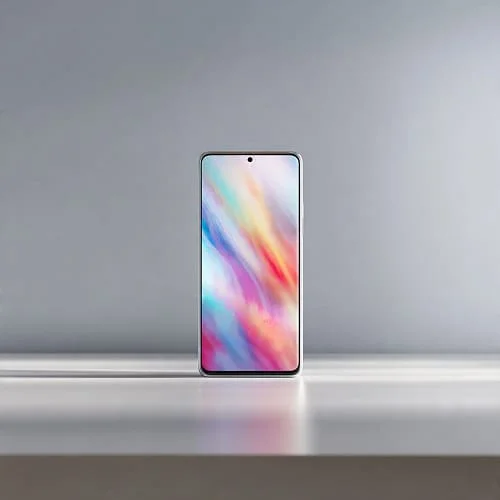
“Plus” means expansive. The large display is a joy for reading, spreadsheets, maps, and split‑view multitasking in supported apps. Scrolling feels fluid, animations are crisp, and color calibration is pleasingly neutral out of the box. Outdoor readability is strong with automatic brightness ramps helping you keep text legible even under direct sunlight.
- Color modes: For photo editing and shopping, stick with the more color‑accurate default profile. For poppy social scrolling, a more vivid tilt is fine—just be aware it can oversaturate skin tones.
- Eye comfort: Night Shift and True Tone help reduce harshness under warm indoor lights. If your eyes are PWM‑sensitive, try brightness at a comfortable mid‑level and avoid staring at ultra‑high‑contrast UI themes in dark rooms.
- Text clarity: Apple’s font rendering remains a strength; long articles feel easy to read, and the larger screen lets you increase text size without crushing layout.
Practical tip: set Auto‑Lock to 2 minutes and enable Raise to Wake; it saves battery without making you chase the power button constantly.
Performance and Thermals
Day‑to‑day, the iPhone 16 Plus flies. App installs are quick, photo editing feels instant, and even heavy multitasking—maps while streaming music, messaging, and a browser with many tabs—stays smooth. Where many midrange Android phones falter is sustained performance; the 16 Plus focuses on stability. Under longer workloads (say, back‑to‑back 4K clips or a large photo export), heat rises predictably but doesn’t spike into the “hands off” zone easily, and the system avoids sudden frame drops.
This “boringly fast” character is key to the 16 Plus appeal: it rarely calls attention to itself with stutter or heat drama. Efficiency cores handle lightweight tasks to preserve power, while performance cores and the Neural Engine shoulder intensive work like live transcription, voice processing, or on‑device photo segmentation.
iOS Experience and Everyday Flow
iOS on a large iPhone benefits from careful layout. Widgets are useful at a glance, Focus profiles keep you sane, and the deep Apple ecosystem—AirDrop, Handoff, iMessage, iCloud Photos—cuts friction that steals time on other platforms. The big screen makes split‑view and picture‑in‑picture particularly helpful: a map floating above your messenger, a video while you take notes, or a timer floating while a recipe sits full size.
Shortcuts power users can automate “work vs weekend” behaviors—brightness, Focus, app sets, and even Wi‑Fi toggles—triggered by time or location. If you’re new to Shortcuts, start small: a commuting Focus that turns on automatically and reads messages out via headphones can transform the daily grind.
Explore Apple’s iPhone User Guide to discover hidden gems you might never stumble upon in the UI: Apple iPhone User Guide.
Cameras: Photos You Can Trust
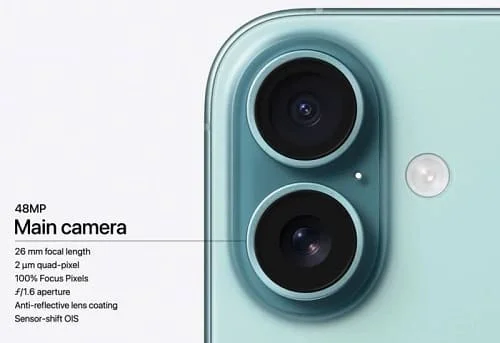
Apple’s camera philosophy remains consistent: natural color, excellent skin tones, controlled highlights, and smart HDR that avoids cartoonish halos. In good light, detail is crisp and micro‑contrast makes textures (fabric, foliage, stone) look lifelike. Indoors, white balance is steady, and the camera handles warm lamps without turning faces orange. Night mode prefers a clean, realistic look over extreme brightening; stabilize against a railing or use the 2‑second timer for tack‑sharp results.
- Main lens: Your best quality. For portraits, step back and use a 2× framing—faces stay flattering, backgrounds compress nicely.
- Ultra‑wide: Great for architecture and travel; lines stay clean, colors match the main lens well.
- Zoom: Without a long tele, rely on smart 2× crops in good light, or move your feet when you can.
Camera basics and built‑in features are covered well by Apple’s guide—handy for learning less obvious controls like exposure compensation and focus lock: Apple Support: Camera basics.
Video and Creator Tools
Video stabilization remains a standout. Walk‑and‑talk clips look steady, exposure adjusts smoothly when you move from shade to sun, and audio capture is clean and directional. For family events and travel, the 16 Plus is a strong one‑device solution; for creators, it’s a reliable B‑cam that pairs well with a compact mic via USB‑C.
- Tips for cleaner video: Lock exposure/focus with a long press for scenes with windows or signage; aim for 4K30 for the best quality‑to‑heat balance; avoid pointing into blinking LED walls to reduce banding.
- Editing: Simple trims in Photos are fast; for more control, use iMovie or a third‑party editor. Export to an external SSD for long projects via USB‑C.
Battery Life and Charging (USB‑C, MagSafe/Qi2)
Battery life is the biggest reason many buyers choose the Plus. The large cell and efficient chipset unlock calm, dependable endurance: you can hammer maps, shoot photos, bounce through social apps, even play some games and still get home with percentage to spare. Overnight drain is predictably low with the right settings.
- Optimized Charging: Enable Apple’s battery health features so the phone learns your routine and reduces time spent at 100%—see Apple’s guidance: iPhone Battery and Performance.
- USB‑C: Fast, reliable wired charging and painless data transfer to drives/cameras. Apple’s overview is helpful if you’re new to the port’s capabilities: About the USB‑C connector on iPhone.
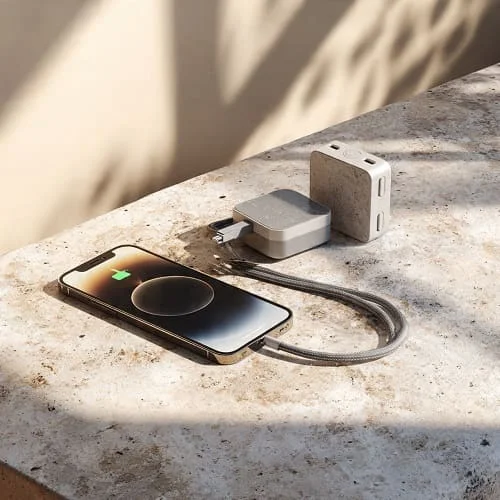
- Magnetic wireless (MagSafe/Qi2): Magnetic alignment improves charging consistency and car‑mount security. Learn how MagSafe works and charging best practices here: About MagSafe chargers for iPhone.
Real‑world tip: If charging feels slow on a magnetic pad, remove a thick/metal stand case, or switch to a Qi2/MagSafe‑certified charger with a quality cable and power brick.
Connectivity, Storage, and Accessories
Cellular performance is strong with quick hand‑offs between cells and steady data reliability. Wi‑Fi speeds are robust on modern routers, and Bluetooth connections remain sticky for watches, earbuds, and trackers. If you travel often, eSIM flexibility is a huge quality‑of‑life boost—no more hunting for paper clips or tiny SIM trays.
Storage is the one area where new buyers under‑estimate needs. Between high‑quality photos, 4K video, safari reading lists, and offline maps, lower tiers fill faster than you’d think. If budget allows, size up at purchase; iPhones maintain value well, and bigger storage helps resale later.
Case and screen protector availability is excellent. Choose a hybrid case (TPU edges + PC back) with a raised camera ring, and a full‑adhesive tempered glass protector with 2.5D edges for smooth swipes. If you rely on magnetic charging/mounts, make sure your case’s ring is centered and strong.
Audio, Haptics, and Call Quality
Stereo speakers deliver clear dialogue and crisp highs with a hint of warmth to music; the large chassis helps the low end. The haptic engine is precise—a delight for typing and subtle system feedback. Phone calls sound clean with reliable noise suppression; the other party hears you clearly even in busy cafés when you angle the bottom mic toward your face.
Gaming and Graphics
Gaming is smooth with high frame rates in many popular titles. Thermal behavior is more important than absolute peak numbers; here the 16 Plus behaves like a grown‑up—warm, yes, but not frantic. If you prefer marathon sessions, cap frame rates slightly, keep brightness at a comfortable mid‑level, and close background apps that poll location or download media in the background.
Security, Face ID, and Privacy
Face ID is quick and dependable—even at mild angles—making lock/unlock nearly invisible. On‑device processing for features like voice dictation and image understanding keeps sensitive data local whenever possible. Apple’s Face ID documentation is a handy refresher, including alternate appearance setup if you wear glasses or a mask: Use Face ID on iPhone.
Privacy nutrition labels in the App Store, permission prompts, and per‑app location accuracy toggles continue to set a practical baseline. As always, review app permissions quarterly and disable background access for apps that don’t need it.
Sustainability and Longevity
Longevity is the iPhone’s unflashy superpower. Years of software updates, strong resale value, and high availability of repair services extend useful life. Battery replacements are straightforward down the line. Accessories, docks, and cases enjoy a deep ecosystem that keeps working across generations, reducing waste. If you keep your phone 3–5 years, the 16 Plus’s performance, camera, and battery headroom will age gracefully.
Comparisons: iPhone 16 vs 16 Plus vs 16 Pro
iPhone 16 vs iPhone 16 Plus
Both share the same platform and camera philosophy. The Plus buys you a bigger, more immersive display and a larger battery that transforms long days from “edge of red” to “arrive home calm.” If you mainly want a compact handset, the base 16 is lovely; if you read, watch, and travel, the Plus just fits the lifestyle better.
iPhone 16 Plus vs iPhone 16 Pro
The Pro line targets creators and power users who want advanced video formats, the most flexible camera stack, and pro‑leaning I/O speeds. If you value top‑tier video workflows and telephoto reach, go Pro. If you prefer a simpler, calmer phone with great battery and an excellent main camera, the Plus nails it for less. For a deep dive into the Pro experience, see this companion review: iPhone 16 Pro Review: Camera, Battery, Verdict.
Who Should Buy the iPhone 16 Plus
Buy the 16 Plus if you want a big, bright screen and dependably long battery life without managing settings every hour. It suits commuters, students, travelers, creators who edit casually on‑device, and anyone who reads or watches a lot. If you have small hands or pockets, a smaller iPhone may feel more comfortable; if you demand the most flexible pro video and telephoto, the Pro line is your lane.
Pro Tips: Camera, Battery, and Setup
Camera tips
- Enable the grid in Settings → Camera to straighten horizons and architecture.
- Tap and hold to lock focus/exposure; slide the sun icon to protect highlights in backlit scenes.
- For portraits, step back and use 2×—faces look better, and backgrounds compress naturally.
- At night, stabilize the phone on a railing, shelf, or bag; use a 2‑second timer for tack‑sharp results.
Battery tips
- Use Optimized Battery Charging (Settings → Battery → Battery Health & Charging) to reduce wear.
- Set Background App Refresh to Wi‑Fi or off for heavy apps; audit location access quarterly.
- Avoid charging on thick fabric or under pillows; heat is the enemy of battery longevity.
Setup tips
- Create a Focus for work/study that mutes non‑urgent notifications but allows VIP contacts.
- Add a camera shortcut to your Lock Screen; it cuts fumble time for candid photos.
- Use Back Tap (Accessibility → Touch) to launch a favorite app with a double‑tap on the back.
Pros and Cons
Pros
- Big, bright display that makes reading, maps, and media a joy.
- Excellent battery life and calm thermals for a stress‑free day.
- Natural, reliable camera output with great skin tones.
- USB‑C convenience and magnetic wireless charging alignment.
- Polished iOS experience with years of updates and a deep accessory ecosystem.
Cons
- Sheer size can feel unwieldy one‑handed for smaller hands.
- No long telephoto; 2× crops work in good light but have limits.
- Storage fills fast if you shoot lots of 4K video—consider a higher tier up front.
FAQs
Does the iPhone 16 Plus overheat?
Under heavy work like long 4K captures and gaming, it warms sensibly but aims for stable performance rather than flashy peaks. Keep brightness sensible and close background apps for best results.
Is MagSafe the same as Qi2?
MagSafe is Apple’s magnetic charging and accessory system. Qi2 adds standard magnetic alignment across brands. Many Qi2 chargers work beautifully with iPhone—alignment is the key. Learn more here: About MagSafe chargers.
How long will it get updates?
Apple supports iPhones for years; long software support is a hallmark. Check Apple’s iOS page for current release details: Apple: iOS.
Does it support Emergency SOS via satellite?
Apple offers satellite‑based emergency features in supported regions—verify coverage and plan terms on Apple’s site: Apple: iPhone.
What about repair and protection plans?
Battery replacements and authorized service are widely available. Review coverage options like AppleCare+ based on your risk tolerance.
Verdict
The iPhone 16 Plus distills what most people actually want from a big phone: a large, beautiful screen; a battery that just doesn’t quit; a camera that favors real‑life color and faces; and software that quietly helps instead of getting in your way. If you live in maps, read long articles, watch video, and value calm, predictable endurance, the 16 Plus is an easy recommendation. Creators who crave the most flexible pro video stack and telephoto reach should step to the Pro line; everyone else will love the Plus’s balance of comfort, power, and price.
Helpful references (official and trusted):
- Apple: iPhone product family
- Apple Support: About MagSafe chargers for iPhone
- Apple Support: iPhone Battery and Performance
- Apple Support: About the USB‑C connector on iPhone
- Apple Support: iPhone Camera basics
- Apple Support: Use Face ID
Further reading on the Pro model for shoppers deciding between tiers: iPhone 16 Pro Review: Camera, Battery, Verdict.

About the Author
Alex Carter — Founder & Editor‑in‑Chief, GicraMobile
Alex leads GicraMobile’s testing lab and reviews. His methodology focuses on day‑to‑day performance, battery health and thermals, camera consistency, and 5G/LTE reliability—so you can pick the right phone without hype.
Real‑world testing: 90–120 Hz smoothness, idle drain, thermals
Camera checks: HDR, skin tones, low‑light stabilization
Connectivity: band fit, eSIM, VoLTE/VoWiFi, Wi‑Fi performance
You may also like this