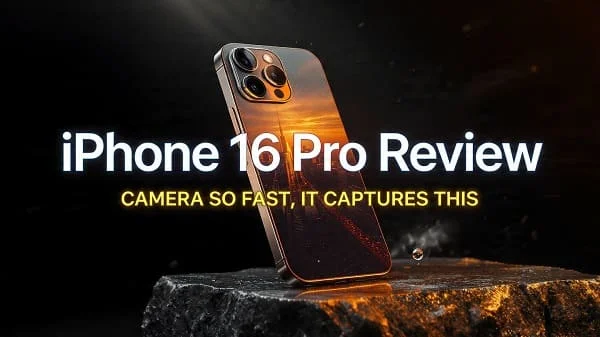
Welcome to our comprehensive iPhone 16 Pro Review. If you’re deciding whether Apple’s newest Pro iPhone is worth it, this guide walks through real‑world usability, design refinements, camera upgrades, performance, battery life, and who should buy it. You’ll also find practical how‑tos and settings tips to get the best results, clear comparisons to previous models and rivals, and a final verdict to help you make a confident purchase decision.
Table of Contents
iPhone 16 Pro Review: Design and Build
The iPhone 16 Pro continues the Pro line’s premium ethos with a refined metal frame, precision‑milled buttons, and a durable glass back. It feels immediately familiar yet purposefully evolved: lighter than older stainless‑steel generations while remaining confidently dense in the hand. Small, meaningful tweaks—like subtle curvature at the edges and improved grip treatment—reduce fatigue during extended use without sacrificing the signature sleek profile.
Durability is a strong point. The frame resists micro‑scratches better than glossy steel, while the front glass stays impressively clear after months of pocket time. Water and dust resistance gives peace of mind in day‑to‑day mishaps. The camera housing blends more naturally with the back panel, minimizing clothing snags and wobble on a desk. Overall, this is an iterative design done right: modern, minimal, and built to last.
As with recent Pro models, color choices lean understated and professional. They pair well with both clear and matte cases, though many users will enjoy going caseless thanks to the premium finish. Buttons deliver crisp, tactile feedback; the alert/action control is beautifully clicky and easy to actuate without looking. In short, the hardware fit and finish meet expectations for a Pro‑tier iPhone.
Display and Brightness
The display is a highlight: fast, fluid, and color‑accurate. Apple’s high‑refresh panel keeps interactions silky, whether you’re scrolling timelines, gaming, or navigating complex documents. Adaptive refresh helps preserve battery when the screen is idle, while ramping up instantly for animations and swipes. Color calibration is excellent out of the box, with lifelike skin tones and faithful reds and greens for photography and video work.
Outdoors, the panel remains clearly legible in sunlight thanks to aggressive brightness boosts on auto settings. HDR content looks punchy yet controlled—highlights pop without nuking midtones, and shadow detail remains usable. For creators, True Tone can be toggled off for color‑critical editing; Night Shift remains a welcome option for evening reading. Text rendering is crisp and easy on the eyes, making long reading sessions a pleasure.
Most users won’t need to tweak much: leave auto‑brightness on, keep True Tone on unless you are color‑grading, and set Dark Mode to a sunset schedule for comfort. The display isn’t just about speed and brightness; it’s also about balance and consistency, and this panel nails both.
Performance, Thermals, and AI
Inside, the iPhone 16 Pro leverages Apple’s latest Pro‑class A‑series chip paired with a powerful Neural Engine. The result is snappy app launches, instant photo processing, and best‑in‑class video rendering on a phone. Complex tasks—multi‑track video edits, RAW photo stacks, machine‑learning filters—complete with impressive speed for a pocket device.
Equally important, thermals are better managed than many rivals. During heavy workloads like long 4K video shoots or extended graphics gaming, heat is kept in check; you’ll feel warmth, but performance remains stable longer. Day‑to‑day, the phone feels cool and quiet, with no stutters in common use cases.
AI features are increasingly front‑and‑center in iOS, from on‑device language tools to photo subject detection and smarter search. The 16 Pro’s hardware acceleration makes these feel instant and private, which is the key advantage of a high‑performance Neural Engine. Whether you’re transcribing voice notes, cleaning up background noise, or isolating subjects in photos, the phone’s intelligence works quickly and, importantly, on‑device whenever possible.
iOS Experience and Pro Features
iOS on the iPhone 16 Pro feels cohesive, polished, and scalable. The animation timing, haptics, and app transitions communicate a sense of responsiveness that elevates the hardware. Apple’s ecosystem strengths are felt everywhere: seamless continuity with Mac and iPad, AirDrop handoffs, iCloud Photos, and encrypted messaging.
Power users will appreciate pro‑leaning extras: granular camera controls, Pro‑level codecs for video, and file transfers over USB‑C at fast speeds for projects. Shortcuts automation is richer than ever; you can create personal automations for focus modes, power‑efficient app launches, or workflow templates for content creation. Widgets, lock‑screen personalization, and Focus profiles help you tailor the phone for workdays vs. weekends.
Stability is a strong suit. Updates arrive regularly with security fixes and new features. If you are coming from an older iPhone, expect a smoother, more integrated feel across apps and services. If you’re switching from Android, you’ll likely appreciate the consistency and low maintenance required day to day.
Cameras: Photos and Portraits
The iPhone 16 Pro’s camera system aims to be an all‑weather, all‑lighting tool you can trust. The primary sensor captures detailed, balanced photos with a familiar Apple look: natural colors, controlled highlights, and excellent skin tones. Smart HDR pulls dynamic range without artificial halos, keeping skies, faces, and greenery believable. In daylight, detail retrieval is outstanding; in dim light, noise is well‑controlled and sharpening stays tasteful.
The ultrawide lens remains a creative favorite for architecture, travel, and dramatic landscapes. It keeps lines neat with minimal distortion and offers consistent color with the main camera. The telephoto lens extends your reach for portraits and distant subjects. Face separation is precise, with pleasing depth transitions and convincing bokeh for a smartphone.
Photographic Styles and RAW
Photographic Styles allow you to set a consistent look across sessions—choose richer contrast for moody scenes or warmer tones for food and interiors. For creators, Apple ProRAW blends computational smarts with RAW editing flexibility, giving you room to fine‑tune exposure, color, and noise in post without losing the iPhone’s excellent base processing. If you shoot events or landscapes, ProRAW at base ISO can produce impressively clean files for a phone.
Learn more about Apple ProRAW from Apple’s official documentation: Apple Support: About Apple ProRAW.
Portraits and People
Portrait mode continues to improve edge detection around hair and glasses, while maintaining gentle, organic bokeh. The ability to adjust focus and depth after the shot is genuinely useful if your subject leaned forward or if you want to shift focus from a person to an object in the same frame. Skin tones stay realistic, avoiding the plastic texture seen on some competitors. Indoors, the camera balances warm ambient light with skin tone accuracy reliably.
Video and Creator Tools
Video remains a crown jewel of the Pro iPhone line. Footage looks cinematic with stable exposure and natural roll‑off in bright highlights. The stabilization is excellent for handheld vlogging or walk‑and‑talk segments; pans feel smooth, footsteps are tamed, and the horizon remains steady. Audio capture is strong and directional mics help emphasize the subject while reducing peripheral noise.
Creators benefit from ProRes options, Log profiles, and high bitrate recording for grading. If you shoot to external storage over USB‑C, you can keep long takes flowing without choking internal space. Slow‑motion remains crisp and clean; time‑lapse with stabilization yields dramatic results even in busy city scenes. Overall, the iPhone 16 Pro continues to be the most reliable video tool in your pocket.
Battery Life and Charging
Battery performance is dependable. Light to moderate users can stretch into a two‑day routine with smart settings; heavy users—navigation, camera, gaming—will get through a full, demanding day. Standby efficiency is excellent, with minimal overnight drain. The adaptive refresh and CPU efficiency cores play a big role in keeping power draw low for everyday tasks.
Charging over USB‑C is straightforward and much faster for large file transfers. Wireless charging works as expected, and magnetic accessories remain convenient for desk stands and in‑car mounts. To preserve battery health, enable Optimized Battery Charging and avoid keeping the phone at 100% on a hot surface for extended periods. If you’re seeing rapid drain, check background refresh policies and location permissions for the usual offenders (navigation, social apps, real‑time trackers).
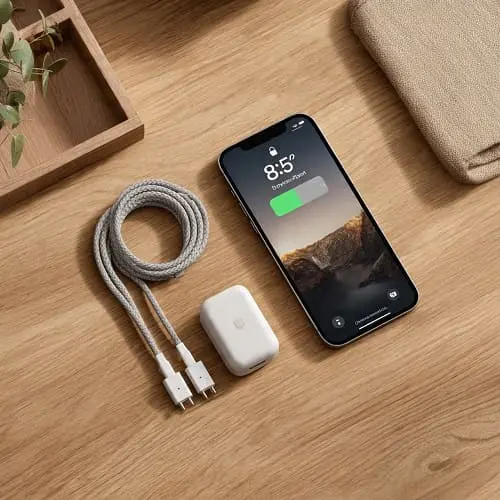
For Apple’s guidance on battery health and performance, see: Apple Support: iPhone Battery and Performance.
Connectivity and Storage
USB‑C on the iPhone 16 Pro unlocks fast wired data transfers, reliable tethering, and clean workflows with external drives and cameras. If you regularly move ProRes footage or large RAW photo sets, going wired can save hours each month over cloud‑only workflows. Externally connected storage can also be used for recording high‑bitrate video directly, which is a game‑changer for creators.
On the wireless side, you get fast Wi‑Fi and robust Bluetooth connections for headsets, watches, and trackers. Cellular performance is strong; signal retention during travel is consistent, and voice quality on modern carriers is excellent. Storage options start comfortably for mainstream users; creators and power users should consider higher tiers to avoid juggling files. Remember that ProRes, high‑fps slo‑mo, and ProRAW consume storage rapidly; plan a buffer above your current needs.
Learn more about USB‑C on iPhone from Apple: Apple Support: About the USB‑C connector on iPhone.
Audio, Haptics, and Calls
Stereo speakers deliver clear dialog and a wider stage than you might expect from a phone. Highs are crisp without being piercing, mids are articulate, and there’s a hint of bass warmth to keep music and podcasts engaging. The haptic engine is tight and precise—typing feedback feels premium and informative rather than buzzy or loud. Call quality is top‑tier, with excellent noise suppression on both ends of the line.
For creators, monitoring audio with quality Bluetooth earbuds or wired USB‑C headsets is easy; keep an eye on recording levels and consider a small external mic via USB‑C for interviews or outdoor shoots. For commuters, spatial audio on compatible content adds immersion, with head‑tracked motion for a theater‑like feel.
Gaming and Graphics
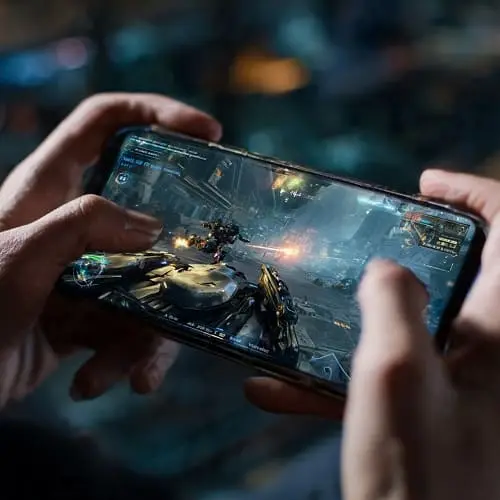
Gaming on the iPhone 16 Pro is a treat. The powerful GPU drives high frame rates with richly lit scenes and complex textures, while the display’s high refresh makes touch input feel immediate. Many premium titles now offer console‑level effects—reflections, depth of field, motion blur—without turning your phone into a space heater. Thermal management prevents aggressive throttling in the early minutes of play, keeping action smooth and consistent.
If you play competitive titles, enable the highest frame‑rate mode and reduce background activity: turn off unnecessary refresh, disable persistent location for non‑essentials, and use Focus to silence notifications. For battery‑friendly sessions, cap frame rate and reduce brightness slightly; the visual hit is small compared to the endurance gains.
Security and Privacy
Apple’s privacy posture remains a core differentiator. On‑device processing—especially for photos, voice, and search—keeps sensitive data off servers where possible. Face ID is fast and reliable, even at off‑center angles. Lockdown options and granular permissions offer real control over what apps can access and when. Regular security updates arrive quickly, and the App Store’s review process, while imperfect, provides a meaningful baseline against malware compared to open stores.
As always, best practices matter: enable two‑factor authentication for your Apple ID, review app permissions quarterly, and use password‑manager‑generated credentials. For travelers, consider disabling automatic Wi‑Fi join for unknown networks, and use AirDrop’s “Contacts Only” setting to avoid spam.
Sustainability and Longevity
Longevity is an unsung strength of Pro iPhones. Years of iOS updates keep devices secure and capable; battery replacements and repair programs extend usable life. Durable materials reduce cosmetic wear, preserving resale value. If you plan to keep your phone for 3–5 years, the iPhone 16 Pro’s performance headroom and camera quality will keep it feeling fresh longer than most rivals at similar price points.
Accessory compatibility with the previous generation—cases, chargers, mounts—reduces e‑waste. And because the device remains popular in the second‑hand market, your upgrade later contributes to a circular device economy rather than landfill.
Comparisons: 16 Pro vs 16 Pro Max vs 15 Pro
iPhone 16 Pro vs 16 Pro Max
Choosing between the 16 Pro and 16 Pro Max largely comes down to screen size, battery endurance, and reach. The Max’s larger display is fantastic for creators, readers, and split‑screen productivity in supported apps; it also tends to eke out a bit more battery life thanks to its size. Both share similar processing power and camera philosophy, but the Max’s bigger viewfinder can make framing and editing more comfortable. For a detailed look at the bigger model’s strengths—including camera reach and battery—see this in‑depth article: iPhone 16 Pro Max Review: Camera, Battery, Verdict.
iPhone 16 Pro vs iPhone 15 Pro
If you own a 15 Pro, upgrades come down to camera refinements, performance efficiency, and targeted usability tweaks. The 16 Pro runs cooler under stress, feels smoother in AI‑assisted tasks, and offers more flexible camera processing. If your 15 Pro still meets your needs and battery health is strong, you can confidently wait a generation. If you shoot a lot of video, want faster wired workflows, or value the new photographic latitude, the 16 Pro is a worthy step up.
Pricing, Storage, and Value
While the iPhone 16 Pro commands a premium, it also minimizes hidden costs by being reliable, stable, and long‑lived. Factor in software updates, resale value, and the time saved by rock‑solid performance, and the total cost of ownership compares favorably to many rivals. Storage is the one upgrade you should not skimp on if you create content. Between ProRAW photos, ProRes footage, and locally cached media for offline travel, larger capacity quickly becomes “just right.”
For most creators, the mid‑tier storage option hits the sweet spot. Professionals who shoot video frequently should consider the top tier and leverage external USB‑C drives for long sessions. Casual users who stream more than they download can start at the base option with an eye on cloud practices and periodic clean‑ups.
Pro Tips: Camera, Battery, and Daily Settings
Camera Tips
- Use the main lens for best quality; switch to telephoto for portraits at 2–3× to keep subjects flattering.
- Enable grid lines to align horizons and architecture; use the level indicator for perfectly flat shots.
- Shoot ProRAW at base ISO in good light for maximum editing flexibility; keep exposure slightly to the right for cleaner shadows.
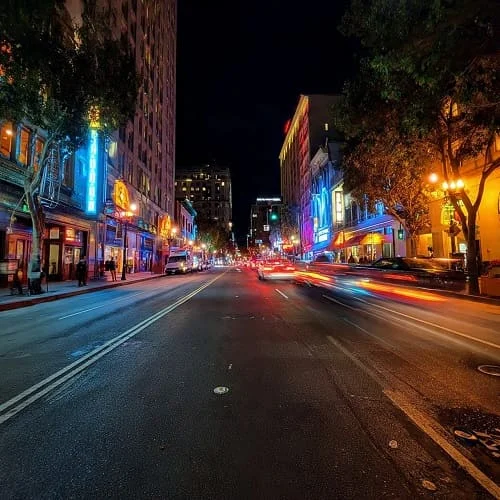
- For night scenes, stabilize the phone against a railing or bag and use a 2‑second timer to avoid shake.
- Lock focus/exposure with a long press and adjust the exposure slider for backlit scenes to protect highlights.
Battery and Performance Tips
- Enable Optimized Battery Charging to reduce wear. Avoid leaving the phone in hot cars or on thick, heat‑trapping surfaces while charging.
- Set Background App Refresh to “Wi‑Fi only” for power‑hungry apps; review which apps truly need live updates.
- Use Low Power Mode when navigating or tethering for long sessions; limit brightness to what’s comfortable.
- Keep 10–20% free storage; full storage can impact performance and updates.
Workflow and USB‑C Tips
- Use a fast USB‑C 10Gb/s or better cable for heavy file transfers and external ProRes recording.
- Name external drives clearly and organize by date/project to keep imports tidy across apps.
- When recording long video, switch to external storage to keep internal space for apps and caches.
Who Should Buy the iPhone 16 Pro
Buy the iPhone 16 Pro if you want a premium, long‑lasting phone that excels at photos, video, and everyday performance without hassle. It’s perfect for creators who demand reliable 4K footage, for professionals who value efficient workflows and robust privacy, and for gamers who want high frame rates with excellent thermals. If you’re upgrading from a phone older than the 14‑series, you’ll feel a leap in speed, camera quality, and battery efficiency.
Consider the 16 Pro Max if you want the biggest screen and slightly longer endurance. Stick with your 15 Pro if it still meets your needs and battery health is strong. Choose a non‑Pro iPhone if you don’t need ProRes, ProRAW, or the fastest wired data—those features are what make the Pro worth it for specific users.
Pros and Cons
Pros
- Excellent camera system with reliable, natural processing and strong low‑light results.
- Top‑tier video with Pro‑grade codecs and external USB‑C storage support.
- Fast, cool performance with powerful on‑device AI acceleration.
- Bright, color‑accurate display with fluid, adaptive refresh.
- Great battery efficiency and long software support window.
Cons
- Premium price; storage upgrades add up for creators.
- Telephoto reach is good, but dedicated zoom cameras still beat it for very distant subjects.
- Pro features demand storage discipline (ProRes/ProRAW can fill space quickly).
FAQs
Does the iPhone 16 Pro overheat during gaming? Under extended heavy loads, it can warm up, but thermal behavior is improved and sustained performance remains strong in most titles.
Is the 16 Pro camera better than last year’s? Yes. You’ll see cleaner low‑light results, more consistent color between lenses, and improved subject separation in portraits. The gains aren’t flashy in perfect light, but they show in challenging scenes.
How is battery life compared to the 15 Pro? Expect similar or better endurance due to efficiency gains. Heavy users still get a full day; lighter workflows can push into a second day with smart settings.
Can I record ProRes directly to an external drive? Yes, via USB‑C with a sufficiently fast external SSD and cable. This helps avoid filling internal storage during long shoots.
Is it worth upgrading from a 14‑series Pro? If you value steadier thermals, better video workflows, and low‑light camera improvements, yes. If your 14 Pro still feels fast and your camera needs are basic, you can wait.
Verdict
The iPhone 16 Pro refines the Pro formula where it matters most. It takes reliably great photos and outstanding video, runs cool and fast under pressure, and delivers a bright, color‑accurate display that makes everything feel responsive. Battery life is trustworthy, software support is industry‑leading, and the move to USB‑C unlocks serious creator workflows.
If you’re a power user, creator, or someone who simply wants a phone that “just works” at a very high level for years, the iPhone 16 Pro is easy to recommend. It’s not the cheapest way to get a great smartphone—but it might be the most dependable way to get a great smartphone experience.
Official product page for specifications and features: Apple: iPhone 16 Pro

About the Author
Alex Carter — Founder & Editor‑in‑Chief, GicraMobile
Alex leads GicraMobile’s testing lab and reviews. His methodology focuses on day‑to‑day performance, battery health and thermals, camera consistency, and 5G/LTE reliability—so you can pick the right phone without hype.
Real‑world testing: 90–120 Hz smoothness, idle drain, thermals
Camera checks: HDR, skin tones, low‑light stabilization
Connectivity: band fit, eSIM, VoLTE/VoWiFi, Wi‑Fi performance
You may also like this