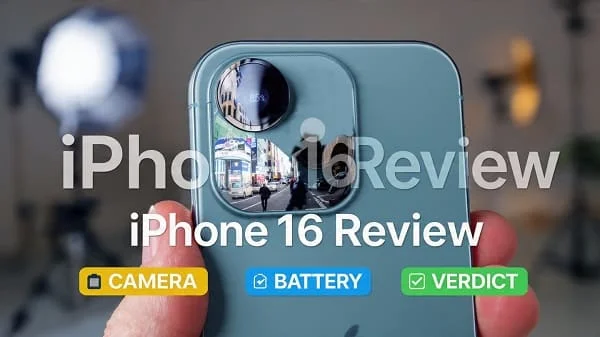
If you’re here for an honest, practical iPhone 16 Review, this long, education‑first guide is built to help you decide—without hype. We focus on what changes your day: display comfort on a smaller, lighter body than the Plus/Pro Max, camera behavior in tricky light, battery life you can trust, MagSafe/Qi2 charging alignment, performance and thermals, and iOS features that genuinely save taps. You’ll also find checklists, setup tips, and a buyer’s verdict—plus a link to our Plus‑model review if you’re torn between sizes.
Table of Contents
Design and Build
The iPhone 16 channels the “just right” size: big enough for immersive reading and maps, compact enough to slip into any pocket. The frame feels solid and thoughtfully balanced, with clicky buttons and a finish that stays cleaner than glossy glass. You can go caseless without feeling reckless, but a slim, grippy case adds peace of mind and prevents table‑slide incidents.
Apple’s attention to micro‑geometry shows in everyday comfort. Edge radii are tuned so the phone doesn’t dig into your palm, and the camera island sits flush enough that desk wobble is minimal. Water and dust resistance bring practical protection in rain, splashes, and kitchen mishaps; still, avoid extreme heat, salt water, and lint‑packed ports.
Display and Comfort
The iPhone 16 display is tuned for clarity and calm. Color accuracy is excellent out of the box, text remains crisp at generous sizes, and outdoor readability is strong thanks to aggressive auto‑brightness boosts. The panel’s smoothness makes UI animations feel snappy, while adaptive refresh helps battery life on static content.
- Color modes: Keep the default for natural skin tones and product photos. Switch to warmer tones at night for comfort.
- Glare and reflections: If you work outdoors, a matte screen protector helps at the expense of a slight “sparkle.” Otherwise, a clear tempered glass protects with no visible trade‑offs.
- Comfort tips: Set Dark Mode to a sunset schedule and use True Tone so whites match your lighting—less eye strain in mixed environments.
Performance, Thermals, and AI
Apple’s A‑series silicon remains a reliability play. App launches are instant, multi‑tasking is fluid, and on‑device intelligence (speech, images, scene understanding) happens quickly without feeling “cloud‑dependent.” Crucially, the iPhone 16 manages sustained performance gracefully. During long navigation sessions, extended camera use, or big game bursts, it gets warm but resists jittery frame drops.
Where you’ll feel the difference is in the “invisible wins:” text recognition in photos, voice dictation with fewer edits, and instant subject isolation. These are the tiny time‑savers that add up over months of daily use.
iOS Experience and Everyday Flow
iOS is the quiet helper here. Widgets place real information on your Home Screen; Focus profiles filter noise; and the Apple ecosystem—iCloud Photos, AirDrop, Handoff—shrinks chores like sending files or moving from phone to laptop mid‑task. It’s not that other phones can’t do similar things; it’s that the iPhone makes those workflows feel consistent and maintenance‑free.
- Continuity: Copy on Mac, paste on iPhone. Instant hotspot when your laptop needs it. Watch unlocks or two‑factor prompts arrive smoothly.
- Shortcuts: Automation is a power user’s playground. Start with simple routines—commute focus, low‑power triggers, or a “photo scan” action that renames files and saves them to a folder.
Apple’s iPhone portal consolidates features, accessories, and guides if you’re exploring deeper: Apple: iPhone.
Cameras: Photos and Portraits
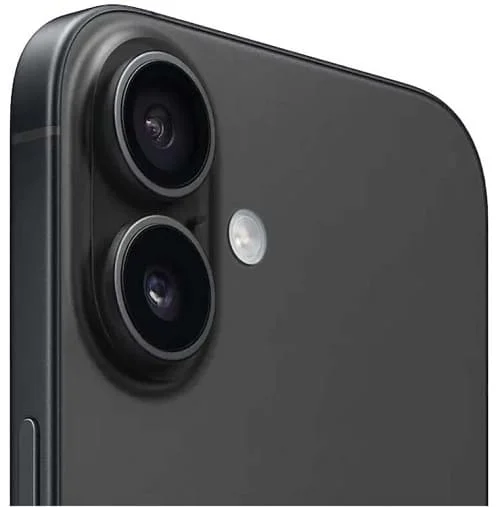
The iPhone 16 camera aims for honest images: natural color, stable white balance, and smart HDR that protects highlights without turning skies neon. In daylight, micro‑contrast makes textures pop without crunch. Indoors, skin tones stay believable and warm lights don’t nuke faces. At night, a quick brace (against a wall or tabletop) unlocks surprisingly clean files.
- Main lens: Use this whenever possible—it’s the sharpest. For portraits, step back and use the 2× framing to keep features flattering.
- Ultra‑wide: Fun for architecture and landscapes; colors are consistent and edges stay tidy.
- Computational help: The phone automatically captures depth data for portraits you can refocus later. You also get quick subject isolation for share‑ready images.
If you enjoy comparing camera behavior across phones, DXOMARK’s database provides a neutral backdrop to understand trade‑offs: DXOMARK Smartphones.
Video and Creator Tools
Video is a strong suit. Stabilization tames footsteps, exposure transitions are smooth, and audio capture remains clear with gentle noise reduction. For daily clips, 4K30 is the sweet spot for quality and heat. If you’re filming fast action under bright lights, drop to 1080p60 for cooler operation and less rolling shutter.
- Level up your footage: Lock AE/AF with a long press before recording, especially when panning past windows. Keep elbows tucked for a steady “human gimbal.”
- External audio: With USB‑C, connecting compact mics is straightforward. For longer edits, offload to an external SSD—fast, safe, and phone‑storage friendly.
Battery Life and Charging (USB‑C, MagSafe/Qi2)
The iPhone 16 is designed to last comfortably through a workday of messages, calls, navigation, camera use, and streaming—without babysitting. Overnight drain is consistently low when background refresh is sane and location services are scoped to “While Using.”
- Battery health: Enable Optimized Battery Charging so the phone learns your routine and limits time spent at 100%. Apple’s guidance is worth a skim: iPhone Battery and Performance.
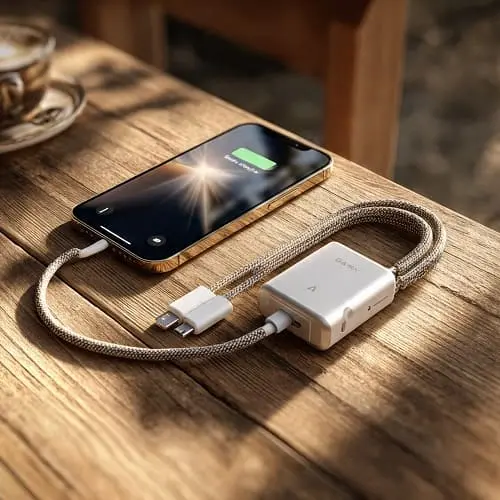
- USB‑C workflows: Fast wired charging, quick photo/video offloads, and easy accessory use. Apple’s USB‑C overview clarifies capabilities: About the USB‑C connector on iPhone.
- Magnetic wireless: MagSafe and Qi2‑aligned chargers help alignment and car‑mount stability. Apple’s page outlines best practices: About MagSafe chargers for iPhone.
If charging feels slow wirelessly, remove thick/metal stand cases and use a certified pad with a reputable USB‑C power brick and cable.
Connectivity, Storage, and Accessories
Cellular performance is steady with quick hand‑offs, Wi‑Fi is robust on modern routers, and Bluetooth stays latched for earbuds, watches, and trackers. If you travel, eSIM flexibility is a gift—swap plans without swapping trays. The iPhone accessory ecosystem remains deep: cases, mounts, battery packs, SSDs, and mics that just work.
Storage advice: Between 4K video, RAW photos, and offline media, base tiers can fill fast. If budget allows, size up—storage keeps its value at resale, and breathing room makes the phone feel fresh longer.
Audio, Haptics, and Calls
Stereo speakers deliver clear dialogue with crisp highs and a gentle low‑end lift. The haptic engine is tight and precise—typing with subtle feedback feels premium without buzz. Call clarity holds in windy or busy environments with effective noise suppression; keep the bottom mic angled toward your mouth for best pickup.
Gaming and Graphics
Most popular titles run smoothly at high settings. For marathon sessions, cap frame rates slightly, drop brightness from max, and close background location‑heavy apps (maps, social check‑ins). The iPhone 16’s thermal behavior aims for calm: warm, steady, and predictable rather than spiky.
Security and Privacy
Face ID is quick and reliable—even at mild angles—making lock/unlock feel invisible. On‑device processing handles sensitive voice and image tasks whenever possible, reducing server touches. Privacy labels in the App Store and permission nudges keep data collection in check; review permissions quarterly and revoke background access for apps that don’t need it.
Sustainability and Longevity
Long software support windows and abundant repair options extend useful life. Battery replacements are straightforward down the line. Because iPhones retain value, buying a slightly higher storage tier can pay for itself at resale. The unchanged cable standard (USB‑C) reduces charger clutter across your devices.
Comparisons: iPhone 16 vs 16 Plus vs 16 Pro
iPhone 16 vs iPhone 16 Plus
Same DNA, different priorities. The 16 Plus trades pocketability for a huge screen and a larger battery. If you read books, watch video, or navigate all day, that extra size calms the experience. If you prefer one‑hand use and a lighter pocket feel, the iPhone 16 is the sweet spot. For a deep dive on the big model—display, battery, verdict—see: iPhone 16 Plus Review: Display, Battery, Verdict.
iPhone 16 vs iPhone 16 Pro
The Pro line targets creators and power users: more flexible camera stacks, pro‑leaning video formats, and fastest wired workflows. If you demand tele reach and advanced codecs, Pro is worth it. If you want a calmer, simpler phone with excellent everyday photos and reliable endurance, the iPhone 16 nails the basics for less.
Who Should Buy the iPhone 16
Choose the iPhone 16 if you want an easy, dependable daily driver with great photos, smooth performance, and battery life that doesn’t cause anxiety—without carrying a huge phone. Commuters, students, parents, and office workers will appreciate its balance. Go Plus if you live in maps/media; go Pro if you shoot and edit video seriously or crave telephoto reach.
Pro Tips: Setup, Camera, Battery
Setup
- Create two Focus modes: Work (VIP calls only, muted socials) and Personal (no work email alerts after 7 pm).
- Add a Back Tap shortcut (double‑tap to open Camera, triple‑tap to scan documents to Files).
- Customize the Lock Screen with widgets (calendar, weather, battery) so you lift less often.
Camera
- Turn on grid lines; align horizons and architecture for cleaner shots.
- Tap‑and‑hold to lock focus/exposure; drag the sun icon to protect highlights.
- At night, brace the phone and use the 2‑second timer for ultra‑sharp images.
Battery
- Enable Optimized Battery Charging and avoid leaving the phone at 100% on a hot surface.
- Set Background App Refresh to Wi‑Fi only for heavy apps; audit location access quarterly.
- Use a reputable USB‑C PD charger and short cable for cooler, faster top‑ups.
Pros and Cons
Pros
- Comfortable one‑hand size with a bright, accurate display.
- Natural, reliable photos and smooth, stable video.
- Calm battery life and predictable thermals.
- USB‑C convenience and magnetic wireless charging alignment.
- Polished iOS experience with years of updates and deep accessory support.
Cons
- No long telephoto; 2× crops work best in good light.
- Base storage can fill fast with 4K video—consider sizing up.
- Wireless charging speeds vary with cases and charger quality; use certified gear.
FAQs
Does the iPhone 16 get hot?
Under heavy load it gets warm, but it aims for steady performance. If you see sudden heat, reduce brightness and close location‑polling apps during gaming/video.
How long will it be supported?
iPhones enjoy long software support windows, which boosts value and security. Expect multi‑year iOS and security updates.
Is MagSafe the same as Qi2?
MagSafe is Apple’s magnetic standard; Qi2 brings magnet alignment to the wider ecosystem. Use certified chargers and centered rings for the best results.
Do I need a case and protector?
Recommended. A slim, grippy case with a raised lip plus a full‑adhesive tempered glass protector prevents most expensive accidents.
Will I miss the Pro features?
If you don’t shoot pro‑grade video or need telephoto reach, probably not. The iPhone 16 delivers excellent quality for everyday creators.
Verdict
The iPhone 16 is the “no‑drama iPhone.” It’s fast without fuss, lasts all day without anxiety, takes photos you actually like without tinkering, and folds neatly into an ecosystem that saves time. If you want a phone that disappears into your life yet delivers when it counts, buy the iPhone 16. Go Plus if you want a larger canvas and even calmer battery; go Pro if you’re a camera nerd or video creator. For most people most of the time, the iPhone 16 is exactly enough—in the best way.
Helpful references (official and trusted):
- Apple: iPhone
- Apple Support: About MagSafe chargers
- Apple Support: iPhone Battery and Performance
- Apple Support: About the USB‑C connector on iPhone
- DXOMARK: Smartphone cameras
Considering the big model? Read our companion review: iPhone 16 Plus Review: Display, Battery, Verdict.

About the Author
Alex Carter — Founder & Editor‑in‑Chief, GicraMobile
Alex leads GicraMobile’s testing lab and reviews. His methodology focuses on day‑to‑day performance, battery health and thermals, camera consistency, and 5G/LTE reliability—so you can pick the right phone without hype.
Real‑world testing: 90–120 Hz smoothness, idle drain, thermals
Camera checks: HDR, skin tones, low‑light stabilization
Connectivity: band fit, eSIM, VoLTE/VoWiFi, Wi‑Fi performance
You may also like this