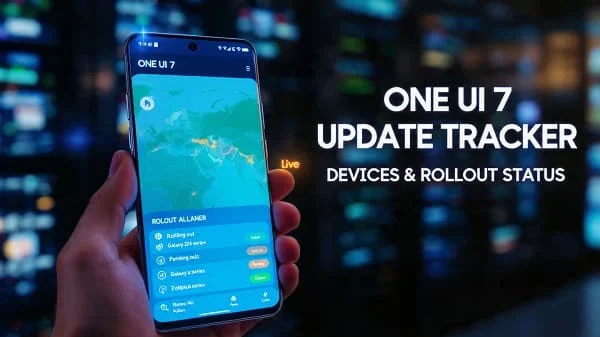
Welcome to the One UI 7 Update Tracker: Devices and Rollout. This long, education‑first page helps you track which Samsung phones and tablets are eligible for One UI 7 (Android 15‑based), how the rollout typically works across regions and carriers, and how to join betas, back up, install, and troubleshoot. Because timelines shift as Samsung finalizes builds and carriers certify updates, we focus on verified policies, realistic scheduling patterns, and a living device matrix you can reference and update. Bookmark this hub and check back—we built it to stay useful all year.
Table of Contents
What is One UI 7 (Android 15)?
One UI 7 is Samsung’s 2025/2026‑season software release built on Android 15. Expect Samsung’s familiar design language with refinements to privacy, performance, AI‑assisted experiences, and quality‑of‑life features. Because Samsung layers One UI on top of Google’s platform, many Android 15 features appear alongside Samsung‑specific changes and app updates (Phone, Messages, Camera, Gallery, Health, and others). If you want to understand Android 15 at the platform level, Google’s documentation is the best canonical source: Android 15 overview.
Rollout Cheat Sheet: How Samsung Updates Land
Samsung’s rollouts follow a rhythm—use this to set realistic expectations:
- Eligibility is policy‑driven: Samsung publishes a software update policy by family/year. Flagships and recent A‑/Tab‑series devices get multiple OS upgrades. Reference: Samsung Software Update Policy.
- Wave 1 (unlocked/global): Galaxy S‑series and latest foldables typically receive One UI first in select regions. Unlocked models often beat carrier variants due to shorter certification cycles.
- Wave 2 (carriers + more regions): Carrier testing adds weeks. North America and Europe usually progress in staggered batches, then LATAM/MEA/SEA.
- Wave 3 (mid‑range & tablets): A‑series and Tab models follow. Higher‑tier A‑series go earlier; entry A/M/F families may come later depending on support windows.
- Beta windows: One UI beta cycles commonly precede stable releases on recent flagships. Availability varies by country. The hub for announcements is Samsung Members: Samsung Members.
Note: Exact dates change with carrier certifications and hotfixes. To avoid rumors, use official sources and the OTA checker built into your phone (Settings → Software update → Download and install).
Eligibility Matrix: Devices Likely to Receive One UI 7
Below is a policy‑informed matrix based on Samsung’s published support windows and typical rollout patterns. It’s designed as a living list you can update as Samsung confirms waves in your region. “Status” is intentionally descriptive (Planned/Beta/Rolling/Completed) so you can edit it as news lands.
Galaxy S Series
- Galaxy S24 / S24+ / S24 Ultra — 7 years of OS/security promised; One UI 7: Planned/Rolling (depending on region).
- Galaxy S23 / S23+ / S23 Ultra — Multi‑year OS policy; One UI 7: Planned/Rolling.
- Galaxy S23 FE — One UI 7: Planned/Rolling after S23 mainstream.
- Galaxy S22 / S22+ / S22 Ultra — Within 4‑OS‑upgrade window; One UI 7: Planned.
Galaxy Z Fold / Z Flip
- Galaxy Z Fold 6 / Z Flip 6 — Latest foldables; One UI 7: Planned/Rolling in early waves for unlocked units.
- Galaxy Z Fold 5 / Z Flip 5 — One UI 7: Planned/Rolling after Fold/Flip 6.
- Galaxy Z Fold 4 / Z Flip 4 — Inside multi‑year OS window; One UI 7: Planned (timing varies by carrier/region).
Galaxy A Series (recent)
- Galaxy A55 / A35 — Launched with recent Android; One UI 7: Planned.
- Galaxy A54 / A34 — 4 OS upgrades policy models; One UI 7: Planned.
- Galaxy A53 / A33 — A53 (Android 12 base) and A33 are still in window; One UI 7: Planned (may be penultimate OS for A53/A33 depending on region).
- Older A5x/A7x (A52/A72) — Many are at or near OS window limits; One UI 7: Check per region/variant.
Galaxy Tab (recent)
- Galaxy Tab S9 / S9+ / S9 Ultra — Flagship tablets; One UI 7: Planned/Rolling after S‑series phones.
- Galaxy Tab S8 family — Within extended OS window in many regions; One UI 7: Planned (timing varies).
M/F Series and Others
- M‑Series (M55/M35 and contemporaries) — Rollouts vary by market; One UI 7: Planned for recent models, Check device policy for older ones.
- F‑Series (carrier/retail partners) — Follows A‑series siblings; One UI 7: Planned regionally.
Why trust policy over rumor? Samsung’s official policies outline how many OS upgrades each family receives; exact pace depends on device age and carrier certification. Reference the policy page and Samsung Newsroom for confirmations: Samsung Newsroom.
How to Join (or Leave) the One UI Beta
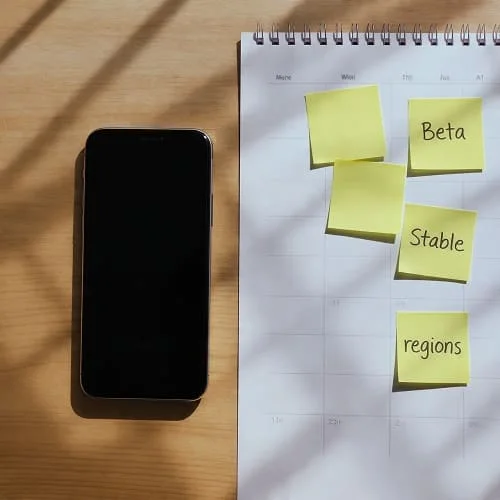
Samsung runs One UI betas in selected countries for recent flagships. Beta cycles allow you to try features early—with the trade‑off of instability. Use Samsung Members to enroll:
- Install/open Samsung Members → look for the One UI Beta banner (when available) → sign in with your Samsung Account.
- Read the program terms carefully; confirm your region, device model, and carrier are supported.
- After enrollment, go to Settings → Software update → Download and install to pull the beta.
To leave the beta, back up your data, then use Smart Switch (service center) or wait for the stable release, depending on local guidance. Beta availability, rules, and exit methods vary; always follow the in‑app documentation. Samsung Members hub: Members app.
Prepare Your Device: Backup, Space, and Safety
- Backup: Use Samsung Cloud/Smart Switch or Google One to back up apps, photos, and messages. Keep an offline copy for irreplaceable media.
- Free space: Leave 8–10 GB for a major OTA. Clean temp files and old downloads.
- Battery/charger: Update on Wi‑Fi with ≥50% battery. Avoid hot environments (cars, direct sun).
- Security: Record your lock method and Samsung/Google account sign‑ins for re‑auth after update.
How to Check, Download, and Install the Update
- Settings → Software update → Download and install. If you see “Your software is up to date,” your region or carrier may be next in line.
- Use official OTA only. Avoid sideloading random firmware. If you’re an advanced user, ensure you’re reading carrier/CSC‑correct packages from trusted, legal sources. When in doubt—wait for OTA.
- After installation, allow background indexing to finish (a few hours). Expect slightly higher battery use that night.
Regional and Carrier Factors (Why Your Neighbor Got It First)
Rollouts are staggered due to:
- Carrier certification: Network features (VoLTE/VoNR, Wi‑Fi calling, 5G) require testing; this can add weeks.
- CSC/feature differences: Region‑specific features or regulations alter build timing.
- Hotfixes: If a bug appears, waves pause and resume with patched builds.
Tip: If you rely on carrier‑critical features, waiting a week or two after first release can avoid day‑one glitches.
Expected Feature Areas in One UI 7
Samsung doesn’t publish full changelogs until releases go live per device, but based on Android 15 and One UI patterns you can expect focus in these areas:
- Privacy & security: Stricter background data access, refined permissions, more visible privacy indicators.
- Battery & performance: Smarter app standby behaviors; improved adaptive refresh scheduling; smoother animations in heavy scrolls.
- AI & camera UX: On‑device assist enhancements, scene/subject tools, and App updates to Camera/Gallery for simpler edits and organization.
- Foldable polish: Better continuity between cover and inner displays; more stable windowing and taskbar behavior.
- Tablets & DeX: Window management refinements and input improvements for keyboard/trackpad flows.
Remember: Samsung staggers features by device class; some items remain exclusive to recent flagships or foldables.
Post‑Update Checklist and Troubleshooting
- Battery settle‑in: Give 24–48 hours for indexing and optimizations to complete. If drain persists, review background usage (Settings → Battery → Usage) and restrict outliers.
- App updates: Open Galaxy Store and Play Store → update everything. Many apps ship One UI/Android‑targeted patches close to rollout.
- Network reset (if needed): If 5G/Wi‑Fi acts odd, try Settings → General management → Reset → Reset network settings, then re‑add Wi‑Fi/Bluetooth. Also update carrier settings if prompted.
- Clear cache (per app): If a single app crashes after update, clear its cache/storage and re‑sign‑in.
- Safe Mode test: If issues persist, boot Safe Mode to rule out third‑party conflicts. If stable there, uninstall recent apps and retest.
Platform guidance for Android 15 behavior is here (handy for power users): Android 15 overview.
FAQ: Deadlines, Delays, and Device Lifecycles
Will every device listed above get One UI 7?
Devices within their OS upgrade window are eligible, but timing depends on region/carrier. Older A/M models may be near the end of their OS window—confirm with Samsung’s policy and local announcements.
Why is the update smaller/bigger on my phone?
Pre‑installed apps, region packs, and previous patch levels change download size.
Can I force it with a different region’s firmware?
Flashing the wrong CSC/firmware can break carrier features or void terms. For reliability and safety, wait for your OTA unless you fully understand the risks.
How long will my S24 series be supported?
Samsung announced extended OS/security updates for S24 devices (up to seven years). Policy details evolve per family—check the official policy page: software update policy.
Does One UI 7 improve foldables?
Each major release has added foldable polish (continuity, taskbar, app behaviors). Expect more—but test critical workflows after updating.
Related Reading: Launch/Feature Context
For broader Samsung launch news and ecosystem features that often accompany major One UI announcements, see our event coverage roundup: Samsung Unpacked 2025 Live Blog: Announcements. Event‑week promos can also impact when certain models get pushed first.
Helpful References (Official)
- Samsung: Software Update Policy
- Samsung Newsroom (global)
- Samsung Members (beta announcements/support)
- Android 15 Platform Overview (Google)
- Samsung Mobile Security (bulletins & patches)
Verdict
One UI 7 Update Tracker: Devices and Rollout is best approached with policy‑first expectations: recent S and Z devices lead, A‑/Tab families follow, and carriers/regions pace the waves. Join the beta only if you accept bugs; otherwise, wait for the stable OTA and give your phone a day to settle. Back up, install with plenty of battery and storage, then update your apps. If you rely on carrier‑critical features, let the first hotfix arrive before you jump. With these habits—and the links above—you’ll stay informed, safe, and ready the day One UI 7 hits your device.

About the Author
Alex Carter — Founder & Editor‑in‑Chief, GicraMobile
Alex leads GicraMobile’s testing lab and reviews. His methodology focuses on day‑to‑day performance, battery health and thermals, camera consistency, and 5G/LTE reliability—so you can pick the right phone without hype.
Real‑world testing: 90–120 Hz smoothness, idle drain, thermals
Camera checks: HDR, skin tones, low‑light stabilization
Connectivity: band fit, eSIM, VoLTE/VoWiFi, Wi‑Fi performance
You may also like this