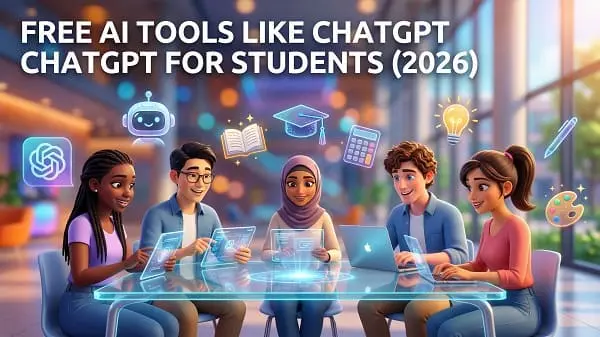
Students in 2026 have more AI choices than ever—but “more” doesn’t always mean “better.” If you’re looking for Free AI tools like ChatGPT for students 2026, the real goal is usually one of these: understand lessons faster, write more clearly, study smarter, summarize readings, generate practice quizzes, or get help with code—without crossing academic integrity lines.
This guide is a student-first, practical list of free (or free-tier) AI tools similar to ChatGPT, plus a safe workflow you can follow for studying, writing, and research. I’ll also show you how to verify answers, reduce hallucinations, protect your privacy, and avoid the biggest mistake students make: using AI to “finish” instead of using it to “learn.”
Table of Contents
- Value of This Article
- 1) Quick picks: best free AI tools for students (2026)
- 2) How to choose the right AI tool (quality, privacy, school rules)
- 3) Free AI chat tools like ChatGPT (best for explanations & practice)
- 4) Research tools with sources (reduce misinformation risk)
- 5) Writing & grammar tools (essays, emails, clarity)
- 6) Math & science help (how to get step-by-step learning, not just answers)
- 7) Coding & CS tools (debugging, explanations, projects)
- 8) Language learning (conversation, corrections, vocabulary)
- 9) A complete study workflow using AI (the “learn, test, fix” method)
- 10) Copy-paste prompt library for students
- 11) Privacy & safety for students (what not to paste into AI)
- 12) Academic integrity: how to use AI without getting in trouble
- 13) Want no-signup tools? (Related guide)
- Video walkthrough
- FAQ
- Final checklist
Value of This Article
This article is designed to be useful in real student life, not just a list of names. You’ll get:
- A curated set of free (or free-tier) AI tools that students actually use for learning, writing, and research in 2026.
- A simple method to verify answers and reduce hallucinations (made-up facts).
- Prompt templates that turn AI into a study coach (practice questions, flashcards, quizzes, explanations).
- Clear advice on privacy and academic integrity so you don’t accidentally violate school rules.
1) Quick picks: best free AI tools for students (2026)
If you don’t want to read the full guide yet, here are safe, high-value categories to start with. (Availability, limits, and features can change over time, especially for free tiers.)
| Student goal | Best “type” of AI tool | Why it helps |
|---|---|---|
| Understand lessons & get explanations | General AI chat assistant | Breaks down topics, gives examples, quizzes you |
| Research with fewer made-up facts | Search-assisted AI with sources | Shows citations so you can verify |
| Write clearer essays & emails | Writing/grammar assistant | Improves clarity, tone, structure, grammar |
| Math/science practice | Step-by-step tutor style prompts | Explains reasoning and checks your steps |
| Programming & debugging | Code-aware assistants | Explains errors and suggests fixes |
| Language learning | Conversation + correction | Practice speaking/writing with feedback |
Best mindset: use AI for explanation, practice, and feedback. Avoid using it to generate final submissions you don’t understand.
2) How to choose the right AI tool (quality, privacy, school rules)
Before you pick any tool, answer these three questions:
A) What do you need: tutor, editor, or research assistant?
- Tutor: explains concepts, creates quizzes, gives examples, checks your understanding.
- Editor: improves writing clarity, grammar, structure, and tone.
- Research assistant: finds and summarizes sources, helps outline a paper, suggests keywords and references.
B) How strict is your school’s AI policy?
Some schools allow AI for brainstorming and grammar, but not for generating answers. Others require disclosure. If you’re unsure, default to the safest approach:
- Use AI for learning and practice (explanations, quizzes, feedback).
- Write your final answer yourself using your own words and citations.
C) How private does it need to be?
If you’re working with personal data (student IDs, private notes, medical or counseling content), free web tools are not ideal. For sensitive content, consider using AI only for general guidance, or use a local/offline approach if you know how.
For official guidance on opportunities and risks of generative AI in education, UNESCO is a strong reference: UNESCO: Guidance for generative AI in education and research.
3) Free AI chat tools like ChatGPT (best for explanations & practice)
These tools are the closest to a “ChatGPT-style tutor.” In 2026, most major AI platforms offer a free tier, but limits vary (messages/day, slower speeds, fewer features).
What to use chat-style AI for (student-friendly)
- Explaining concepts in simple language
- Creating practice questions and quizzes
- Summarizing lecture notes you wrote yourself
- Generating examples and analogies
- Checking your understanding with “teach-back” questions
Best prompts for chat tools
- Explain + test: “Explain this like I’m new, then quiz me with 5 questions.”
- Step-by-step tutoring: “Don’t give the final answer immediately—ask me one question at a time and guide me.”
- Study plan: “Make a 7-day plan to learn this topic with daily tasks and review.”
Limitations to expect from free chat tiers
- Sometimes weaker reasoning during peak hours
- Shorter memory/context
- Restricted file uploads or advanced features
Student tip: If a chat answer seems confident but has no sources, treat it as a starting point—not proof.
4) Research tools with sources (reduce misinformation risk)
If you’re writing a report, comparing products, researching history, or summarizing a topic, source-backed tools can be safer than pure chat. They’re not perfect, but citations help you verify.
How to use “sources-first” AI effectively
- Ask for 3–6 sources and insist on clickable references.
- Ask the AI to quote key lines from sources (and then check them yourself).
- Ask for an outline first, then fill sections with verified information.
Research prompt template
Create an outline for a 1200-word report on: [TOPIC].
Include:
1) a thesis statement
2) 5 main sections
3) 2–3 credible sources per section (with links)
4) key terms to search next
Important: even with sources, read the sources. Some tools cite pages that don’t fully support the claim (or the page changes later).
5) Writing & grammar tools (essays, emails, clarity)
Writing tools are extremely useful for students—especially for clarity and structure. But they can also become risky if you let them “write your assignment” while you don’t understand it.
Safe ways to use AI for writing
- Clarity edits: rewrite awkward sentences without changing meaning
- Structure: create an outline you can fill with your ideas
- Feedback: ask for rubric-based critique and suggestions
- Grammar: fix grammar and punctuation errors
Rubric-based feedback prompt
You are my writing tutor. Evaluate this draft using this rubric:
- Thesis clarity
- Structure and flow
- Evidence and citations
- Grammar and style
Give:
1) a score out of 10 for each category
2) the top 5 fixes that improve the grade fastest
3) a revised thesis statement
Draft:
[PASTE TEXT]
6) Math & science help (how to get step-by-step learning, not just answers)
Math and science are where students often misuse AI. If you ask for “the answer,” you might learn nothing—and if your teacher checks reasoning, you’ll struggle. Instead, use AI like a tutor.
A) The best approach: “show steps, then let me try”
Use prompts that force the AI to teach:
Act as a tutor. Don’t solve it immediately.
Ask me one question at a time and wait for my response.
If I’m wrong, explain why and give a hint.

Problem:
[PASTE PROBLEM]
B) Verify formulas and definitions
AI can make mistakes in formulas, units, and constants. Always verify with:
- Your textbook / lecture notes
- A reputable educational source
- Your teacher’s provided formula sheet
C) Build exam readiness (fast)
Ask for:
- 10 practice problems of mixed difficulty
- Solutions with explanations
- Common mistakes and “traps”
7) Coding & CS tools (debugging, explanations, projects)
AI tools can be great for learning to code—especially for explaining error messages and suggesting fixes. But they can also introduce insecure code or wrong patterns if you trust them blindly.
Best student uses
- Explaining code you don’t understand
- Debugging errors with reasoning
- Generating small examples and test cases
- Learning algorithms with step-by-step walkthroughs
Debug prompt (copy/paste)
You are a debugging tutor.
1) Explain why this error happens.
2) Provide a corrected version.
3) Explain the fix in simple terms.
4) Provide 3 test cases.

Code:
[PASTE CODE]

Error:
[PASTE ERROR]
Security note (important)
- Don’t paste API keys, private tokens, or private repo content into free web tools.
- Ask for secure defaults (input validation, safe file handling, proper auth patterns).
8) Language learning (conversation, corrections, vocabulary)
One of the best “free AI” uses for students is language practice. AI can role-play conversations, correct your grammar, and generate vocabulary lists tailored to your level.
A) Conversation practice prompt
Act as a friendly conversation partner.
Level: A2 (beginner).
Topic: ordering food in a restaurant.
Rules:
- Ask one short question at a time.
- Correct my mistakes gently.
- After 10 turns, summarize my top 5 mistakes and how to fix them.
B) Vocabulary builder prompt
Create a vocabulary list of 30 words for [TOPIC] at B1 level.
For each word give:
- meaning
- example sentence
- common collocation
- a short quiz question
9) A complete study workflow using AI (the “learn, test, fix” method)
If you want results (better grades, stronger understanding), use this workflow. It turns any chat-style AI into a study partner.
Step 1: Build the “clean” explanation
Use your lecture slides or textbook headings and ask:
Explain these sections clearly using simple language.
Add 1 example per section.
At the end, list 10 key terms I must know.

Sections:
[PASTE HEADINGS]
Step 2: Active recall quiz (where learning happens)
Quiz me on the explanation:
- 10 multiple choice questions
- 5 short answer questions
- 2 longer application questions
After I answer, grade me and explain mistakes.
Step 3: Fix gaps with targeted practice
When you miss questions, ask:
I got these questions wrong:
[PASTE QUESTIONS]
Explain the correct reasoning and give 5 similar practice questions with answers.
Step 4: Create a one-page revision sheet
Create a one-page revision sheet:
- 핵 definitions
- formulas (if any)
- common mistakes
- 3 mini examples
Keep it concise.
Step 5: Final verification
Before relying on AI content for a graded task, verify key claims with your textbook or credible sources—especially dates, statistics, and definitions.
10) Copy-paste prompt library for students
Here are prompt templates that work across most free AI tools.
A) “Explain like I’m new, then level up”
Explain [TOPIC] at three levels:
1) for a 12-year-old
2) for a high school student
3) for a first-year university student
Then give 5 tricky exam questions and explain the answers.
B) “Turn notes into flashcards”
Convert these notes into 25 flashcards.
Format:
Q: ...
A: ...
Notes:
[PASTE NOTES]
C) “Outline my essay (but don’t write it)”
Create an essay outline on: [TOPIC].
Include:
- thesis options (3)
- topic sentences for each paragraph
- evidence ideas (not quotes)
Do NOT write the final essay.
D) “Study plan (time-based)”
I have [X] days until my exam and [Y] minutes per day.
Make a daily plan with:
- topics
- active recall tasks
- spaced repetition review
- 1 practice test day
11) Privacy & safety for students (what not to paste into AI)
Free AI tools are convenient, but you should assume that anything you paste could be stored or reviewed for safety, debugging, or policy compliance—depending on the provider.
Never paste
- Passwords, PINs, recovery codes
- Student IDs, government IDs, full addresses
- Private medical or counseling details
- Bank info or card numbers
- Confidential school documents not meant for sharing
- API keys or private code repositories
Safer alternative
- Replace names with placeholders like [STUDENT], [TEACHER], [SCHOOL].
- Ask for general templates rather than pasting private content.
- For sensitive notes, consider offline/local solutions if you’re able to run them securely.
12) Academic integrity: how to use AI without getting in trouble
This matters more in 2026 than ever. Many schools now have AI policies, and some assignments are designed to detect shallow AI use (generic writing, missing citations, wrong reasoning).
A) A safe “allowed” baseline (in most schools)
- Using AI to explain a topic
- Using AI to generate practice questions
- Using AI to improve grammar and clarity (without changing ideas)
- Using AI to brainstorm outlines and study plans
B) Higher-risk behaviors
- Submitting AI-generated answers as your own (especially for take-home exams)
- Using AI to fabricate citations or references
- Copying AI writing without understanding or editing
C) Disclosure (simple and honest)
If your school requires disclosure, keep it short and factual. Example:
I used an AI tool to brainstorm an outline and improve grammar. All content and citations were reviewed and written in my own words.
13) Want no-signup tools? (Related guide)
If you specifically prefer guest-mode tools (no account creation), read this related list: Best Free AI Tools Like ChatGPT Without Login (2026 List).
For a privacy-focused guest-mode option, DuckDuckGo’s AI chat is a good place to start: DuckDuckGo AI Chat (Duck.ai).
FAQ
Are free AI tools accurate enough for studying?
They can be very helpful for explanations and practice, but they can also make mistakes. Use them to learn concepts, then verify key facts with your textbook or credible sources.
Can I use AI to write my essay?
School policies vary. A safer approach is to use AI for outlining, clarity edits, and feedback—then write the final draft yourself and cite sources properly.
What’s the best AI tool for research papers?
Use tools that provide sources/citations and always open the sources yourself. Never submit AI-generated citations without verifying they exist and match the claim.
What if my school bans AI completely?
Follow your school’s policy. You can still use AI in a personal learning context (like extra practice) if allowed outside graded work, but don’t use it where it violates rules.
How do I prevent AI from giving me the answer immediately?
Tell it to act like a tutor and “ask one question at a time” or “give hints only.” This forces learning instead of copying.
Final checklist
- Choose your tool by goal: tutor, editor, or research assistant.
- Use AI for explanations, practice quizzes, and feedback—not blind copy/paste.
- Verify facts, formulas, and citations using trusted sources.
- Don’t paste sensitive personal data into free web tools.
- Follow your school’s AI policy and disclose AI use if required.
- Keep a repeatable workflow: explain → quiz → fix gaps → revision sheet.
Used correctly, Free AI tools like ChatGPT for students 2026 can act like a personal tutor and editor—helping you study smarter, write clearer, and practice more effectively while staying within academic rules.

About the Author
Alex Carter — Founder & Editor‑in‑Chief, GicraMobile
Alex leads GicraMobile’s testing lab and reviews. His methodology focuses on day‑to‑day performance, battery health and thermals, camera consistency, and 5G/LTE reliability—so you can pick the right phone without hype.
Real‑world testing: 90–120 Hz smoothness, idle drain, thermals
Camera checks: HDR, skin tones, low‑light stabilization
Connectivity: band fit, eSIM, VoLTE/VoWiFi, Wi‑Fi performance
You may also like this