Samsung Galaxy S22 devices are powerful, but they can still heat up—especially during fast charging, gaming, video calls, navigation, or after software updates. If you’re searching for How to fix overheating phone Samsung S22, this guide will help you stop the heat safely and fix the real cause behind battery drain, sudden performance slowdowns (thermal throttling), and “device too hot” warnings while charging.
If your device gets too hot, this Samsung Galaxy S22 overheating fix guide will help you identify the cause and solve it quickly. Overheating is usually fixable with a few targeted changes: finding the app or feature causing high power usage, improving charging habits, reducing radio load (5G/signal), and making sure your phone can cool properly.
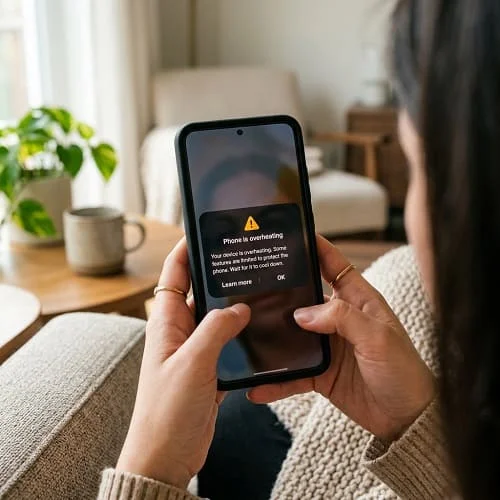
Table of Contents
Why Is My Samsung Galaxy S22 Overheating?
Your Galaxy S22 generates heat when it uses more power than usual. Some warmth is normal—especially with camera use, fast charging, and gaming. But frequent overheating is usually caused by one or more of the following:
- Heavy apps and tasks: gaming, 4K/60 video, AR filters, live streaming, or long video calls.
- Background processes: a “runaway” app syncing, uploading, or looping in the background.
- Charging heat: fast charging + using the phone at the same time is a common trigger.
- Software bugs or post-update indexing: after an update, the phone may optimize apps and sync data.
- Poor ventilation: thick cases, charging on a bed/sofa, or leaving the phone in direct sunlight.
- Weak signal / 5G hunting: the modem works harder, especially indoors, causing “Phone overheating Samsung” complaints.
- Hotspot + GPS: hotspot turns the phone into a mini router; GPS + bright screen adds heat.
This is why people also search for phrases like Android phone overheating samsung, Android phone overheating fix, and Is my Android phone overheating normally. The difference is frequency and intensity: occasional warmth is normal; repeated warnings and fast drain are not.
Signs Your Samsung S22 Is Overheating
Overheating isn’t only “the phone feels warm.” On the S22, heat often shows up as performance and battery symptoms first.
- The phone becomes very hot near the camera or mid-back area.
- Battery draining quickly, even while the screen is off (common “Why is my phone hot and losing battery” scenario).
- Overheating warning message appears, or charging pauses to cool down.
- Slower performance (thermal throttling): scrolling stutters, games drop frames, camera features disable.
- Screen dims automatically and brightness won’t go high.
- Apps close or crash during camera/video calls/gaming.
Quick self-check: If the phone is hot while idle (not charging, no heavy apps open), you likely have a background app loop, signal/modem issue, or battery aging problem.
10 Proven Ways to Fix Samsung S22 Overheating
The fastest results come from applying fixes in the right order. Don’t change everything at once—test after each step so you know what worked.
1) Close heavy and stuck background apps
Open Recent Apps and close the most demanding apps first (camera, games, social video apps, video calling). If you suspect one app is “stuck,” use:
- Settings → Apps → (app name) → Force stop
This is often enough if overheating started suddenly after opening one app.
2) Check Battery usage to identify the real culprit
On Samsung One UI:
- Settings → Battery and device care → Battery → Battery usage
Look for:
- Apps with unusually high battery use in a short time
- High background usage
- System items spiking (Mobile network, Location, Hotspot)
If one app dominates, update it, restrict it, or uninstall it temporarily to confirm.
3) Reduce screen brightness (biggest instant heat reducer)
High brightness adds heat and increases battery drain. For quick cooling:
- Lower brightness to 30–60%
- Enable Adaptive brightness
- Use Dark mode (helps OLED efficiency)
4) Remove your case (and avoid insulating surfaces)
Cases trap heat. Remove it during charging, gaming, navigation, and video calls. Also avoid charging on beds, blankets, or sofas because airflow is blocked.
5) Update Samsung software and Google Play system components
Software bugs can cause heat (especially after updates). Do both:
- Settings → Software update → Download and install
- Settings → Security and privacy → Updates → Google Play system update
After updating, give the phone 24–48 hours to finish optimization. If heat persists beyond that, continue with the next steps.
6) Restart the phone (clears stuck services)
A restart is a simple but effective reset of background processes and radios (Wi‑Fi/cellular). If your S22 hasn’t been restarted in days or weeks, this can immediately lower temperatures.
7) Disable unused features that create “silent heat”
These features can keep the phone active even when you’re not using it:
- Hotspot (turn it off when not needed)
- Location (especially “Allow all the time” permissions)
- Bluetooth scanning / Wi‑Fi scanning (location accuracy helpers)
- 5G in weak coverage areas (test LTE/4G for a day)
This is one of the most effective answers to How to cool down your phone fast when you don’t want to power off.
8) Avoid using your phone while charging (especially fast charging)
Fast charging generates heat by design. Combine that with gaming, camera use, or video calls and you can trigger a warning quickly. For testing:
- Charge with the screen off
- Use a slower charger for one session
- Remove the case while charging
If your phone overheats only while charging, your charger/cable quality and airflow are the first things to fix.
9) Clear cache for the worst offenders (safe, targeted approach)
Cache corruption can keep apps looping. Clear cache (not data) for apps that show high background usage:
- Settings → Apps → (app) → Storage → Clear cache
Good candidates: browsers, social apps, maps, streaming apps, and camera-related editors.
10) Reset settings (only if necessary)
If overheating persists and you can’t identify the app, a settings reset can fix misconfigurations without erasing your personal data. Options vary by model, but common safe resets include:
- Reset network settings (helps if mobile network heat is high)
- Reset app preferences (fixes disabled system components and defaults)
If you need a broader Samsung-focused checklist (charging heat, signal heat, background app limits), follow the step-by-step guide: How to Fix Samsung Phone Overheating Fast (2026).
How to Cool Down Your Samsung Phone Fast
If your S22 is hot right now, use these emergency steps. They reduce heat quickly without risking damage:
- Unplug the charger immediately (charging is the fastest heat multiplier).
- Remove the case and place the phone on a hard surface.
- Turn on Airplane mode for 2–5 minutes (reduces cellular radio heat).
- Lower brightness and close the camera/game/video call app.
- Turn off hotspot and GPS if they’re on.
- Power off if it stays hot or performance becomes unstable.
Avoid this: Don’t put your phone in a freezer. Rapid cooling can cause condensation inside the device and lead to corrosion.
These steps directly address “How to cool down your phone fast” and are safer than any “cooling app,” which usually just closes apps (and sometimes runs ads in the background).
When Overheating May Indicate a Hardware Problem
Most overheating is software or usage-related. But sometimes heat is a warning sign of hardware trouble. Consider professional service if you notice any of the following:
- Swollen battery (screen lifting, back panel bulging) — stop charging immediately.
- Overheating while idle even in Safe Mode (no third-party apps running).
- Overheating during charging on multiple chargers and cables.
- Charging port heat or charging that only works at certain angles (port damage, resistance).
- Random shutdowns at 20–40% battery or sudden percentage drops (battery aging).
If your S22 is overheating and losing battery quickly despite light use, battery wear is a top suspect—especially if the phone is a few years old. A battery replacement is often the most effective long-term fix.
Prevent Samsung Galaxy S22 Overheating in the Future
Once you fix the cause, these habits help prevent repeats:
- Don’t game or video call while fast charging.
- Charge with airflow: hard surface, case off if needed.
- Keep storage free: low storage can increase background work and heat.
- Update apps regularly (bug fixes often include thermal improvements).
- Limit “Allow all the time” location permissions to essential apps only.
- Use LTE in weak 5G areas if you notice radio-related heat.
- Avoid direct sunlight during navigation and filming.
This is also why many users compare advice from Android phone overheating reddit threads: real-world heat is often about signal, charging, and specific apps—not the brand.
FAQ (People Also Ask)
Why is my Android phone suddenly overheating?
Sudden overheating is often caused by a runaway app update, background syncing loop, weak signal/5G hunting, or using heavy apps while charging. Check Battery usage for high background activity, restart the phone, and test cooling steps like lowering brightness and disabling hotspot/GPS.
Does a hot phone indicate a virus?
Not always, but it can. Many overheating cases come from normal heavy use, bad signal, or buggy apps. However, if you see pop-ups, unknown apps, or extreme battery drain while idle, scan with Play Protect, uninstall suspicious apps, and consider Safe Mode testing.
Should I be worried if my phone is hot?
Warmth during charging, gaming, navigation, or video calls is normal. You should worry if the phone becomes painfully hot, shows thermal warnings repeatedly, swells, smells like burning, or overheats while idle. In those cases, stop charging and seek service if needed.
How do I cool down my Android phone?
Unplug it, remove the case, close heavy apps, lower brightness, and move it out of direct heat/sunlight. If signal is weak, enable Airplane mode briefly to reduce radio heat. Avoid freezing the phone to prevent internal condensation and long-term damage.
How to Fix Samsung S22 Overheating (Video Guide)
Conclusion
Most Samsung S22 overheating cases are caused by power-hungry apps, charging heat, weak signal/5G radio load, or background activity—not a “broken phone.” To fix it, start with safe cooling steps, identify the draining app in Battery usage, avoid heavy use while charging, reduce brightness, and update software. If overheating happens while idle or you see battery swelling, treat it as a hardware warning and seek service. With the right adjustments, How to fix overheating phone Samsung S22 is usually a straightforward, fixable problem.

About the Author
Alex Carter — Founder & Editor‑in‑Chief, GicraMobile
Alex leads GicraMobile’s testing lab and reviews. His methodology focuses on day‑to‑day performance, battery health and thermals, camera consistency, and 5G/LTE reliability—so you can pick the right phone without hype.
Real‑world testing: 90–120 Hz smoothness, idle drain, thermals
Camera checks: HDR, skin tones, low‑light stabilization
Connectivity: band fit, eSIM, VoLTE/VoWiFi, Wi‑Fi performance
You may also like this